


Windows 10 reached EOS (end of support) on October 14, 2025. If you are on Windows 10, see this article.

Search Support

Avoid support scams. We will never ask you to call or text a phone number or share personal information. Please report suspicious activity using the “Report Abuse” option.

Learn More
Open

InsertSignature button moved from formatting toolbar to top toolbar after Thunderbird 153.0.1 ESR update

Lin replied
maipenrai23

Hello,

After updating Thunderbird to version 153.0.1 ESR (64-bit), the InsertSignature button changed its position.

Before the update, the "Insert Signature" button was displayed near the message formatting toolbar, next to the "Body Text" selector.

After the update, the button moved to the top compose toolbar next to the Send button.

My environment:

- Thunderbird 153.0.1 ESR (64-bit) - Windows 11 - InsertSignature 0.4.5 - Quicktext 6.9.1

InsertSignature has not been updated recently (version 0.4.5), and this change appeared only after Thunderbird was updated.

The button used to be located immediately next to the "Body Text" selector in the formatting toolbar. Last Friday everything worked normally. Today (Monday) the button position changed.

Is this an intended UI change in Thunderbird 153, or is it a compatibility issue or bug?

If possible, is there any way to restore the button to its previous location near the formatting toolbar?

Thank you very much.
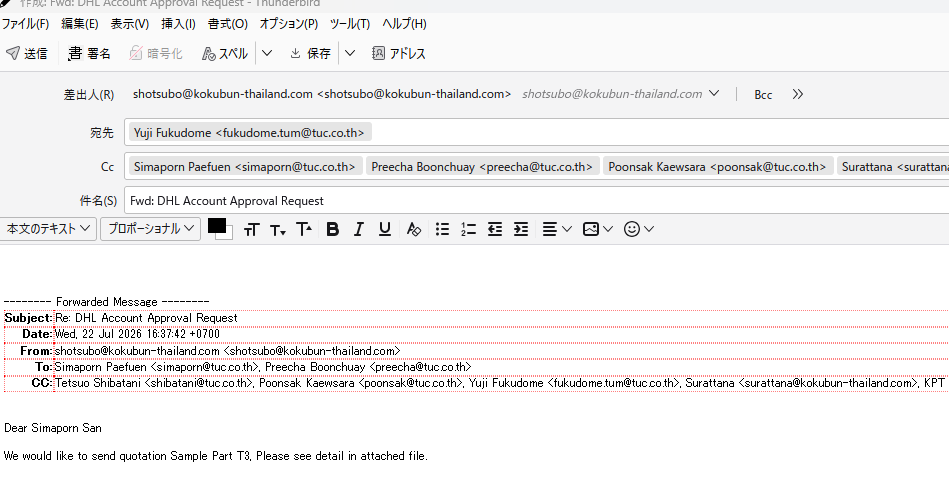
Hello, After updating Thunderbird to version 153.0.1 ESR (64-bit), the InsertSignature button changed its position. Before the update, the "Insert Signature" button was displayed near the message formatting toolbar, next to the "Body Text" selector. After the update, the button moved to the top compose toolbar next to the Send button. My environment: - Thunderbird 153.0.1 ESR (64-bit) - Windows 11 - InsertSignature 0.4.5 - Quicktext 6.9.1 InsertSignature has not been updated recently (version 0.4.5), and this change appeared only after Thunderbird was updated. The button used to be located immediately next to the "Body Text" selector in the formatting toolbar. Last Friday everything worked normally. Today (Monday) the button position changed. Is this an intended UI change in Thunderbird 153, or is it a compatibility issue or bug? If possible, is there any way to restore the button to its previous location near the formatting toolbar? Thank you very much.
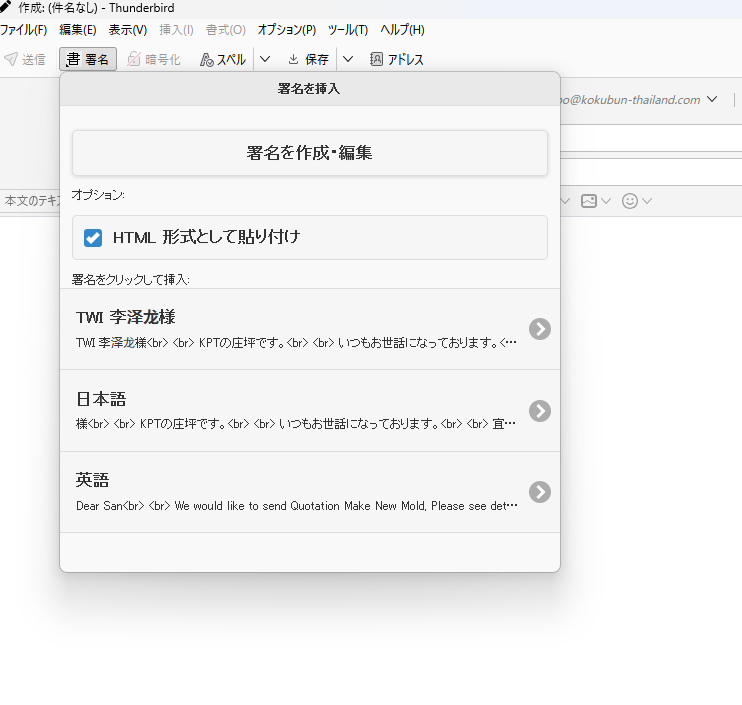
Priloženi snimci ekrana

All Replies (1)

Since this is a feature of the InsertSignature add-on and not of Thunderbird itself, you'll be better off asking the add-on's developer. The add-on page has links to his email and project site.

https://addons.thunderbird.net/en-US/thunderbird/addon/insertsignature/

Postavite pitanje

You must log in to your account to reply to posts. Please start a new question, if you do not have an account yet.