


OAUTH to Yahoo fails after TB v148 upgrade

TB on Windows
Prior to TB 148, OAUTH worked for POP3 access to: Gmail, MS Outlook, and Yahoo.
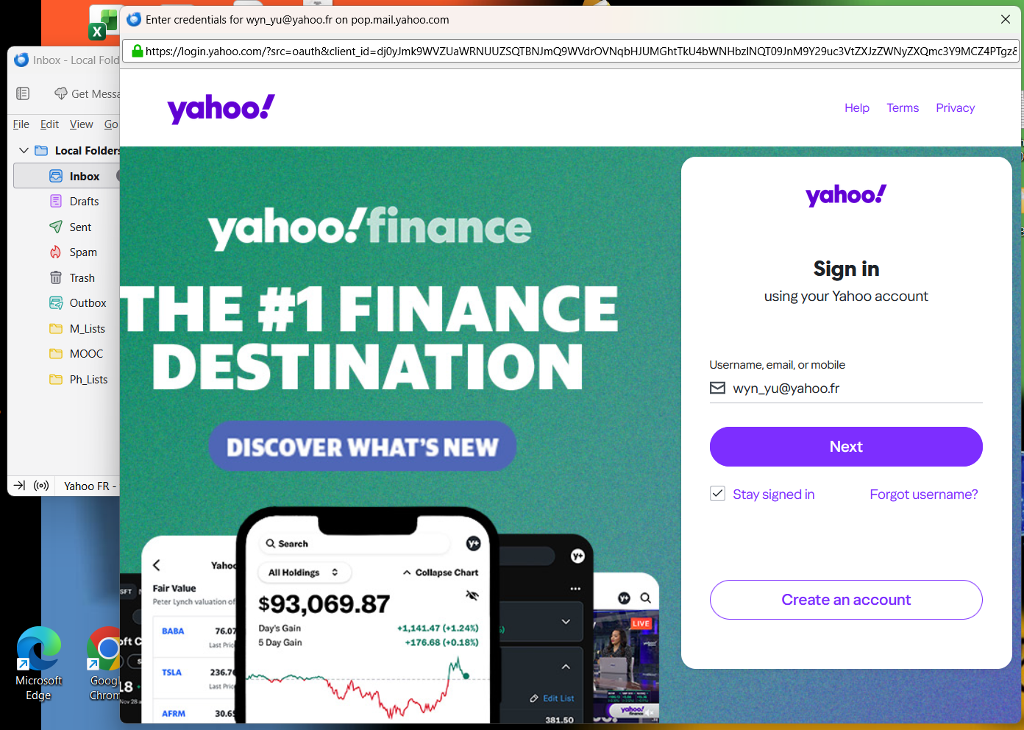
After TB 148 upgrade: OAUTH to Yahoo fails, subsequent log-in page also fails. Both OAUTH to Gmail and OAUTH to MS Outlook still work fine.
Rolled-back/Reverted to TB 147.0.2 -- OAUTH to all works fine, as it did previously.
Note: YahooMail seems to have other problems. But I was able to confirm successful OAUTH and POP3 to YahooMail after reversion to 147.0.2.
All Replies (1)
Thanks for the detailed information.
There are a series of steps to narrow down your issue... (we skip section A)
B. If you have not yet been successful, Please tell us:
B1. With the password that failed with Thunderbird, can you log into the account(s) using the mail provider’s web interface (webmail)? (Note: you must use the account password, not an “app password” that was created by yahoo) B2. What are the full domain name(s) of all the affected account(s)? (for example yahoo.co.uk) B3. Are cookies enabled in Thunderbird at Settings > Privacy & Security > “Accept cookies from sites …” B4. Are you able to login using Thunderbird after you do the following
- Settings
- Config Editor
- find mailnews.oauth.usePrivateBrowser (screen shot below - you can paste it into the search field)
- click the two-headed arrow icon to toggle false to true
* restart Thunderbird (make sure it has fully shut down before starting it up)
- retry the login
C. If you were not successful after B4…
C1. Can you see the entire oauth dialog panel - no action buttons are missing? C2. No authentication dialogs are hidden behind what you currently see? C3. You don’t have the preference javascript.enabled set to false in Settings > Config editor? C4. Are you in the country in which you normally use the account? (rule out geoip) C5. (related to #4 above) Are you using a VPN? C6. Is the authentication method in Account Settings set to OAuth2? C7. Are you using MFA/2FA? (enabling multi-factor authentication / two-factor authentication in your mail provider settings might be blocking you) C8. Are you running a webserver on your computer? (could be anything listening on port 80 or 443) C9. If you are using Windows, does it help to start Windows in Safe Mode with networking enabled? See https://support.microsoft.com/en-us/windows/windows-startup-settings-1af6ec8c-4d4a-4b23-adb7-e76eef0b847f. If you feel the instructions are too complicated, printing them often helps.
If you are really stuck, sending us screen shots might help. (Attached are some screen shots of what a user of yahoo should see.)