


Need to restore "corrupted" T-Bird on PC without loosing emails, addrs, history, etc.

Believe my T-bird account has somehow been corrupted. Takes forever to load on PC and always puts new emails in Trash folder. Often does not accept correct password. If I save / backup PROFILE, uninstall T-Bird and delete any Thunderbird folders on PC, if I restore per backup, will I be restoring the corrupted app. Don't want to loose email addresses, thousands of emails and email folder structure. Will a restore work? Thank you. Greg D
PS Version of T-Bird on laptop still puts all new email in Trash, but loads much more quickly, etc.
All Replies (11)
Technically, a reinstall does not modify the profile, but to be safe, I always suggest backing up. Assuming you use windows, these steps will work:
BACKUP
- ensure thunderbird is not running
- enter %appdata% in search window on task bar and press Enter key
- this should open windows file explorer in Appdata\roaming folder
- highlight the Thunderbird folder and copy to external media
NOW, reinstall Thunderbird from thunderbird.net. It should pickup the current profile transparently. If not, then do the restore below:
RESTORE
- ensure thunderbird is installed and NOT running
- enter %appdata% in search window on task bar and press Enter key
- you should be in Appdata\roaming folder , copy&paste the exported Thunderbird folder there. This will prompt to overwrite an existing folder of same name. allow it
- start thunderbird and all should be there
David - Thank you for your suggestions. Tried them, but now it's worse. The app hangs and won't open (at least on my PC). I have version on my laptop, but it has the original problem of all new msgs going to trash, etc. Any further suggestions? Thank you. Greg
Puzzling. The steps would have saved all content and installed a fresh thunderbird. If the problem remains, I suspect there may be corruption in the account. Do you see any error messages. Please clarify what you mean by 'the app hangs and won't open.' If a complete mess, we can salvage components. Thanks
David, Thank you. I've attached a screen shot of the problem. I'm also going to contact Comcast/XFinity, as the new emails are going into their Trash folder also. Maybe the problem starts with them. Also the screen shot will show you the issue with all of the icons (s) that appear at the top of the app when it opens. I don't know how to interpret or control that.
Greg
Let me know if you received the images.
Do you know where T-Bird stores its email address & lists.
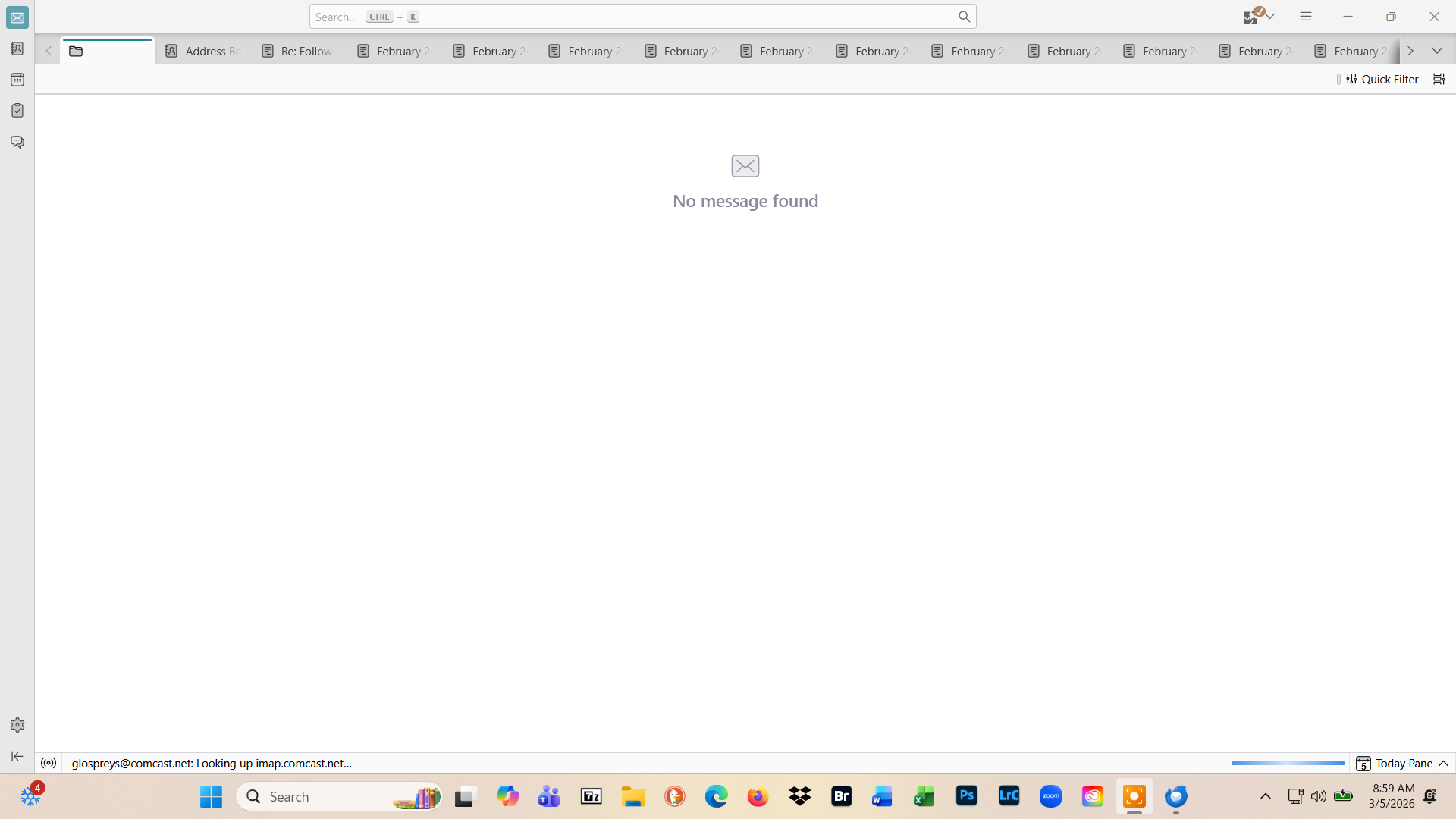
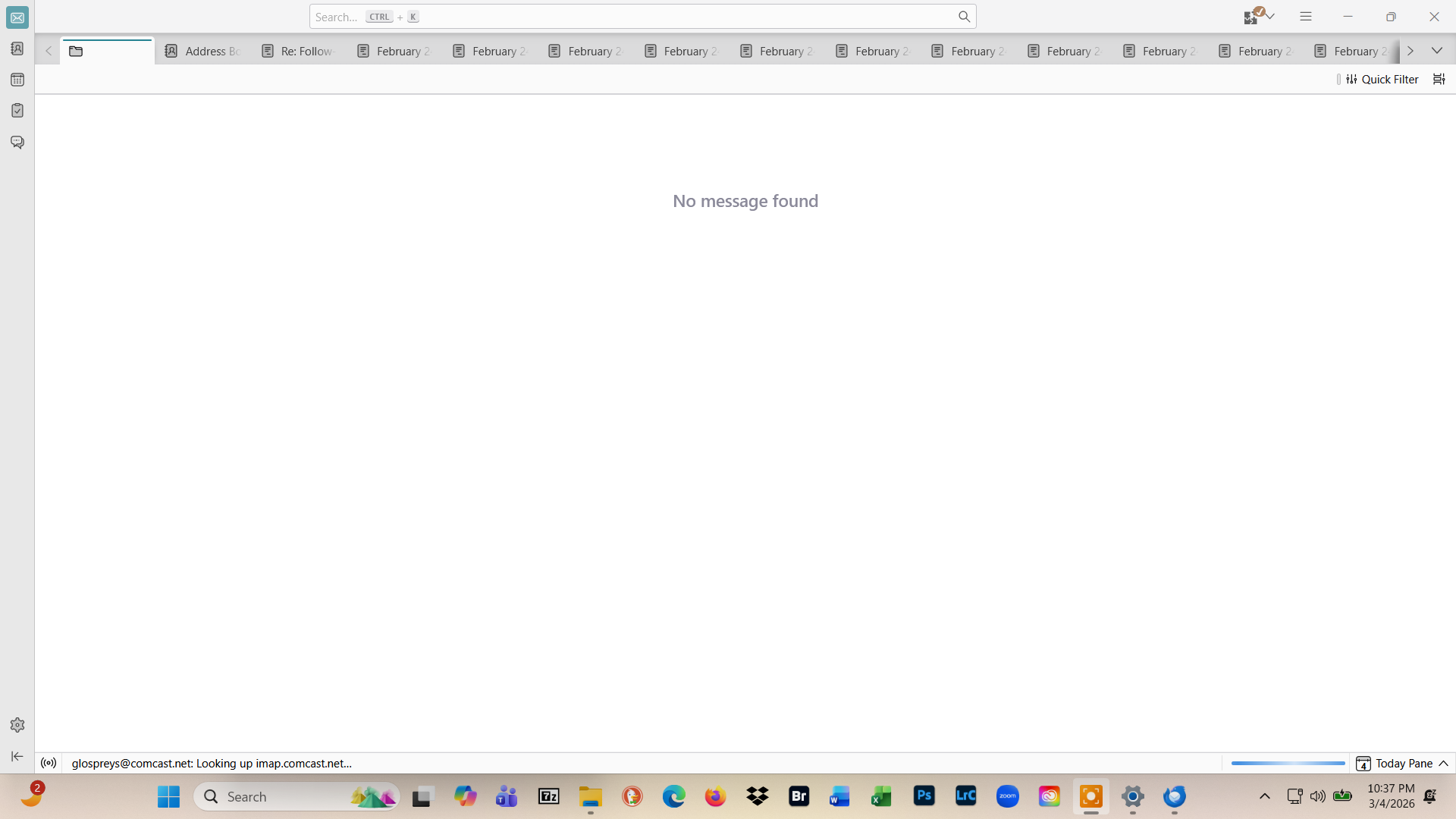
That screenimage looks like a lot of tabs are open. If true, see if you can close them. The addressbook is in two files: abook.sqlite and history.sqlite and they are in root folder of profile and can be readily copied from one profile to another.
David Thank you for the info re. the addresses. Must I copy both files or can I just copy abook? Second, will T-Bird overwrite vs merge the entries, as I may have some addresses on the laptop that were not on the PC?
My laptop seems to be working correctly now that Comcast fixed a system msg filter rule I could not see / find. My PC however, now won't even open T-Bird. I've uninstalled and reinstalled TB from Thunderbird.net. Can the Profile become corrupted, and if so, is there a remedy that doesn't involve loosing the addresses and saved folder structure with its msgs?
Thank you.
Greg
you said that thunderbird will not open - but that is vague. Error messages are more concrete. Please share error when thunderbird attempts to start. On your questions, I will help you through salvage if necessary, but knowing WHY thunderbird isn't starting may help. thanks.
David,
In a prior msg, I sent two screen shots. In the lower left corner you can see the notification / msg while the application is trying to open. There is no "error msg", the application just "hangs" I've even left it open over night and the screen remains the same. The application just does not complete loading.
Can the profile become corrupted? If so, is there a way to address that without loosing all the folders and emails stored in them and the addresses?
Thank you.
Greg
Greg,
you write the application just "hangs" Thunderbird hanging or "freezing" means you cannot do any actions in the app, it had become non responsive: you can't open a menu or click on a tab do open it and display its contents or compose a new message, ... etc. When an application freezes, most times you have to force-quit it, sometimes the hanging app simply crashes after a while. Your screen shot shows that Thunderbird has started (the main window is completed), trying to connect to the imap.comcast.net server but for some unknown reason doesn't succeed. And when there is no error message, this could be due to the fact that Thunderbird has become non responsive.
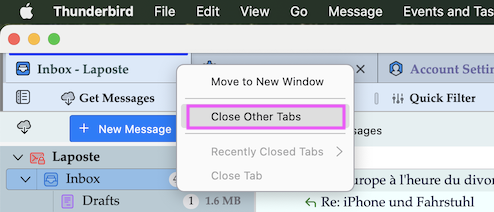
I support David's proposal to close ALL tabs (R-click > Close Other Tabs) except for the Mail tab which is the utmost left tab in the Tabs bar. Then close and restart Thunderbird and try to display the Mail tab with the folder pane on the left. Go to Tools > Developer Tools > Error Console and look up which errors (in red) are shown.
Mapenzi,
It's a catch-22. I can't get to the Tools nor can I "R-click" and get the Close Other Tabs option because the page does not load!
The "notification" msg sequence should be:
"looking up imap.comcast.net"
password entry required and if correct...
"Looked up imap.comcast.net" [the app most often "hangs" here] "connecting Imap.comcast.net" "connected imap.comcast.net" "sending login info" then loading msgs
Any other suggestions?
Start Thunderbird in 'troubleshoot mode': press the Shift key while launching Thunderbird https://support.mozilla.org/en-US/kb/troubleshoot-mode-thunderbird