


How to make Thunderbird open with the same pane layout regardless of how it was when I closed it

I need predictability where I can find it. Thunderbird opens how I left it, so I never know what's going to appear when I start it the next day. Isn't there some setting so that it always opens showing all 3 panes, regardless of my laziness at exit? It would also help with my autohotkey script if it knew what to expect. I suspect the lack of answers in my search suggests there is no such setting. How about a command line argument?
Izabrano rješenje
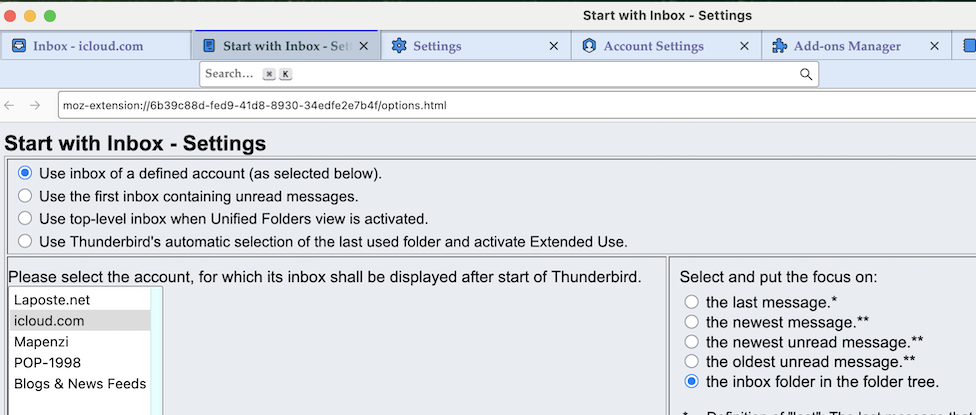
You may install the add-on "Start with Inbox" https://services.addons.thunderbird.net/en-US/thunderbird/addon/start-with-inbox/ No matter which folder or which tab is selected (in focus) when you quit Thunderbird, on next start it will automatically select the Inbox folder chosen by you, but there are also other choices possible in the settings for this add-on
Pročitajte ovaj odgovor sa objašnjenjem 👍 0All Replies (2)
Odabrano rješenje
You may install the add-on "Start with Inbox" https://services.addons.thunderbird.net/en-US/thunderbird/addon/start-with-inbox/ No matter which folder or which tab is selected (in focus) when you quit Thunderbird, on next start it will automatically select the Inbox folder chosen by you, but there are also other choices possible in the settings for this add-on
Thanks! I can't believe it never occurred to me to look for an extension that did THAT!