


links in incoming mail
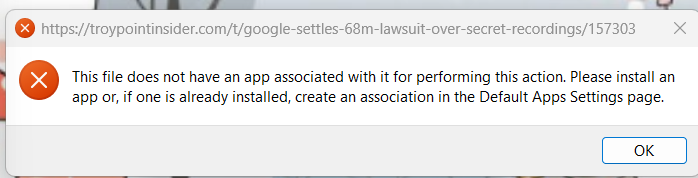
Sorry if this is already a problem mentioned but can't find it so here we go. If I receive an email with a link or several links and I click on them I get this noisy message saying there is no app associated with this link. This just started a couple of days ago. I didn't do anything different that I know of. Perhaps this is just a new problem with that awful OS W11.
So, any clues as to what has caused this and what would I look for in app association?
Thanks so much in advance.
Loopy
Izabrano rješenje
I suggest following the suggestion in the error message and going to the default apps page in Windows to set your preferred browser. That's what thunderbird is trying to do, invoke the default browser.
Pročitajte ovaj odgovor sa objašnjenjem 👍 0All Replies (2)
Odabrano rješenje
I suggest following the suggestion in the error message and going to the default apps page in Windows to set your preferred browser. That's what thunderbird is trying to do, invoke the default browser.
My browser has been Google Chrome for many years. Going into the file association, they all show Google Chrome as the one to open all those Chrome files with. Thanks very much for your help. I'll keep looking but not today. LOL
Thanks Norma C.