Sorry what do you mean by subject? Confused already!

Sorry but I find carrier pigeons easier than computers and no I don't have any. I am trying to get a second email account sorted as the first one has been disconnected (old supplier) even though new emails sent to the old address show up on thunderbird. Online advice on how to do this does not work, as the information that should be on screen is not there. Oddly enough the new email address has allowed me here, does this mean that the new email address is now working? Many thanks
All Replies (8)
Your post implies that this is a follow-on to a prior post, yet it appears that this is your first post. So, we have no idea what your reference to subject is about. Then, you state that your old email account is disconnected, yet still connected. You then state that 'online advice' does not work. What online advice? My suggestion: start over with whatever is your issue and someone here will attempt to advise if the issue is understood and suggestions are possible. Thank you. If at all possible, some suggestions will be presented back to you.
Hi David, sorry you sound as confused as I am with it all. I was using Thunderbird with email address no 1. I then had to change supplier and therefore lost no 1 address yet Thunderbird is telling me that there are new emails at address no 1. My understanding was that address no 1 was closed by the previous provider, not that that is that important as I currently don't use it. How do I log the current email address (no 2) so that I can also see previous emails from address no 1? Hopefully this makes more sense to everyone. Many thanks.
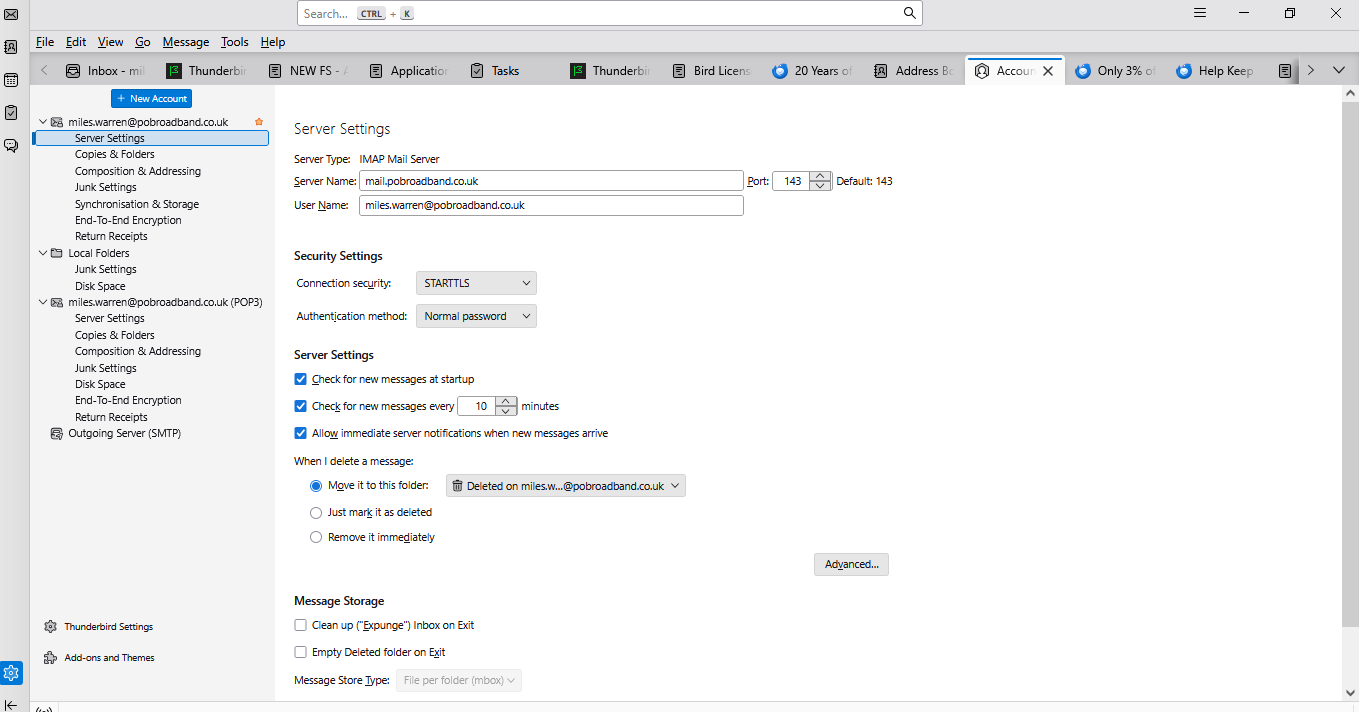
OK, you state that you lost account 1, but now have new messages. That indicates that account 1 is still on thunderbird. Account 2 cannot read other account's email. Can you do a screenshot of your main page? And maybe a screenshot of your 'account settings' pane? That may help me and others understand what your situation is. thank you. If you are unfamiliar with creating screenshots, there is a nice little free utility at https://www.reasyze.com/ Thank you
Hi David, Many thanks for your help with this. Unfortunately I don't seem able to do a screenshot of anything as it refuses to paste it here but will paste it elsewhere, which at least shows that I can do a screenshot. I may have to return to the slate and chalk era as the modern era is driving me mad, Once again many thanks for trying to help bring me into the modern era. I have tried to copy the images into a word doc but that doc does not show using the browse button below when it is clearly there. Oh dear, I believe is the correct terminology but not the one I have been using. Many thanks
You don't paste here, there is a llink at bottom of the reply screen to add images. you can add a JPG or PNG file there.
Hi David,
Hopefully I have managed to get the right bits attached? Many thanks.
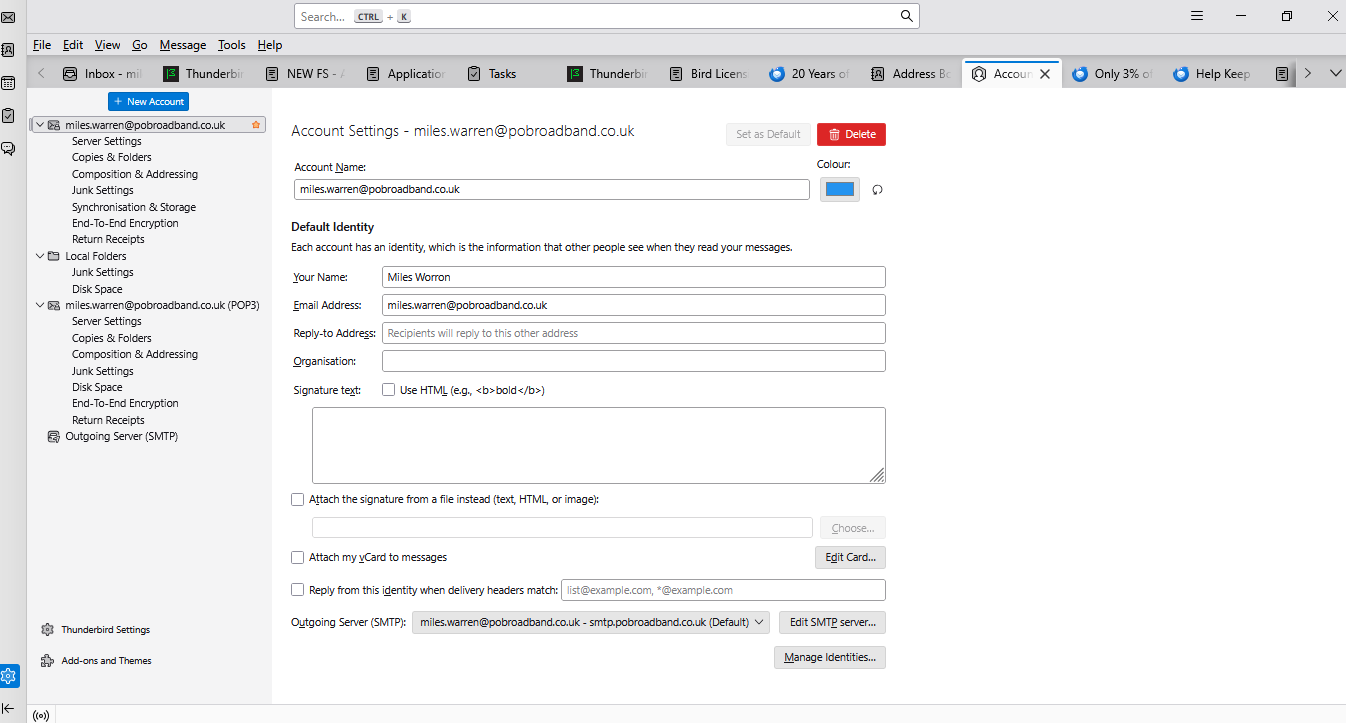
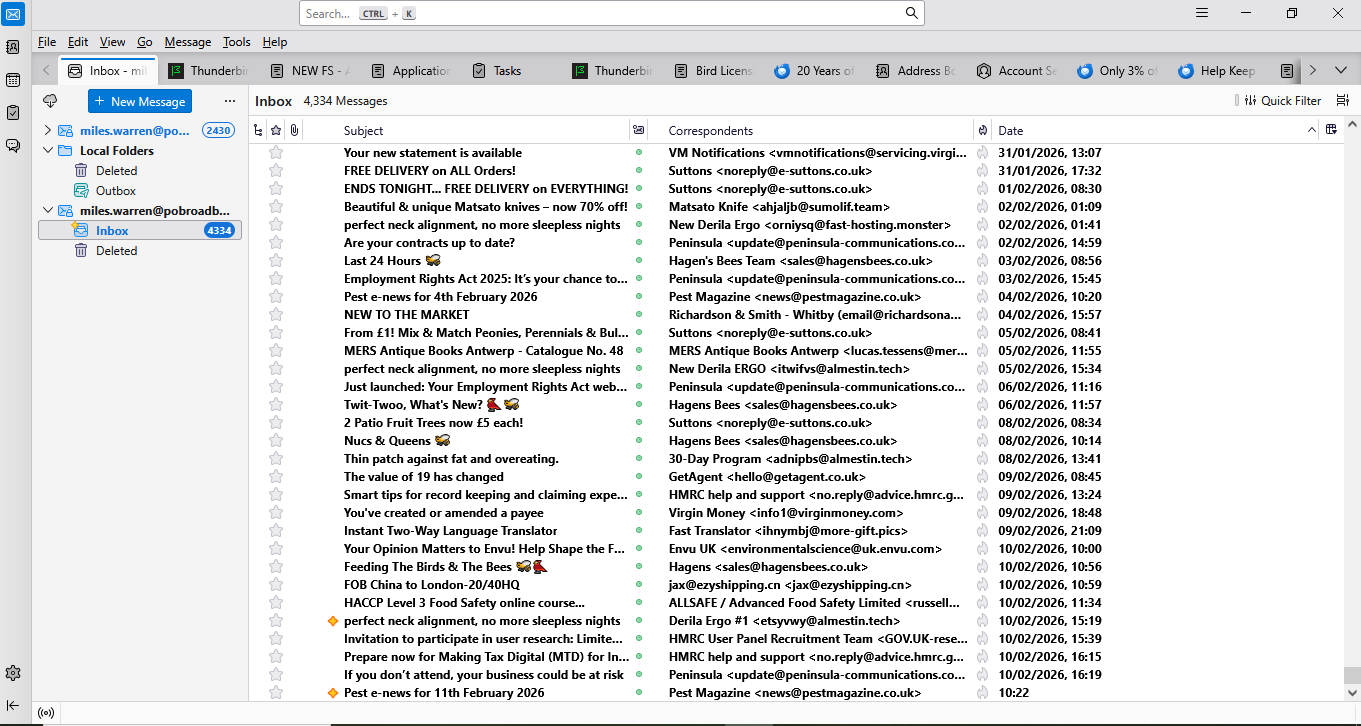
Good that the screenshots are appearing. Please click to 'account settings', click to the 'server settings' pane for each account and create a screenshot of each. The server settings pane will show how thunderbird sees the two accounts. thank you
Hi David, Attached the sever settings for the "old" account no 1. I don't have anything for the "new" account no 2. My understanding was that I could have more than one email address? If this is correct then I should be able to view emails received under account no 1 and also deal with account no 2. Although I thought that I had created account no 2 I now can't find it at all. How do I create 2 email addresses within Thunderbird so that I can see old emails from account no 1 and use emails for account no 2, or can this not be done? I hope that makes sense? Many thanks