


Email Colour Highlight

Is there an extension that I can highlight the messages in my inbox rather than just the tags
Izabrano rješenje
Thank you Mapenzi
You are simply AWESOME! This has worked perfectly Thank you for all your help and patience.
Pročitajte ovaj odgovor sa objašnjenjem 👍 0All Replies (6)

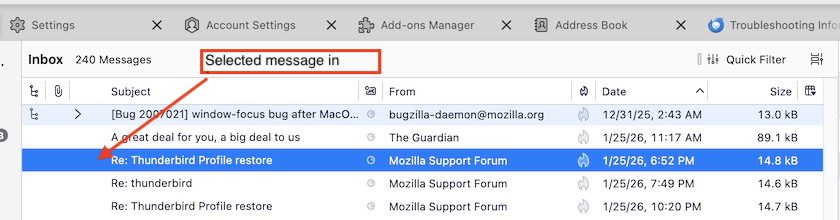
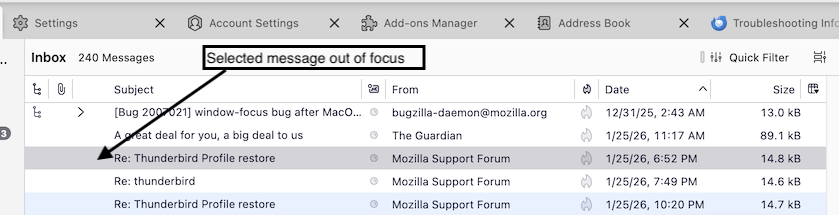
Can you be more precise? Which messages do you want to highlight? Are you using the "Table" view or "Cards" view for your thread pane? In Table view Thunderbird by default highlights the background of a selected message: • when the thread pane is in focus the highlight (background) color is blue most of the times, it depends on the accent color you choose in your OS • when the thread pane is out of focus the the background color becomes a light gray (my screen shots have been made in table view)
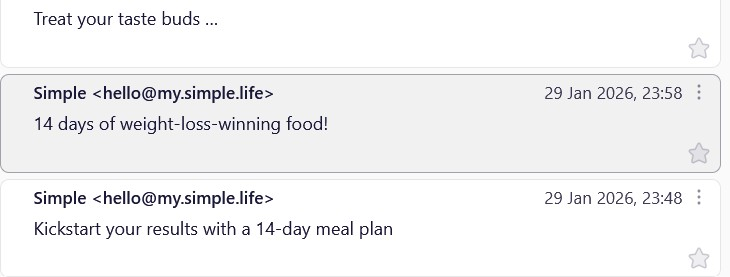
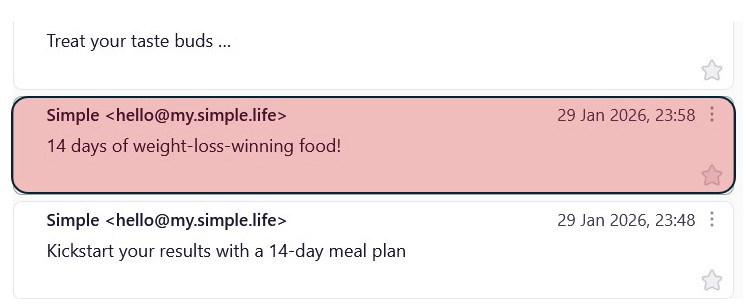
Hi Mapenzi Thank for your reply. I am using Card View. What I am referring to is when you tag a message in your inbox for example as "Important", then I would like the E-Mail to be highlighted in red - as in the whole thing. see attached pics. There used to be an add-on that did exactly this, but it was removed for some reason, so am asking if there is an add-on that can do the same Thanks Peter
peter.agriair said
There used to be an add-on that did exactly this, but it was removed for some reason, so am asking if there is an add-on that can do the same
Cards view is a rather recent Thunderbird feature and I don't remember an add-on doing this. Actually the only way to highlight a tagged message with the tag colour is to use CSS codes in a userChrome.css file in the profile:
• in Thunderbird first go to Settings > General >>>> scroll to bottom and click "Config Editor", search for the pref toolkit.legacyUserProfileCustomizations.stylesheets and toggle its value to true • open a text editor such as Notepad and copy/paste the following CSS codes to the editor window
/* ::::: Highlight tagged message cards ::::: */
#threadTree[rows="thread-card"] .card-container {
  color: var(--tag-color); }
 #threadTree  tbody tr.selected[data-properties~="tagged"] .card-container {
  background-color: var(--tag-color) !important;
  color: var(--tag-contrast-color) !important; }
• save the file as userChrome.css, remove the .txt file extension your system will add to the file name, create a new folder, name it chrome and move the userChrome.css file in the chrome folder
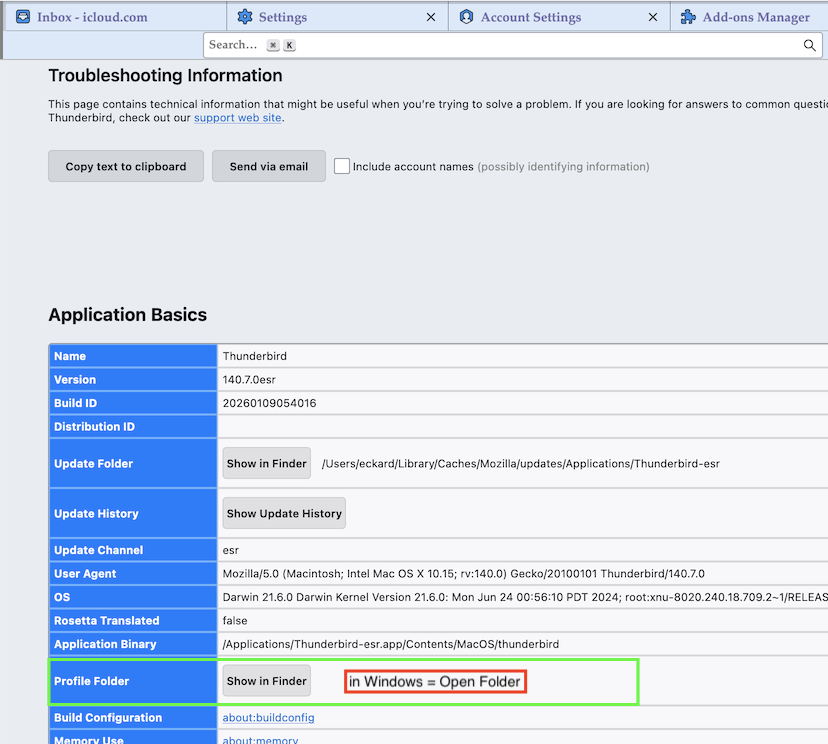
• in Thunderbird go to Help > Troubleshooting Informations > Profile Folder > Open Folder .... then quit TB; move the chrome folder in the profile folder, close the profile folder and restart Thunderbird....
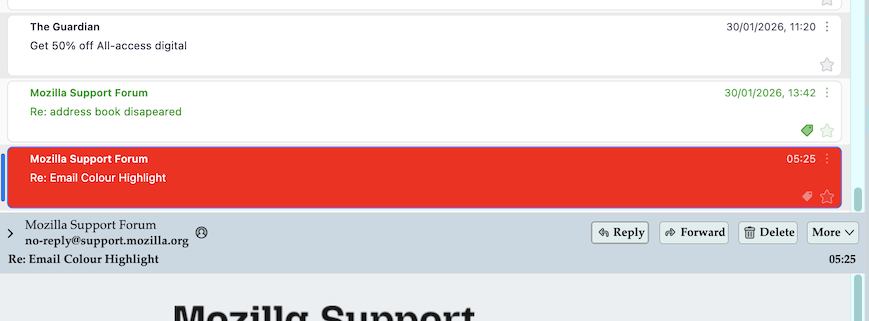
In my screen shot you'll see two tagged messages, the one tagged 'Important' is in focus
Izmjenjeno od strane Mapenzi
Hi Mapenzi Thanks for the further help. I am not clear what to do at this stage - "Thunderbird go to Help > Troubleshooting Informations > Profile Folder > Open Folder .... move the chrome folder in the profile folder,:? I have attached a screenshot of the page after going through the steps - "Thunderbird go to Help > Troubleshooting Informations > Profile Folder" - but then not sure what to do next? Please advise Thanks Peter
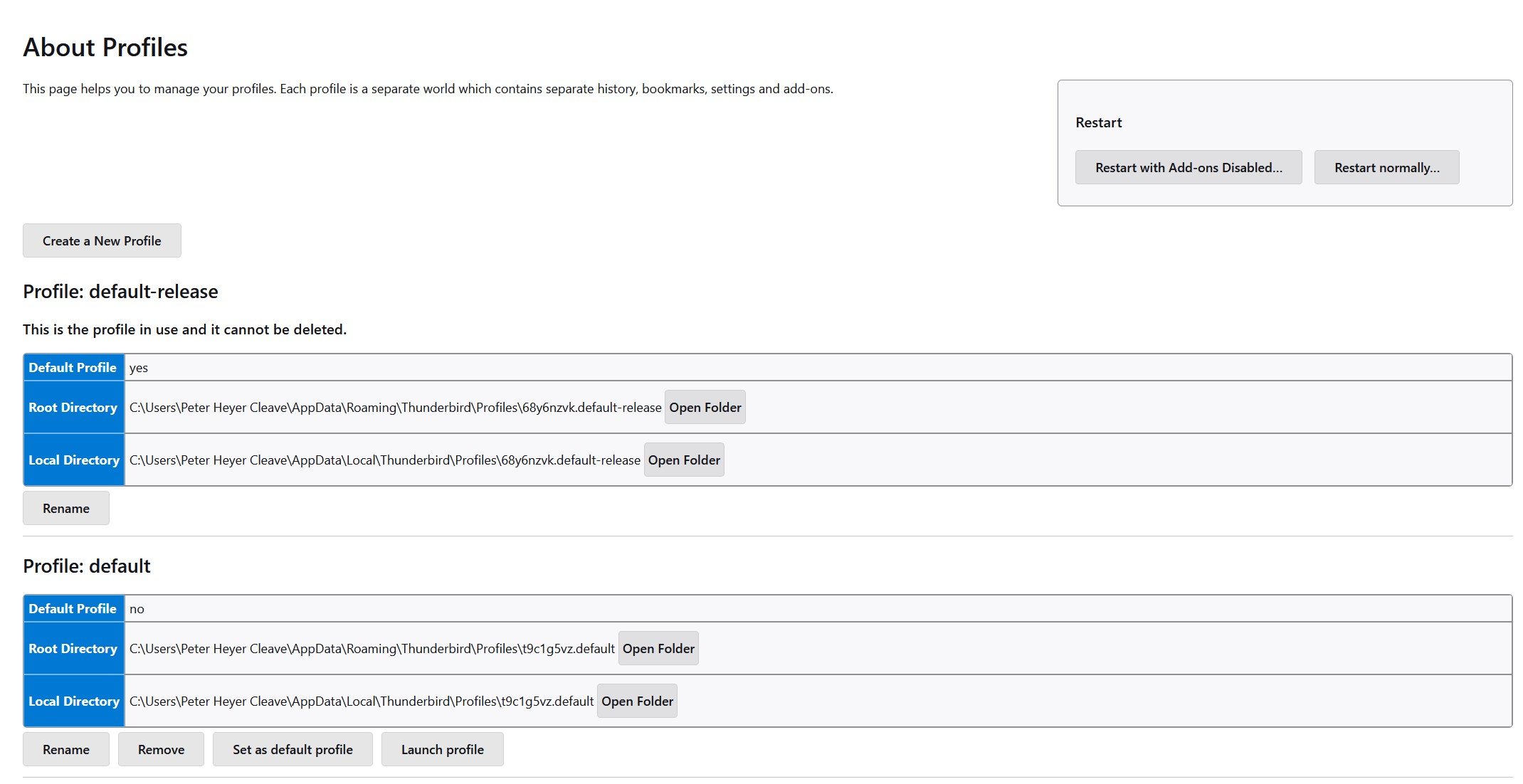
Peter, you have gone down too far in the "Application Basics" list. Have a look at my new screen shot and you find the line Profile Folder
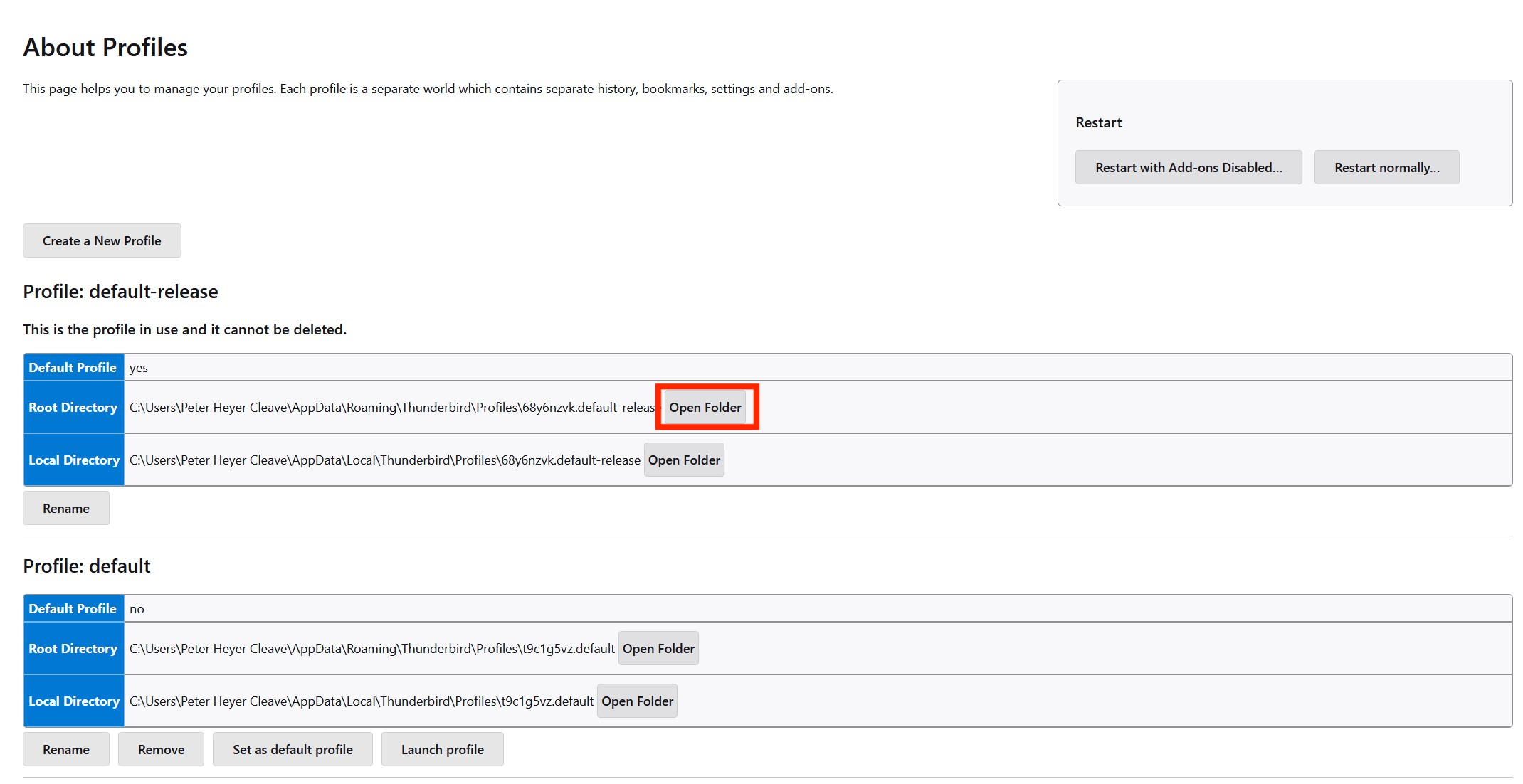
Update: as a matter of fact, in your actual screen "About Profiles" you also can click on "Open Folder" (see new image) The result will be the same: the profile folder will be shown in your Win file manager
Izmjenjeno od strane Mapenzi
Odabrano rješenje
Thank you Mapenzi
You are simply AWESOME! This has worked perfectly Thank you for all your help and patience.