How do I turn off the option to switch to vertical tabs when I right click on the tab space

This has been infuriating me for a few weeks now, I accidentally close tabs all the time when using Firefox and I normally right click the top and click the "Reopen closed tab option. However since this change, I have constantly been miss clicking on the "Turn On Vertical Tabs" options which is incredibly infuriating because It adds 3 more clicks to just reopening a tab. This "Feature" cannot be turned off no matter how hard I try and I am very close to switching to another browser due to this.

All Replies (3)

I think the `Turn On Vertical Tabs` options cannot be removed since the default menu options for secondary-clicking. However, there is another method to reopen closed tabs by using keyboard shortcut `CTRL + Shift + T`. I often use this way, it is faster and safe from error by miss clicking.
Hello
A space for users to give product feedback. https://support.mozilla.org/en-US/kb/what-mozilla-connect
Ability to edit context menus, remove unnecessary options. https://connect.mozilla.org/t5/ideas/ability-to-edit-context-menus-remove-unnecessary-options/idi-p/8003
For information purposes. Firefox advanced customization and configuration options. https://support.mozilla.org/en-US/kb/firefox-advanced-customization-and-configuration
With the help of Browser Toolbox. https://firefox-source-docs.mozilla.org/devtools-user/browser_toolbox/index.html
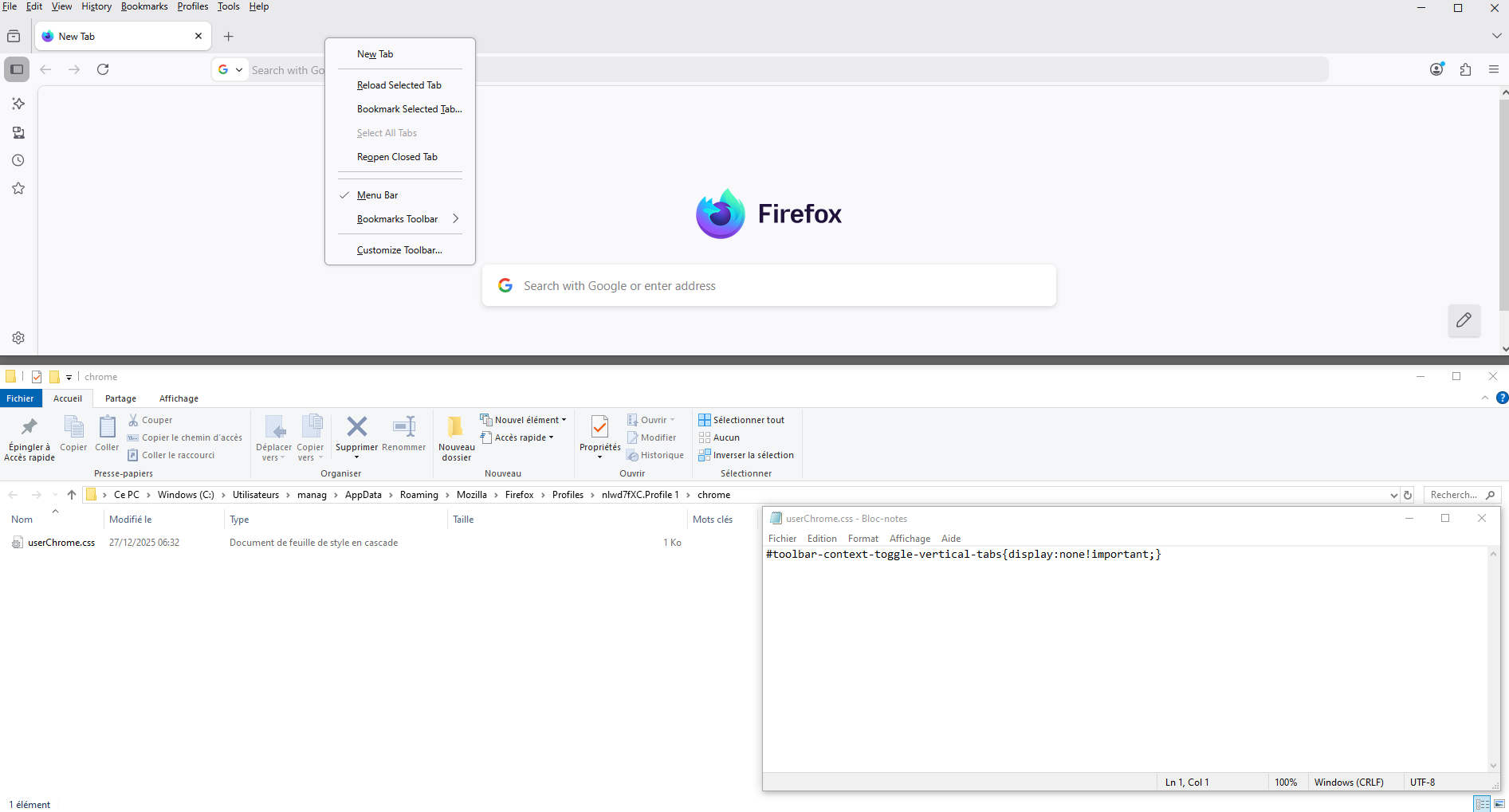
With the help of userChrome.css file.
#toolbar-context-toggle-vertical-tabs{display:none!important;}
Screenshot 3 of course it's not a ideal case.


Izmjenjeno od strane Agent virtuel
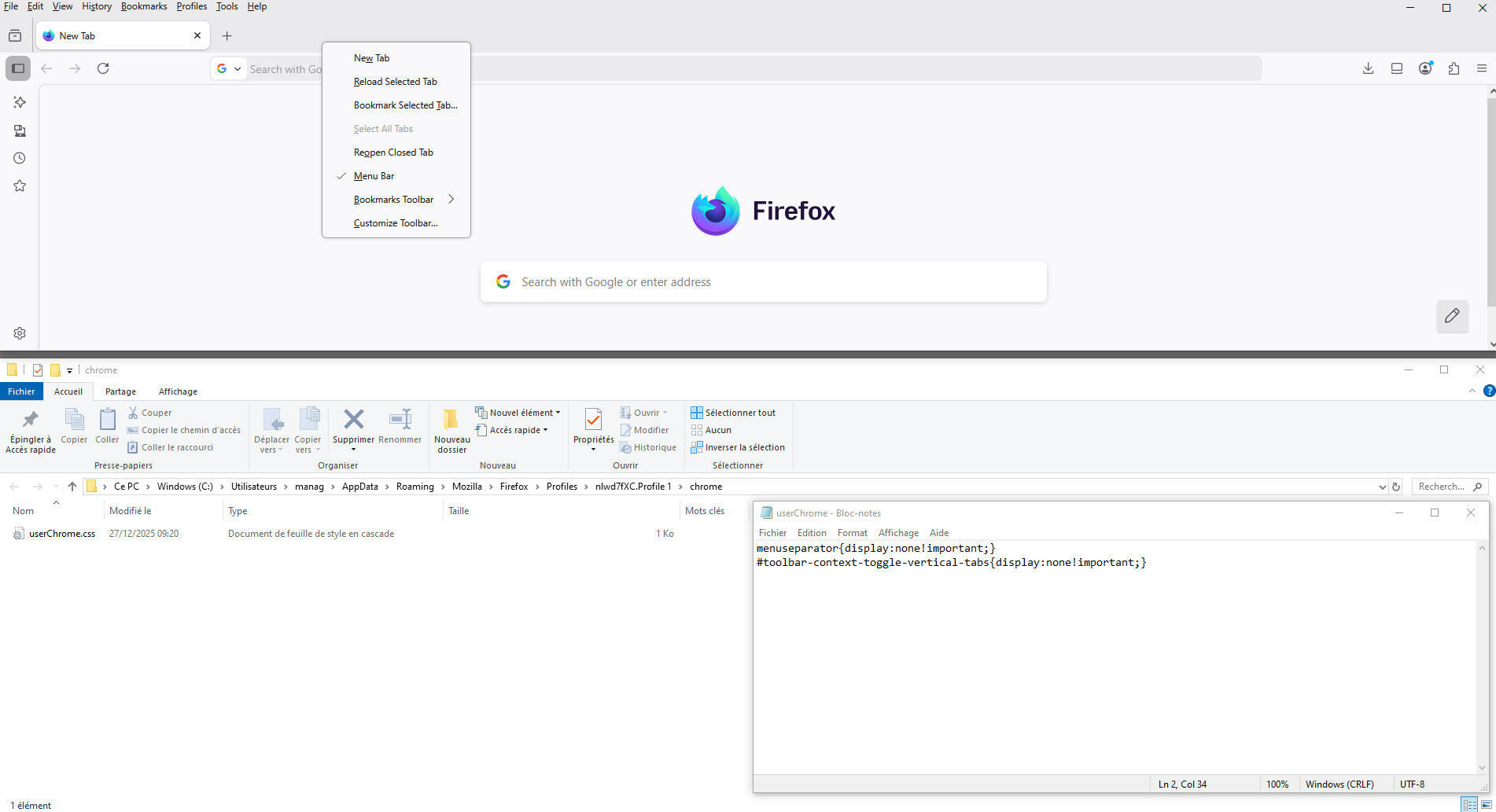
userChrome.css, another experiment.
menuseparator{display:none!important;} #toolbar-context-toggle-vertical-tabs{display:none!important;}