


Mac Scaling Issues Moving from Clamshell mode to Built in Retina Display

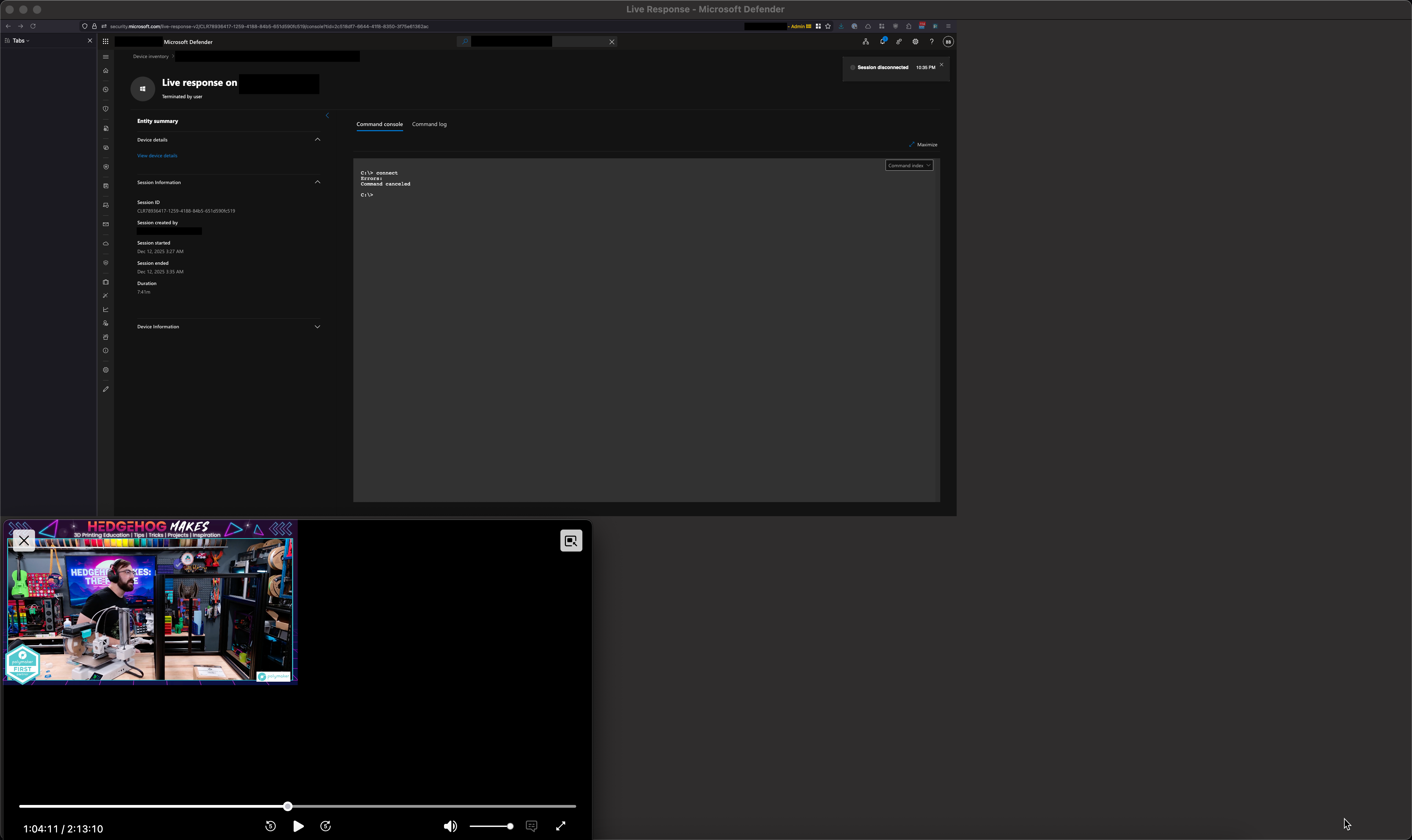
Hello, for quite some time I have been encountering an issue where the scaling of browser elements gets broken when I unplug my Mac from its dock/external display and then being using Firefox using the built in Retina display. This only impacts Firefox and renders Firefox completely useless until I quite Firefox and reopen it. It impacts all open Firefox windows. The attached screenshot explains it better.
Firefox 146.0 (aarch64) MacBook Pro 16-inch, 2023 macOS 15.5 (24F74)
Any ideas?
Izmjenjeno od strane archer36
All Replies (3)
Hi,
Thank you for bringing that up! Could you please try creating a new Firefox profile and see if the issue is reproducible there? In case you use the legacy Profile manager, remember to set your current profile as default again after creating a new one.
If the issue reproduces in a new profile, I'd greatly appreciate it if you could report it on Bugzilla, Mozilla's bug tracker. That will let the developers take a look. If you don't feel comfortable enough with filing a bug, though, just let me know, and I'll do it for you.
Thanks! I'll give that a try, I'll try to run both profiles at once. One without extensions (the new one) and one with (my default profile).
I'm back with an update. The issue reoccurred while moving from my thunderbolt dock and external display in with the mac lid closed to using just the laptop with no external display. I had the newly created profile open and it too had scaling issues and was unresponsive.
Interestingly, I noticed that when I was able to close the twitch PIP which was open, the scaling mostly returned to normal in the browser but elements were not clickable and I couldn't interact with anything.