


Re installed Windows 11, can't get new Thunderbird to recognize existing mail data
I had to install Windows 11 fresh because of multiple issues with my PC (I upgraded from 10 to 11 6 months ago). I installed Thunderbird fresh, and am trying to get it to see my existing data with is on my D drive. I browsed to the folder in Account Settings, but it's not showing up. I have years of mail and don't want to lose it.
There are too many options in the help for me to know which are actually related to my situation. I thought I was ready to do this, but am surprised at how difficult it is compared to the last time I did something similar.
Any help, even just pointing me to the right place to look for help, is appreciated!
Thanks!
Izabrano rješenje
to access local folders, click to account settings, then local folders, and then click the dropdown menu at bottom and change it to point to the local folders folder on D drive. Then, you can access them. It appears that what you did in prior setup was to manually configure each account to drive D. In the future, should you ever setup fresh again, it is easier to set the entire profile on D, and then all the folder pointers will automatically be on D. But that's just a comment for the future. What you have works.
Pročitajte ovaj odgovor sa objašnjenjem 👍 0All Replies (11)
Please provide more information. Is this a profile on Drive D? or message folders? or what? Knowing your specifics will make it easier to give feedback.
Thanks, david, and sorry for the lack of info.
Stupidly, I did not look up the right way to do this and went on memory instead, so I didn't save the profile from my existing installation, which was on my C drive. The mail files/message folders are all on my D drive, which is where I keep all the data I can can direct there, and it wasn't touched during the Windows installation.
I have multiple email accounts and lots of folders under each. The one I have tried to connect to the old data is pointed at "D:\Data\Email\Thunderbird\mail.everyware.org" in the account settings, and it retrieves my email fine but I can't see any of the existing email.
Is this enough? Thanks for helping me out!
Jim

Try this:
- set up the account as though it's new. just as a dummy
- then, click 'account setting's for the account, then 'server settings
- now, at bottom row, click the dropdown menu and set it to point to the drive D location you posted. Thunderbird will restart and then check to see if all is well. let me know.
david, that's what I did to get to this point. My email comes in, but I can't see any of my existing email, messages or folders. I doubt the new messages are getting added to the existing files.
Thanks! Hope you're having a great Thanksgiving, if you're celebrating.
Jim
I think I had too much turkey yesterday. It was a quiet day, but a pleasant one. Thank for your words.
Now, is it just one account on D, or a full profile? Please post a screenshot of whatever is on D. That should be a big help. thanks.
I got to spend the day with some friends, which was extremely nice!
The first shot is the folder where I pointed all the different email accounts to save their data. My main one is mail.everyware.org, and the second shot is of that folder. It looks like the new email is getting saved here, rather than in the subfolders, where the older stuff is. I don't understand that.
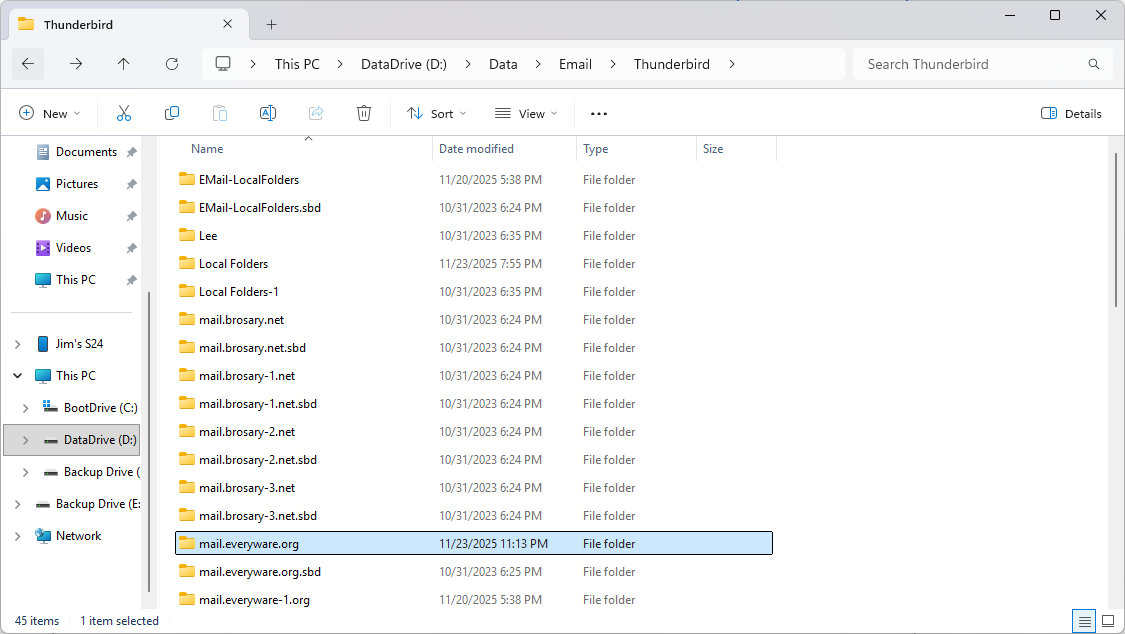
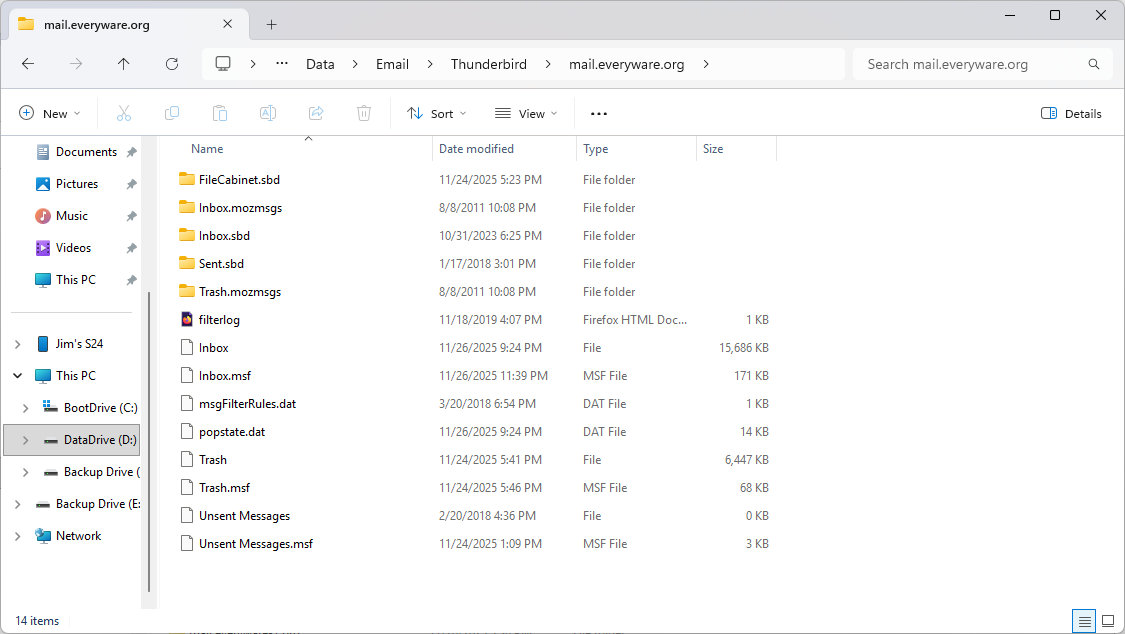
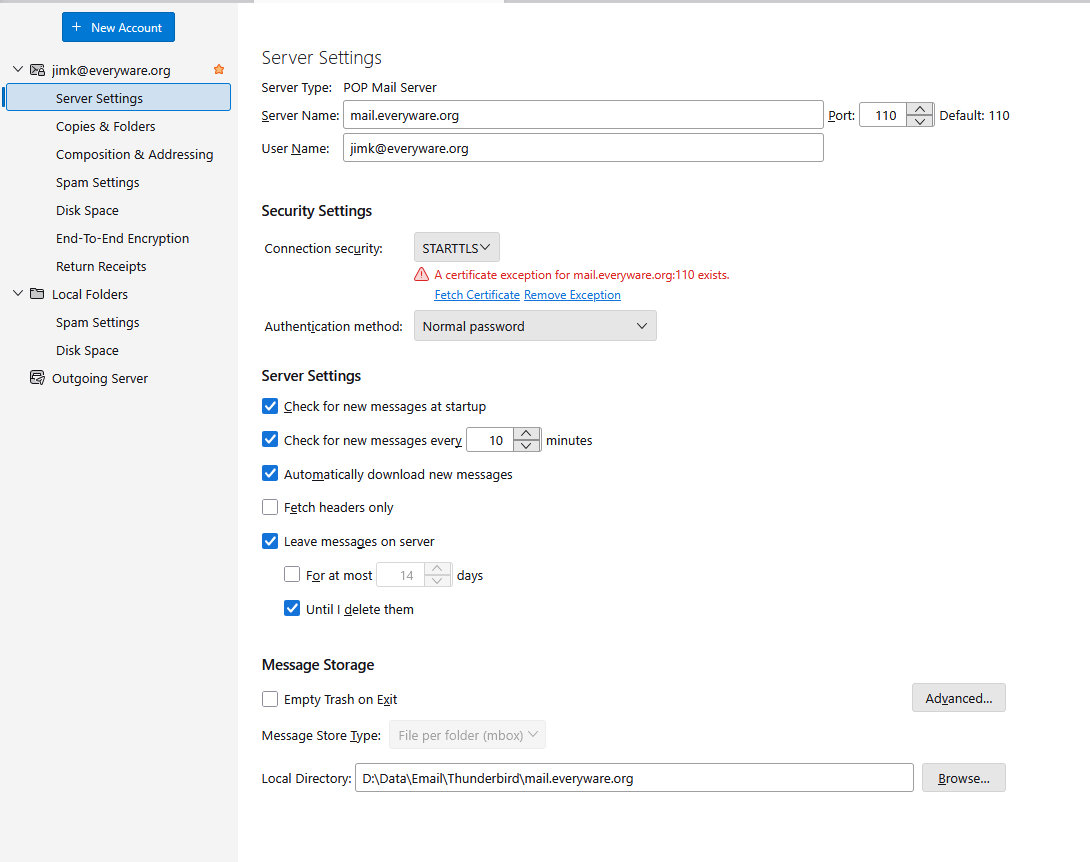
Are these all POP accounts? Please do a screenshot of the server settings pane for the mail.everywhere.org account, and I think that will bring it all into focus.
Yep, all POP3. I'm leaving the messages on the server until I get this straightened out.
The certificate issue happens every now-and-then, especially when it's a new install, but the exception normally works fine.
Odabrano rješenje
to access local folders, click to account settings, then local folders, and then click the dropdown menu at bottom and change it to point to the local folders folder on D drive. Then, you can access them. It appears that what you did in prior setup was to manually configure each account to drive D. In the future, should you ever setup fresh again, it is easier to set the entire profile on D, and then all the folder pointers will automatically be on D. But that's just a comment for the future. What you have works.
Thank you david!
I didn't realize I needed to do the local folders first. Now it's working as expected. Just need to connect the other accounts.
Thanks again for all the help!