


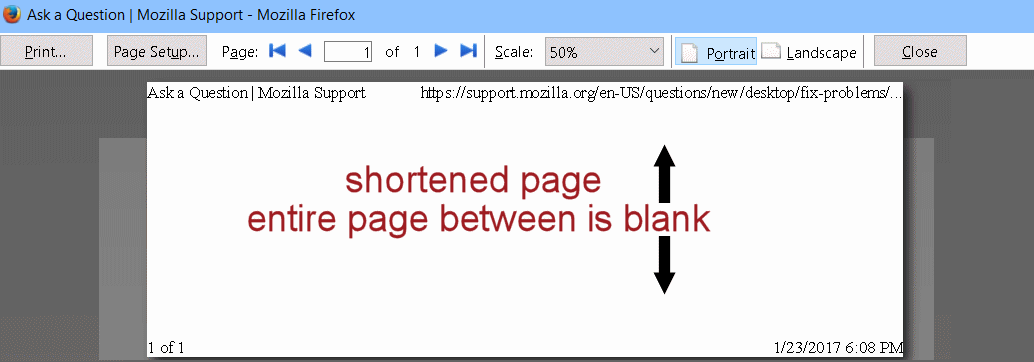
Printing and Print Preview broken. Top and bottom line show, nothing else.

My printer works fine in other browsers and programs. I've tried following your troubleshooting, and did a printer reset. It doesn't matter if I start in Print or in Print Preview, it is blank except for the top line of the web address, and the bottom line with page number(s) and date/time. When I print, it prints just the blank with the top and bottom lines I see on the preview page. I tried in Firefox safe mode, with add-ons disabled, and couldn't even get that much - just an error. Sorry I didn't write it down.
All Replies (2)
Added info - Windows 10 Home, Firefox 50.1.0
First - You have the Scale set for 50%. Shrink to Fit or 100% is usually best. 2nd - in (Alt) - File > Page Setup > Margins & Header/Footer - what are the settings for Top and Bottom?
Beyond that, see this support KB page: https://support.mozilla.org/en-US/kb/fix-printing-problems-firefox
Especially this section: https://support.mozilla.org/en-US/kb/fix-printing-problems-firefox#w_reset-all-firefox-printer-settings
Izmjenjeno od strane the-edmeister