


Can't log into Google account, redirects to "clear cache and cookies"

I am having the problem a fix was created for previously where attempts to sign in to my google account continually redirect to a request to clear cache and cookies. Have done so multiple times, still can't log in. Can log in on Chrome so definitely a Firefox-specific issue.
We have resolved an issue with Google prompting users to ‘clear cookies and site data’ when logging in. A fix has been published, via Firefox remote settings that does not require a Firefox upgrade. Users will receive the update over the next 6hrs, if you would like to update immediately simply restart Firefox.
Note: The issue was related to CHIPS being enabled in Fx131, this feature has been temporarily disabled while we resolve the issues. Users who have disabled 'Allow Firefox to install and run studies' in Privacy & Security settings will need to enable to receive the update.
All Replies (7)
The second and third paragraphs above are a moderator response/explanation of a previous fix for the same issue. That issue is happening again as of last night.
If you open a new Private Window, can you log in from there?
This above seems to be a quote from support.mozilla.org/questions/1468647 … I'm actually aware of some CHIPS–related rollout changes, I'm just not familiar with the timing — will look into the feature a bit more. (Previous investigations: bugzilla.mozilla.org/1923663 …)
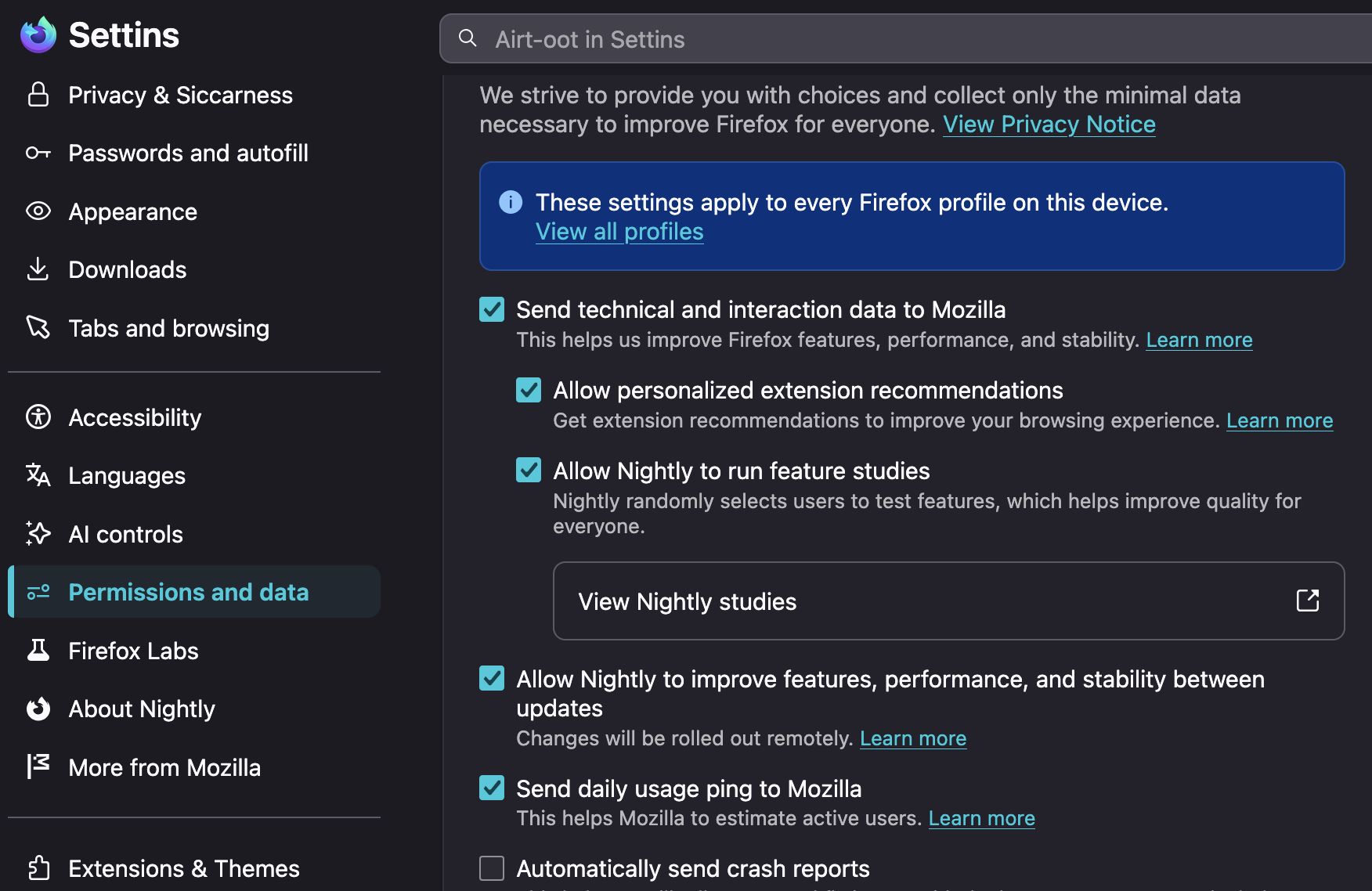
In the meantime, could you please check you have all the various remote "data collection" and "feature improvement" options for Firefox enabled in Settings, in case there's a remote rollout needed for this?
The previous question support.mozilla.org/questions/1592561 mentions some vanishing tabs beside this issue above — is that still an issue / feels related, or that might have been unrelated?
I can log in to my Google account when using a Private window. In terms of the remote date collection and feature improvement options, where in Settings would I find those options?
The closing tabs issue seems to have stopped for now. Thanks.
Glancing the info in your other thread you're on v152 already so it's in Settings section "Permissions and data":
It's interesting clearing cookies earlier did not remove the potentially duplicate ones.
For good measure I'd do again "Clear cookies and site data" from the shield icon next to the address when on that domain, e.g. on the account or gmail login page.
Then again filtering down in Settings › Privacy & security › Browsing data › "Clear data for specific site" panel drilling down for anything google "remove selected" and "save changes".
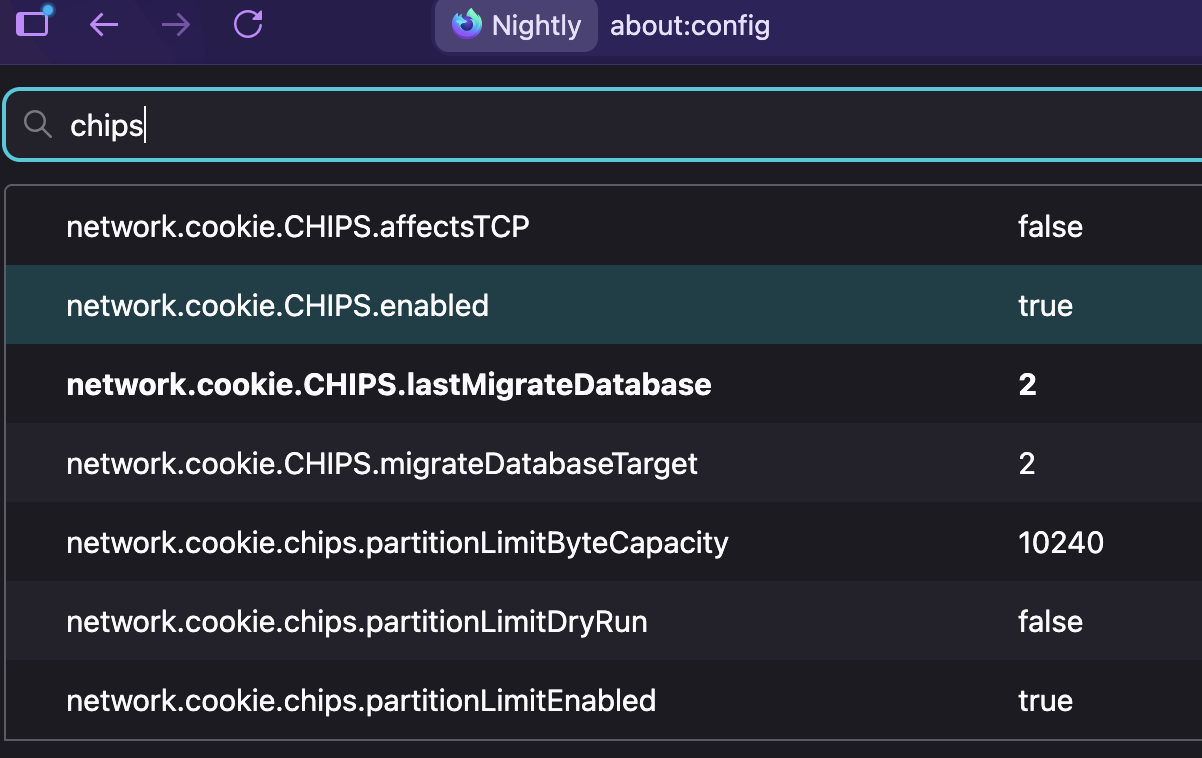
While the timing seems suspicious, I wouldn't attribute this to CHIPS right away. It might be interesting to verify everything is set as expected in the config internals if you're comfortable opening that, this is pretty much what it should look like nowadays:
Tried clearing my cache and cookies again from the google account page, it's still sending me back to the Clear Cache and Cookies page. Sigh. I'm not sure where to find the page with all the CHIPS info/config internals you're referencing above.
If you open Configuration Editor for Firefox (details in the article) and write "chips" in the filter field like in the screenshot above, you should generally see the values set similarly.
- It would be interesting to see what they're set to to compare, and potentially rectify some.
- For a test if the
…CHIPS.enabledis true, you can double click it to false and see if Google logins work the next time.