


How can I log in to Firefox on another device?

I have a Mozilla account. On one laptop, I am logged in automatically when I open Firefox, and can access bookmarks and saved logins. The same is true on my Android phone. But I have a second laptop on which Firefox will not recognize my login credentials. I can log in to Mozilla Support, Monitor, etc., but not the browser itself. When I open Firefox, the login dialog pops up, but when I enter the password, it isn't recognized.
All Replies (4)
Are you using the same email address to login to your Firefox account?
Can you login to the Mozilla Account via this web page? In case of issues, try to login to the Mozilla Account via this website using the email address and password.
Thanks for the response. Yes, using the login link, I can log in to my Mozilla account, view my profile, and access my account settings. but that does not log me in to the browser itself. When I open the browser, or click on the profile icon at the top left and click "sign in to sync," it opens the login dialog window. When I enter the password, the dialog disappears for an instant, then reappears with the password field blank. I can enter the password repeatedly and get the same result every time. I cannot find any way to sync the laptop with my Mozilla account and get access to saved passwords, etc.
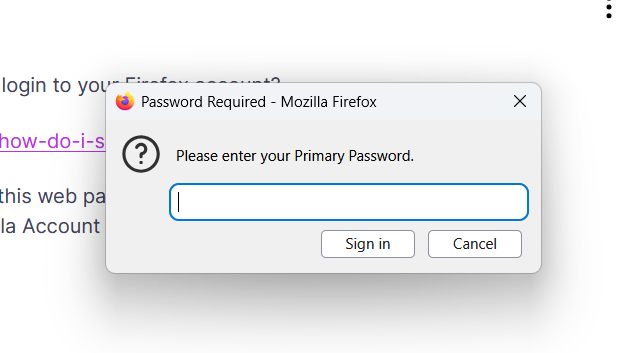
That is the Primary Password prompt that is needed to unlock the Password Manager. Firefox needs to unlock the Password Manager as it want to store the Sync credentials in logins.json in the Firefox profile folder to be able to login the next time you start Firefox.