addons.mozilla.org: "An unexpected error occurred"

Hello,
I have had an issue for a few months now where certain websites fail to load. This is most easily reproduced on https://addons.mozilla.org, where I am shown the error "An unexpected error occurred" on most pages, preventing me from installing addons.
This issue does not occur in a Private Window, in Troubleshooting mode or in Chrome or Brave, but persists in fresh installs of Firefox. In troubleshooting this issue, I have removed all program files, registry data, and app data pertaining to Mozilla / Firefox. In fresh installs, I can sometimes install an add-on or two before this error starts occuring. I have not imported any previous data.
I was previously installing from Chocolatey, but in my last clean install, I downloaded from the official website.
I am on Windows 10 and Firefox 157. I use Proton VPN (Paid) and have tried changing servers several times to no avail. Again, this only happens in Firefox in a standard window, Private Mode and Troubleshooting Mode are fine.
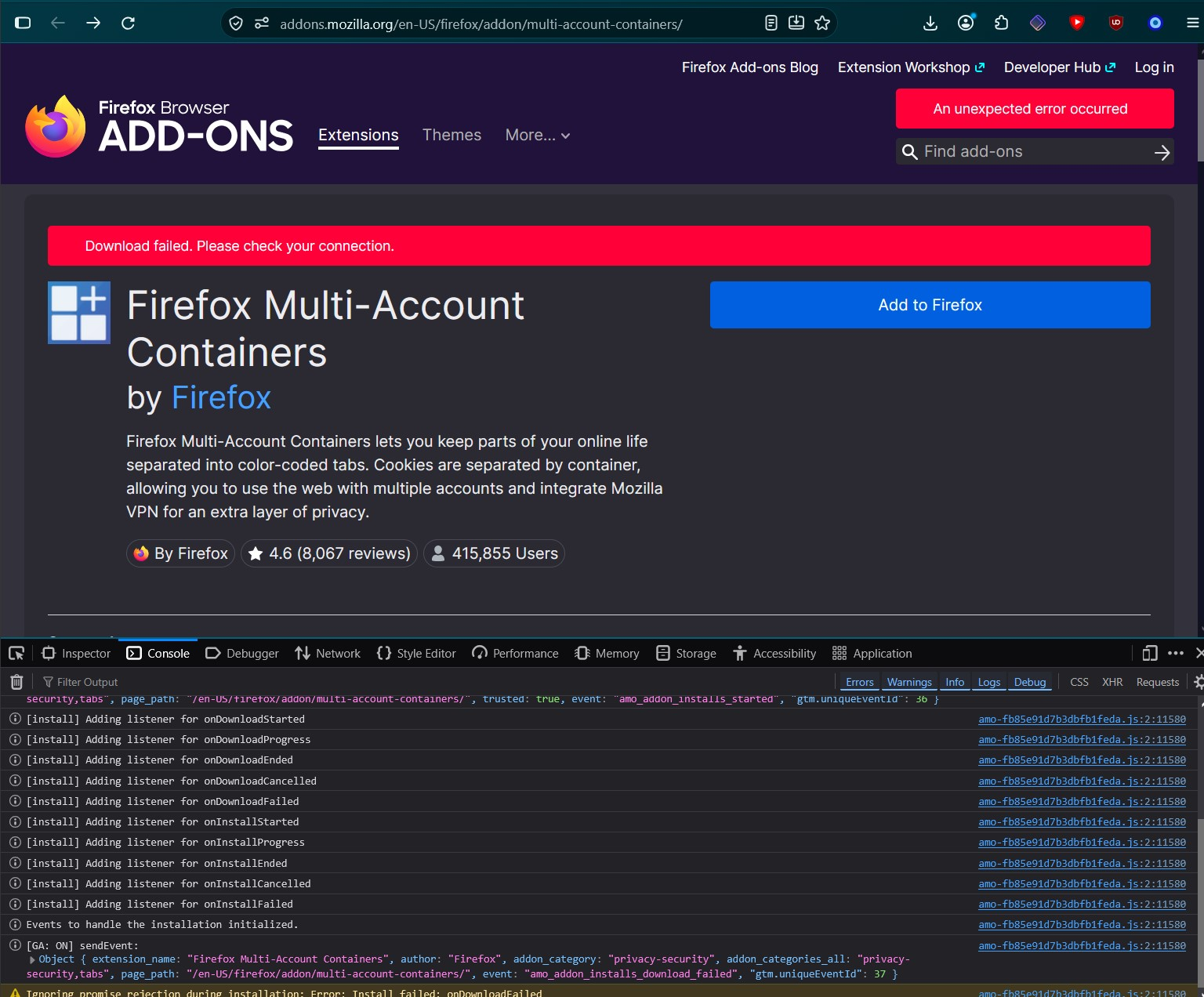
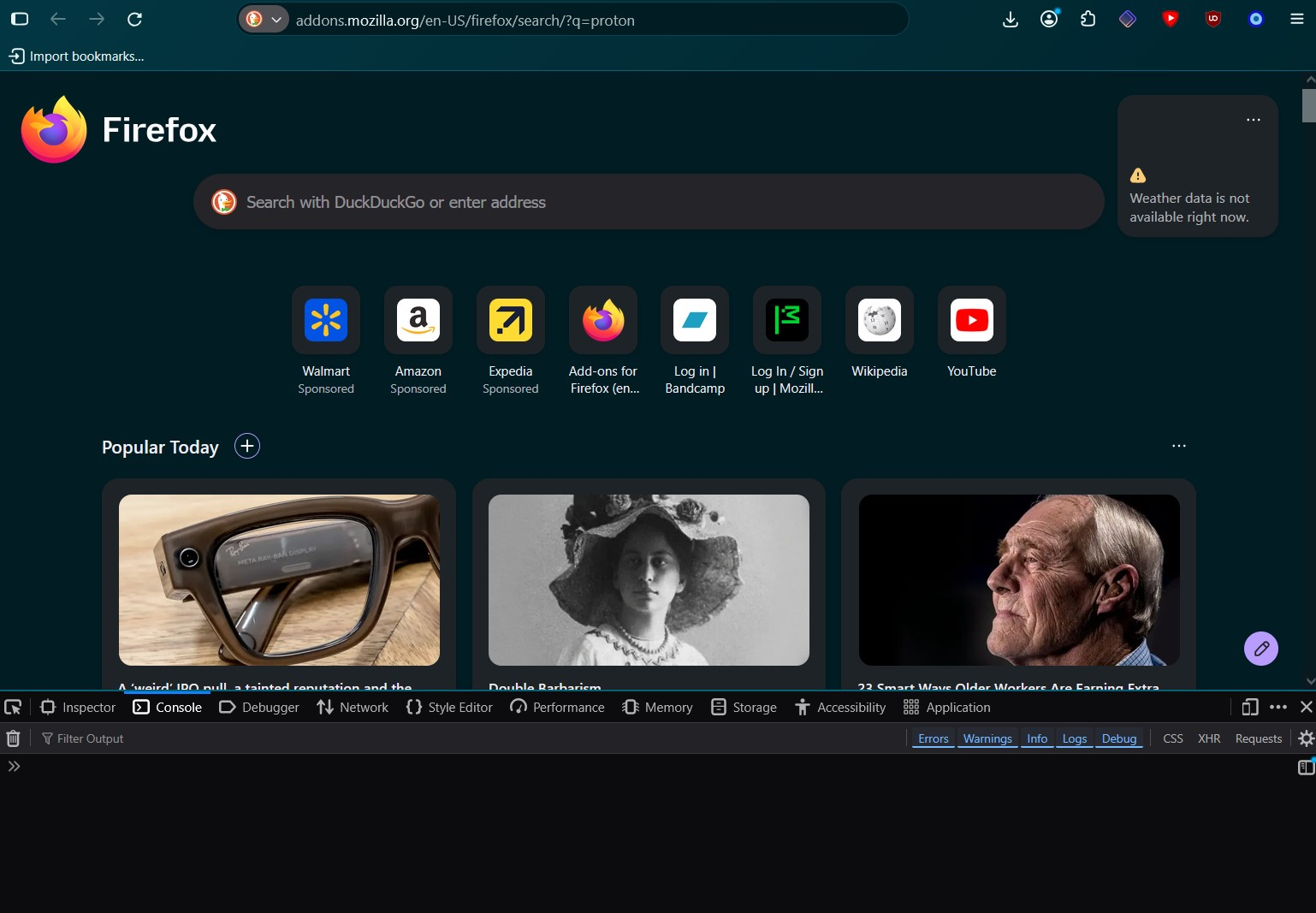
Screenshot 1 shows the issue from my most recent reinstall. I was able to install 1 add-on (SponsorBlock) before it started showing up. Removing the add-on doesn't fix the issue. Trying to access addons.mozilla.org via a search engine results in the tab icon loading for a second and no change happening on screen (Screenshot 2).
I experience similar issues on other websites, like trying to log into Bandcamp.com (logging in gives the error "There was a network error. Please try again."), but most sites work.
Loading https://addons.mozilla.org/en-US/firefox/ gives the following results in the Network Console:
Uncaught (in promise) TypeError: can't access property "pressed", target is null
onChangePermissions chrome://mozapps/content/extensions/components/addon-card.mjs:893
addon-card.mjs:893:7 Reporting Header: invalid JSON value received. collect Reporting Header: invalid JSON value received. collect Reporting Header: invalid JSON value received. collect Reporting Header: invalid JSON value received. collect Reporting Header: invalid JSON value received. collect Reporting Header: invalid JSON value received. collect
Всички отговори (5)
I think it's the same issue as this user: https://support.mozilla.org/en-US/questions/1599323
Hi,
Since the problem only occurs in a normal Firefox window, while Private Browsing and Troubleshoot Mode work correctly, this points more toward something specific to your normal Firefox profile or its stored settings/data.
Since you've already tested a fresh installation, VPN servers, and removing the previous Firefox data, could you try creating a completely new Firefox profile and testing addons.mozilla.org there? You can open about:profiles in Firefox and select Create a New Profile.
If the problem also occurs in a brand-new profile, that would be useful information because it would make an installation/profile issue less likely. The fact that Bandcamp also produces network errors suggests this may not be specific to addons.mozilla.org.
Max said
Hi, Since the problem only occurs in a normal Firefox window, while Private Browsing and Troubleshoot Mode work correctly, this points more toward something specific to your normal Firefox profile or its stored settings/data. Since you've already tested a fresh installation, VPN servers, and removing the previous Firefox data, could you try creating a completely new Firefox profile and testing addons.mozilla.org there? You can open about:profiles in Firefox and select Create a New Profile. If the problem also occurs in a brand-new profile, that would be useful information because it would make an installation/profile issue less likely. The fact that Bandcamp also produces network errors suggests this may not be specific to addons.mozilla.org.
Hi Max,
Thanks for your quick reply.
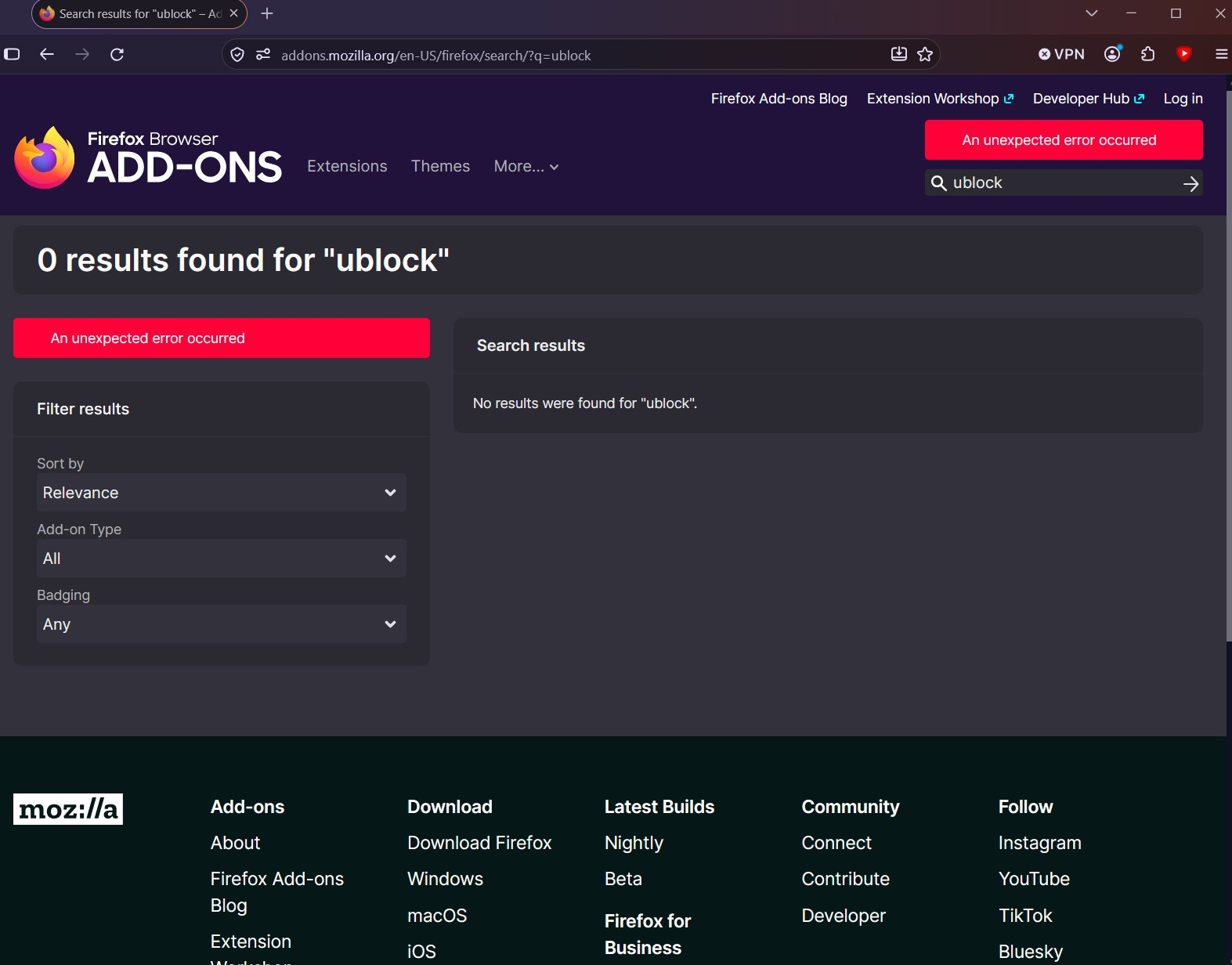
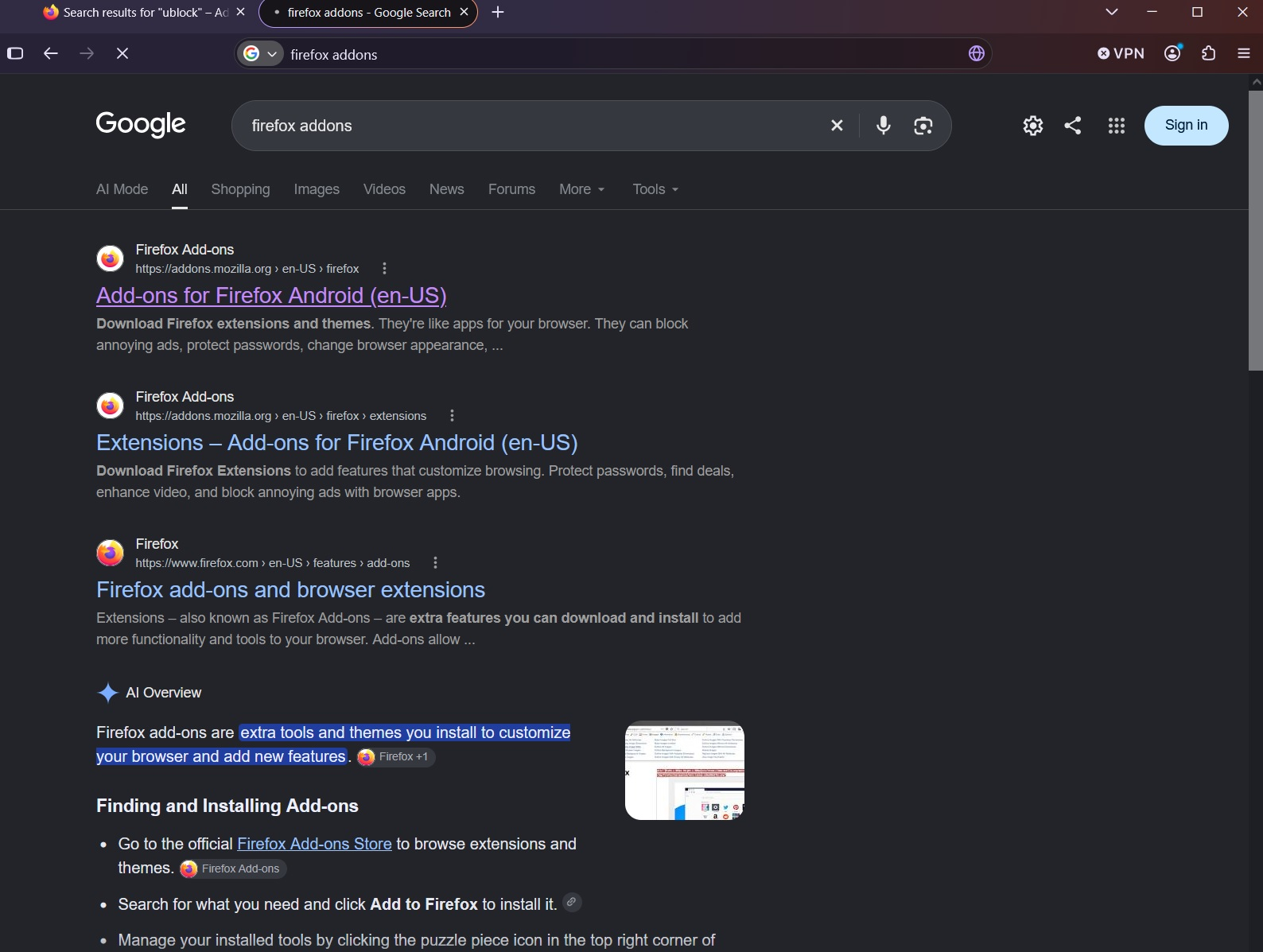
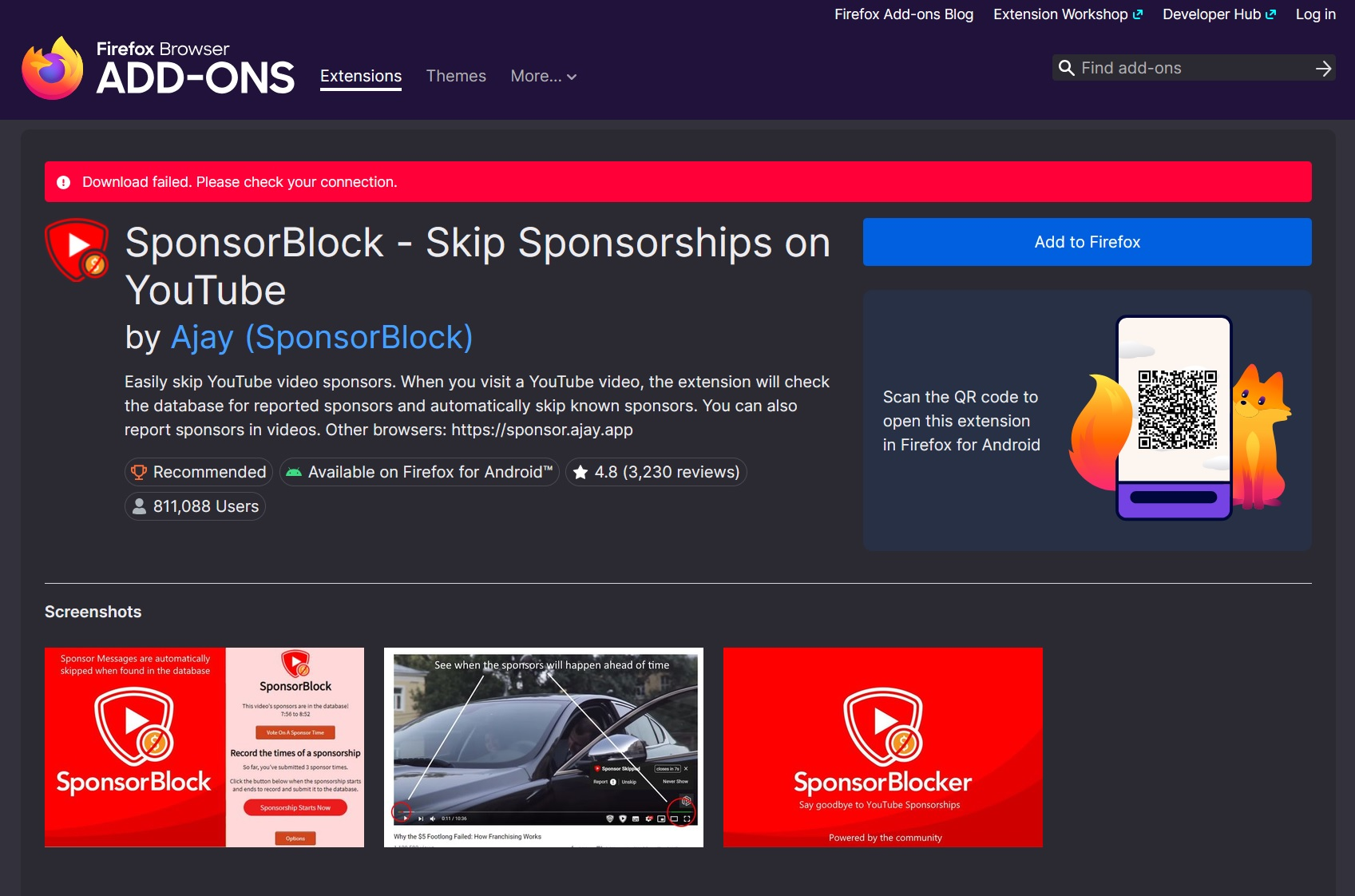
I setup a new profile and got pretty much the same result. After creating the profile, I was able to get to the SponsorBlock page, but clicking Install resulted in a network error (screenshot 1). After this, none of the add-ons load on the site (Screenshot 2).
Closing and reoping Firefox let me get a different addon installed, and then when I went to a second, I got the same result. It seems like there's a small, 30-60 second window where the connection to addons.mozilla.org works and I can install addons after booting up Firefox.
Hi,
Thanks for testing a completely new profile. That is useful information.
The fact that addons.mozilla.org works for roughly 30–60 seconds after restarting Firefox, then starts returning network errors, makes this look less like a profile problem and more like something affecting Firefox's connection to the site.
Since you also mentioned similar network errors on Bandcamp, could you try the following when the problem occurs:
Open another website in a new tab and check whether it loads normally. Try the same addons.mozilla.org page in another browser on the same computer. If possible, temporarily disable any antivirus, firewall, VPN or network-filtering software and test again.
If other sites continue working normally while Firefox specifically starts failing to connect to addons.mozilla.org and Bandcamp, please let us know. The exact network error from the Firefox error page would also be useful.
At this point, I would avoid creating more profiles or reinstalling Firefox, since your testing has already shown that the problem follows Firefox rather than the individual profile.
Max said
Hi, Thanks for testing a completely new profile. That is useful information. The fact that addons.mozilla.org works for roughly 30–60 seconds after restarting Firefox, then starts returning network errors, makes this look less like a profile problem and more like something affecting Firefox's connection to the site. Since you also mentioned similar network errors on Bandcamp, could you try the following when the problem occurs: Open another website in a new tab and check whether it loads normally. Try the same addons.mozilla.org page in another browser on the same computer. If possible, temporarily disable any antivirus, firewall, VPN or network-filtering software and test again. If other sites continue working normally while Firefox specifically starts failing to connect to addons.mozilla.org and Bandcamp, please let us know. The exact network error from the Firefox error page would also be useful. At this point, I would avoid creating more profiles or reinstalling Firefox, since your testing has already shown that the problem follows Firefox rather than the individual profile.
I've tried in several browsers (Waterfox, Brave, Chrome) and both addons.mozzila.org and bandcamp work.
The errors I'm getting on addons.mozzila.org are "Download failed. Please check your connection." and "An unexpected error occurred"
I never disable my VPN so I cannot test that.
This is what I get in the console when I click "Add to Firefox" on an extension after this behavior starts (Screen 1):
Cookie warnings 2 The value of the attribute “expires” for the cookie “_ga_B9CY1C9VBC” has been overwritten. multi-account-containers The value of the attribute “expires” for the cookie “_ga_B9CY1C9VBC” has been overwritten. multi-account-containers [GA: ON] sendEvent: Object { extension_name: "Firefox Multi-Account Containers", author: "Firefox", addon_category: "privacy-security", addon_categories_all: "privacy-security,tabs", page_path: "/en-US/firefox/addon/multi-account-containers/", trusted: true, event: "amo_addon_installs_started", "gtm.uniqueEventId": 27 } amo-fb85e91d7b3dbfb1feda.js:2:11580 [install] Adding listener for onDownloadStarted amo-fb85e91d7b3dbfb1feda.js:2:11580 [install] Adding listener for onDownloadProgress amo-fb85e91d7b3dbfb1feda.js:2:11580 [install] Adding listener for onDownloadEnded amo-fb85e91d7b3dbfb1feda.js:2:11580 [install] Adding listener for onDownloadCancelled amo-fb85e91d7b3dbfb1feda.js:2:11580 [install] Adding listener for onDownloadFailed amo-fb85e91d7b3dbfb1feda.js:2:11580 [install] Adding listener for onInstallStarted amo-fb85e91d7b3dbfb1feda.js:2:11580 [install] Adding listener for onInstallProgress amo-fb85e91d7b3dbfb1feda.js:2:11580 [install] Adding listener for onInstallEnded amo-fb85e91d7b3dbfb1feda.js:2:11580 [install] Adding listener for onInstallCancelled amo-fb85e91d7b3dbfb1feda.js:2:11580 [install] Adding listener for onInstallFailed amo-fb85e91d7b3dbfb1feda.js:2:11580 Events to handle the installation initialized. amo-fb85e91d7b3dbfb1feda.js:2:11580 [GA: ON] sendEvent: Object { extension_name: "Firefox Multi-Account Containers", author: "Firefox", addon_category: "privacy-security", addon_categories_all: "privacy-security,tabs", page_path: "/en-US/firefox/addon/multi-account-containers/", event: "amo_addon_installs_download_failed", "gtm.uniqueEventId": 28 } amo-fb85e91d7b3dbfb1feda.js:2:11580 Ignoring promise rejection during installation: Error: Install failed: onDownloadFailed amo-fb85e91d7b3dbfb1feda.js:2:11580
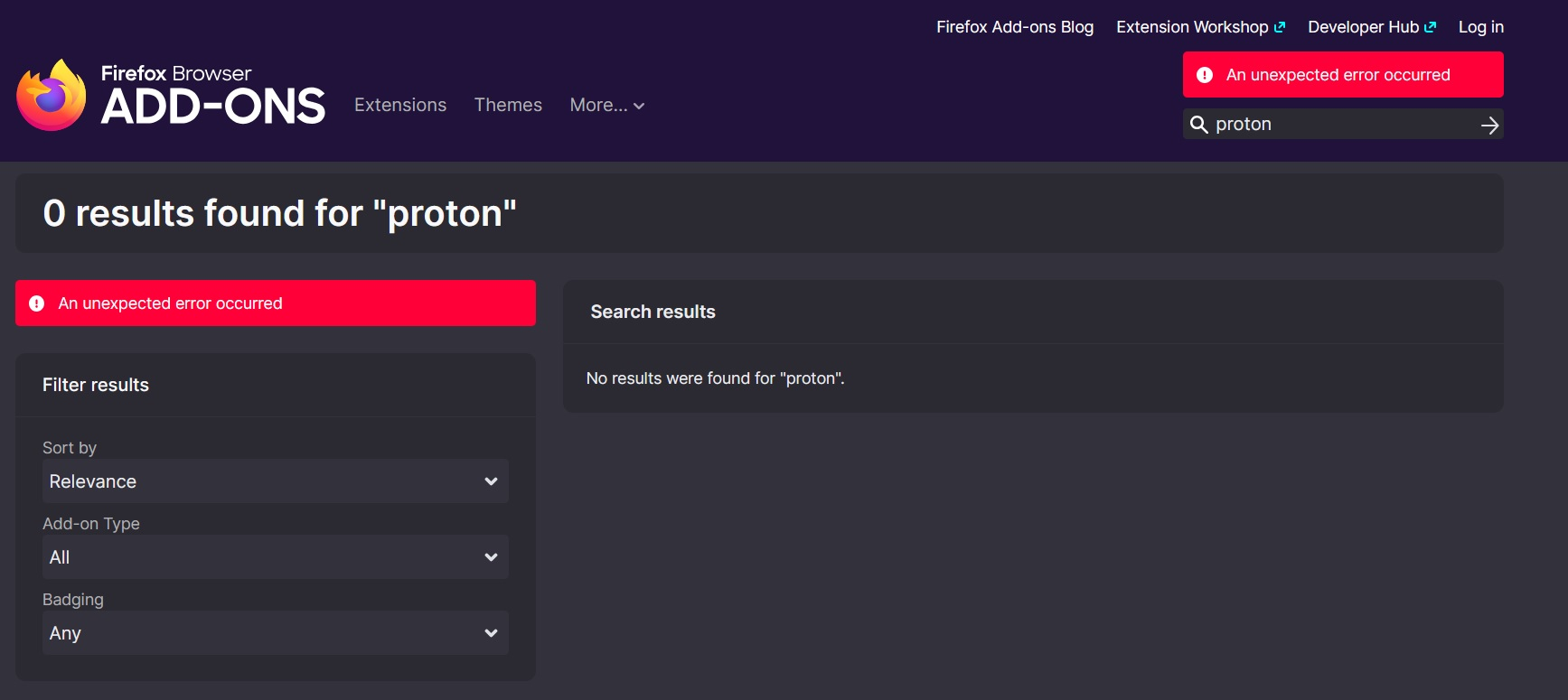
I can sort of click around the addons page after it's loaded, but I get errors after the working window ends. Then, if I try to load that same URL in a new tab, say: https://addons.mozilla.org/en-US/firefox/search/?q=proton, no page loads at all and there is nothing in the Console (Screen 2).