


Some themes clash with Nova.
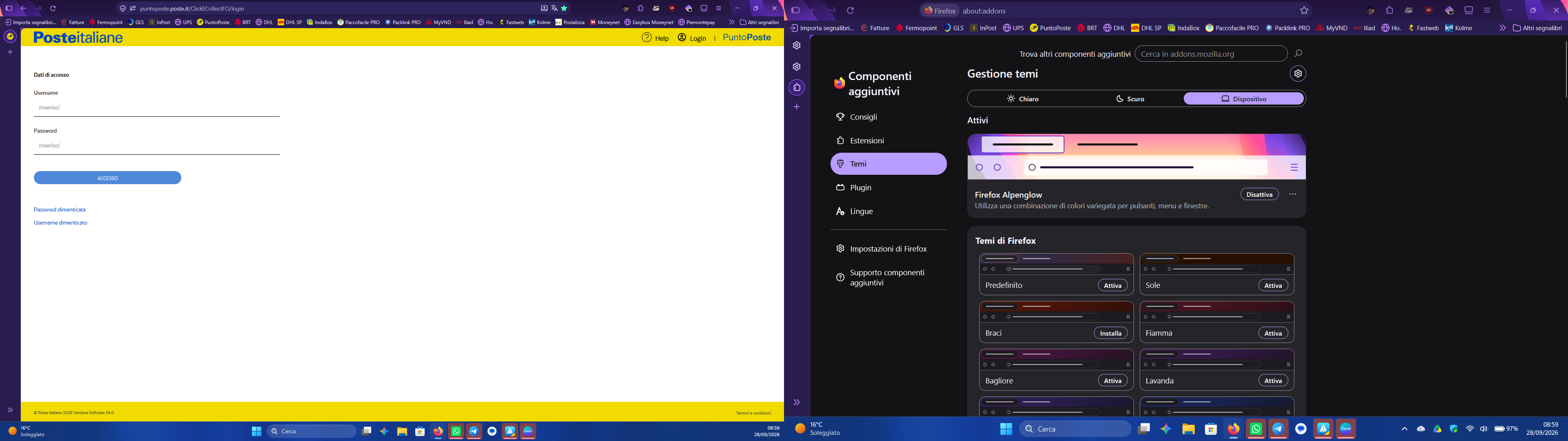
Good morning. I’ve noticed that with some themes (like Firefox’s Alpenglow), the top-left corner isn’t rounded, so they clash with the new Nova UI. Does anyone have any suggestions to fix this, or is an update from Firefox needed?
Избрано решение
Also flipping vertical tabs for good measure: https://streamable.com/92rrhs
Are you on the last 157.0b5 and this exhibits in a new testing profile? That would definitely warrant a report — you can check if something that sounds similar is tracked e.g. under bugzilla.mozilla.org/show_bug.cgi?id=2022254 — you can see in various theming reports as bugzilla.mozilla.org/show_bug.cgi?id=2074391 that there's nothing this weird in the corner, so it will be good to understand where it comes from. Thanks!
Всички отговори (6)
It shouldn't. Even manually enabled on 156.x as below appears alright:
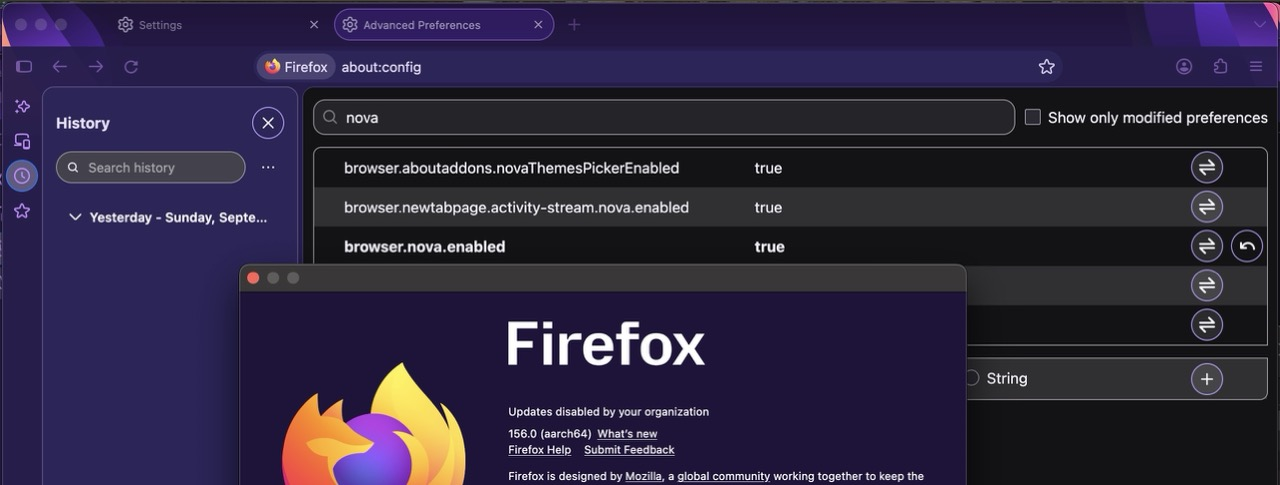
However it can still be an artifact of screen resolution, system tint vs. browser appearance tint +theme auto–light–dark +accessbility/customization resulting in infinite combinations when this highlight color might actually be unexpected.
Would you wait for later tomorrow, to update to v157 — and if it still exhibits, especially in a new testing profile, to file a bug for it? Thanks!
jbr said
It shouldn't. Even manually enabled on 156.x as below appears alright:
Do you have set something specific?
jbr said
However it can still be an artifact of screen resolution, system tint vs. browser appearance tint +theme auto–light–dark +accessbility/customization resulting in infinite combinations when this highlight color might actually be unexpected. Would you wait for later tomorrow, to update to v157 — and if it still exhibits, especially in a new testing profile, to file a bug for it? Thanks!
I've the same problem also on the beta
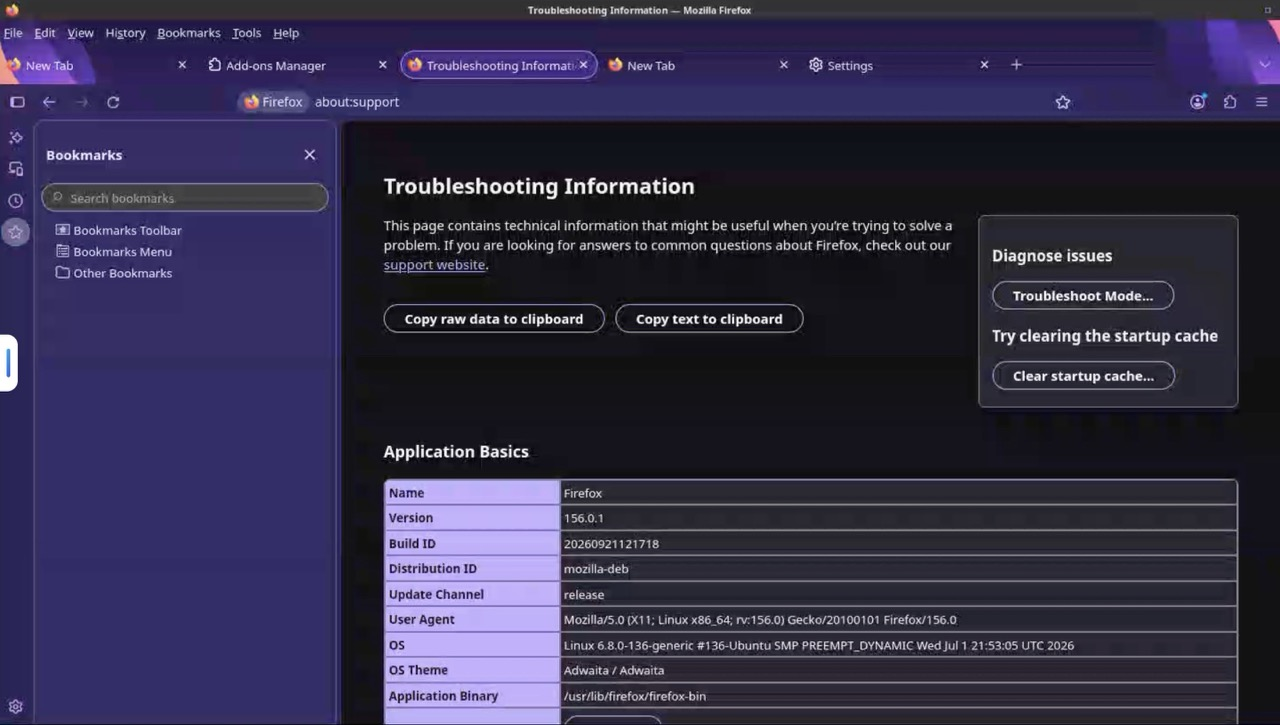
Nope, clean profile, just flip Nova +Alpenglow and toying around with panes, appearances, sidebars etc. The above was macOS on dark system, the below is Linux on light system:
Избрано решение
Also flipping vertical tabs for good measure: https://streamable.com/92rrhs
Are you on the last 157.0b5 and this exhibits in a new testing profile? That would definitely warrant a report — you can check if something that sounds similar is tracked e.g. under bugzilla.mozilla.org/show_bug.cgi?id=2022254 — you can see in various theming reports as bugzilla.mozilla.org/show_bug.cgi?id=2074391 that there's nothing this weird in the corner, so it will be good to understand where it comes from. Thanks!