


Ready to Scan (Button, where?)
Synchronize Firefox on you phone & Tap: READY TO SCAN ((Where is button please?))
Всички отговори (6)
This button is on your mobile:
- Open the Firefox app
- Menu > Sign in and you will see the button Ready to scan

Am signed in, doesn't show ready to scan

I have followed the instructions, signed in, and nowhere find a button for to scan
On your Firefox desktop:
- Go to firefox.com/pair. You may need to sign in to your Mozilla account, if you haven't yet.
- If you do not have an existing Mozilla account, just enter your email address and click button Sign up or sign in to create one. For additional information, see Access Mozilla services with a Mozilla account.
- Select I already have Firefox for mobile and then select the button Continue button.
- Firefox displays a QR code that you can scan with your Android device.
On your Firefox for Android app:
- Tap menu > Sign in.
- Tap button Ready to scan.
- Point your device's camera toward the QR code on your desktop.
- Follow the prompts to finish connecting your device.
Note: The QR code shown at firefox.com/pair is used to connect your Firefox installations. If you're asked for a separate verification code during account sign-in, use the code sent as part of the Mozilla account verification process instead.
More info
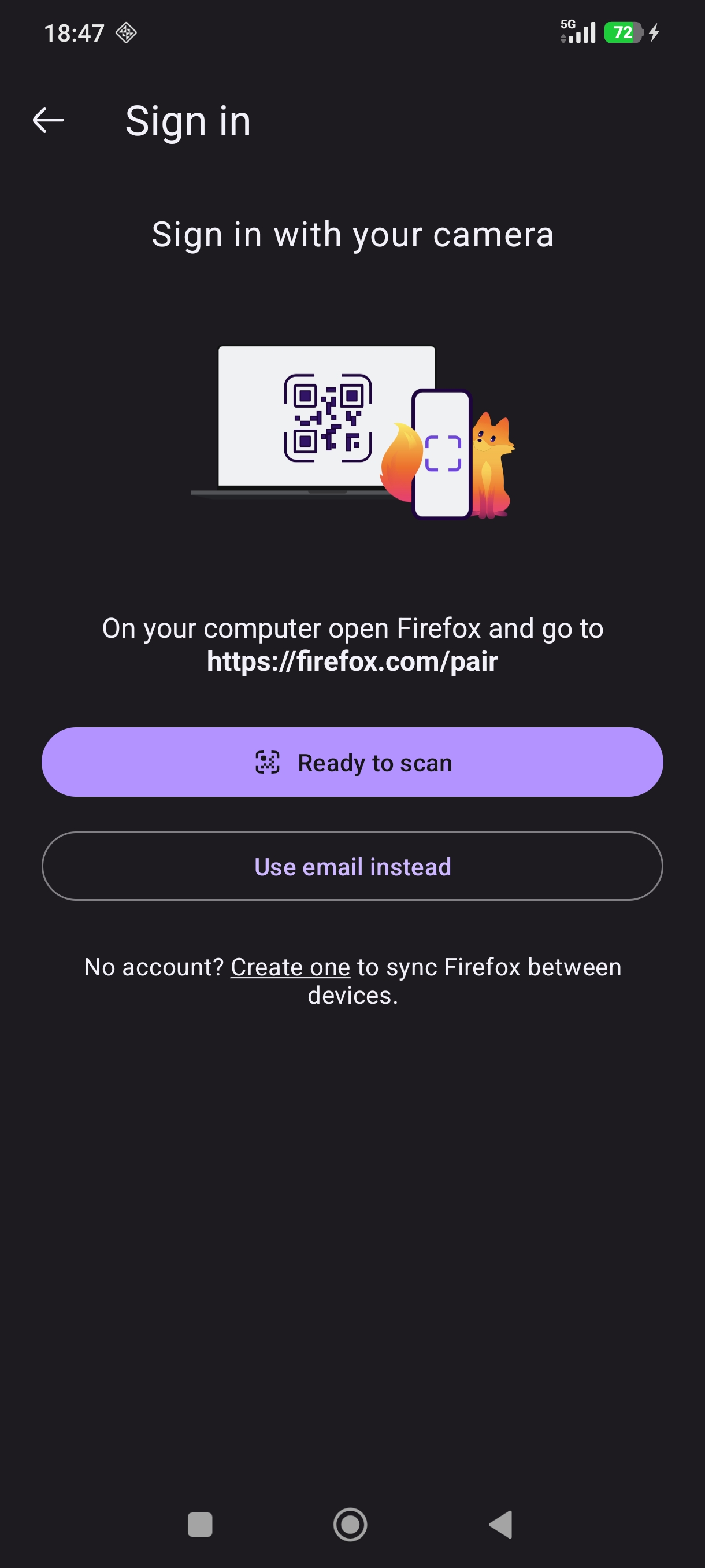
In other words, if you're already signed in, you don't need to pair using camera — you've most likely signed in manually, correct? (Scanning codes is to avoid entering account credentials manually, it shows on the sign in step in the mobile app.)
There's a picture with the steps down the page in support.mozilla.org/questions/1578993 thread from earlier if you wanted to check the menu item locations.