


change dark screen back to regular

Firefox popped up an offer to change the screen to dark, which I did. I don't like it, want to change it back. I went to settings but was unable to make the change.
Избрано решение
So probably it's an issue related to your theme. If it hasn't been updated for a while, that's very likely
Всички отговори (16)
What did you do in Settings?
Settings > Appearance >
Променено на от amoun
yes, settings to appearance, then clicked system, had also tried clicking light. But nothing changed. I tried pressing Enter on my keyboard....
Did you try the light option?
Yes, tried that. Is there another step after choosing an option? Turn off the computer, or refresh or something?
Hello,
Try Firefox Troubleshoot Mode to see if the problem goes away. Firefox Troubleshoot Mode (previously known as Firefox Safe Mode) is a special diagnostic mode that temporarily turns off hardware acceleration, disables add-ons (extensions and themes) and resets some settings. See the Use Troubleshoot Mode in Firefox article for details.
If Firefox is open, you can restart in Firefox Troubleshoot Mode from the Help menu:
- Click the menu button
 , click Help, select Troubleshoot Mode and click Restart in the "Restart Firefox in Troubleshoot Mode?" dialog that opens.
If Firefox is not running, you can start Firefox in Troubleshoot Mode as follows:
- On Windows: Hold the Shift key when you open the Firefox desktop or Start menu shortcut.
- On Mac: Hold the option key while starting Firefox.
- On Linux: Quit Firefox, go to your Terminal and run firefox -safe-mode
(you may need to specify the Firefox installation path e.g. /usr/lib/firefox)
When the Firefox Troubleshoot Mode window appears, select "Open".
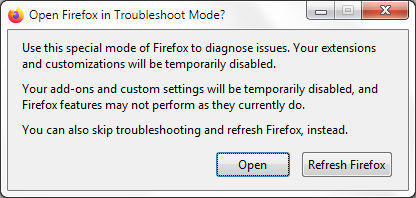
If the issue is not present in Firefox Troubleshoot Mode, your problem is probably caused by an extension, theme or hardware acceleration. Please follow the steps in the Troubleshoot extensions, themes and hardware acceleration issues to solve common Firefox problems article to find the cause.
To exit Firefox Troubleshoot Mode, just close Firefox and wait a few seconds before opening Firefox for normal use again. (If you can't exit Firefox Troubleshoot Mode, please see Firefox is stuck in Troubleshoot Mode).
When you figure out what's causing your issues, please let us know. It might help others with the same problem.
ok thanks, I was able to get the dark off by following your steps with firefox running. Now I want my theme back, I'll go try to do that. I have a very old one.
can't get my theme back! Going to themes it shows mine and says it's disabled, which I know. How to enable it again?
If I turn off troubleshoot mode does the dark come back? I just want my theme back.
If you restart Firefox, it should exit the Troubleshoot Mode, and you should be able to reenable your theme (if it's not reenabled automatically)
I restarted and got my theme back, but the dark is back, too!!
Избрано решение
So probably it's an issue related to your theme. If it hasn't been updated for a while, that's very likely
Darn. I love that theme, it's vintage! I guess I'll just try to get used to the dark.
I've marked my latest reply as a solution to highlight it for other users. If you disagree, you can unmark it at any moment by clicking Undo solution.
There will be an extra setting in future versions that will basically enable running light themes as dark and dark themes as light etc. — I haven't looked into it too much, just tried flipping it back and forth in testing, but it might help you with the old theme going forwards once it ships with v155 theming.
I still don't exactly follow all the above, did the color scheme change get prompted by Firefox, not your system? And only Firefox changed, nothing else on your OS? — It sounds like it was always set to "System", and it was just following that, so if there's something stuck or confused, isn't it coming from your windowing environment?
It would help to a) link the theme, b) attach some screen shots where exactly you want to "get the dark off" — is that in page backgrounds? Internal browser screens? Navigation toolbars and menus?
How does the actual page with settings look for you? And if you grab a screen of this test page (after you click the "run" button) — I'm attaching mine for comparison, these are both "system" on a dark system–wide preference:
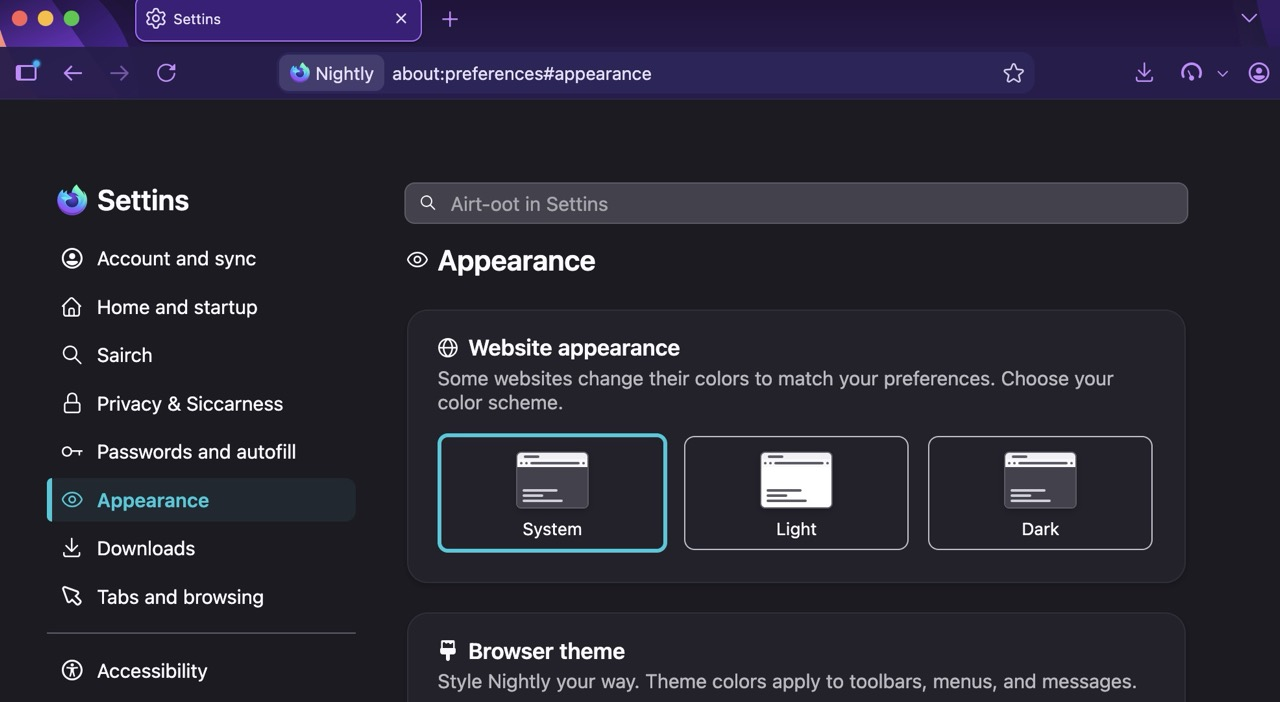
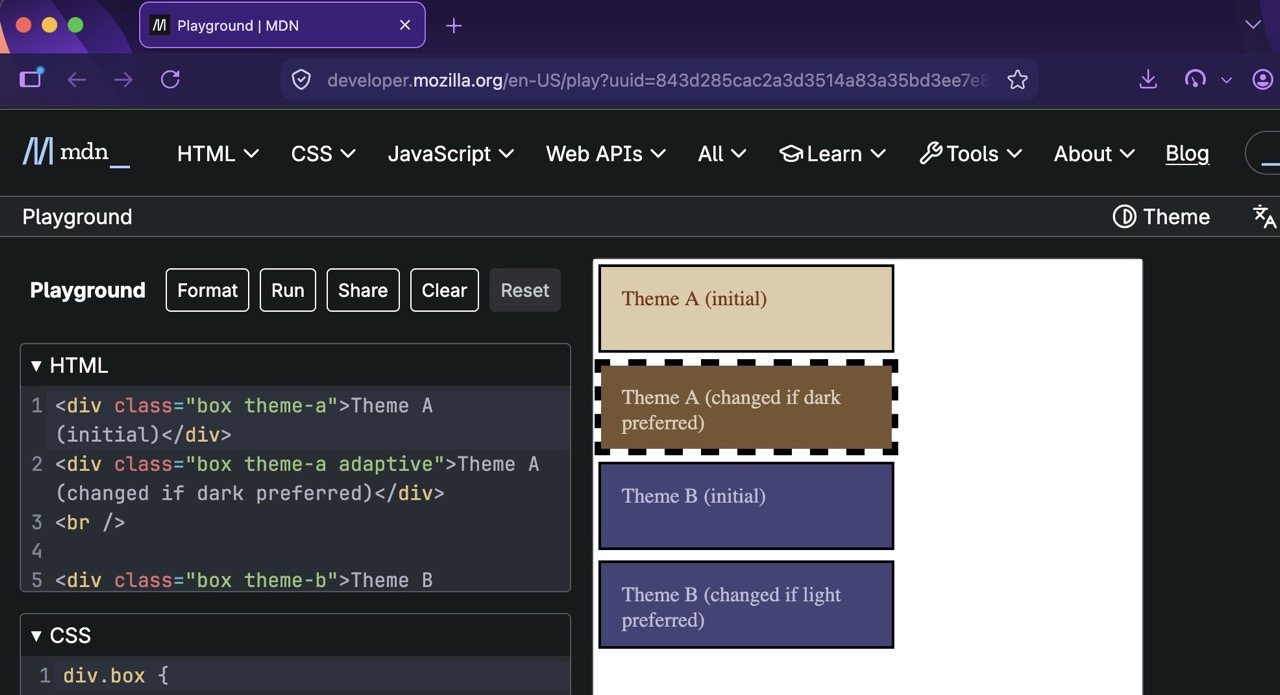
I am not at all techy, so I'm not sure what you're asking. But when I followed steps to remove the dark on sites such as my email or any website page (that was doing the troubleshooting thing) then my theme at the top also disappeared, it was just gray along the top of my screen. When I followed denys's suggestion to restart firefox, I did get my theme back, but the dark came back, too.
It was so easy to just click the offered button to make things go dark! I don't understand why it's not easy to remove it. It wasn't my idea to go dark, it's not like I searched for that or anything. Firefox popped up the offer and I tried it. Admittedly, I just glanced at the whole pop up thing, but I thought it said something about a simple removal. Guess I was wrong about that.
I'm asking for screen shots attached, so people know what you're even looking at to be able to help you. See How do I create a screenshot of my problem? — Once you've done this, attach the saved screenshot file to your forum post by clicking the Browse... button below the Post your reply box. This will help us to visualize the problem.
Take one picture of your settings, one picture of your theme selector, and one picture of developer.mozilla.org website for reference.