


Synced data from previous Windows Installation

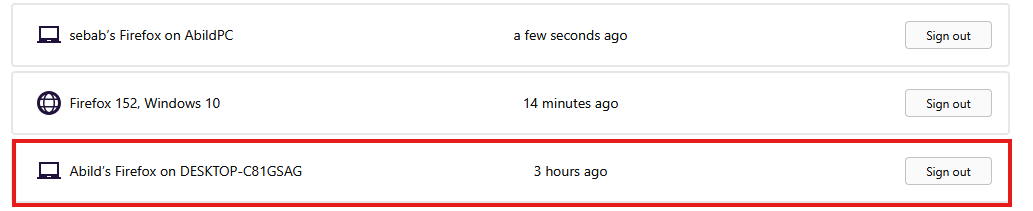
Hi, I had to reinstall my windows where I thought my Firefox would sync up upon reinstallation. However, nothing would sync up and the best I could do myself was to import pretty out-of-date Chrome data. When I to my firefox account and scroll to connected services I see my last PC name with its firefox login. Is there any way to recover that data and import to my current device? I read you kept sync data as encrypted data on your Mozilla servers, so I hope that's a viable solution.
Всички отговори (4)

Sync needs two devices. Do you have another device that is synced with your old PC? I see a Windows 10 PC in your screenshot. Log in to the Windows 10 PC, and your new PC will be synced with the data.
This device is only one with synced data on firefox. The windows 10 device is either my PC in safe mode or my phone.
Ok, Do you still have the synced data in your phone for Firefox? Otherwise, you can contact the support team: https://support.mozilla.org/en-US/kb/mozilla-official-support-channels
The app was downloaded on my phone after setting up my PC again so it's synced with the new iteration.