


Roboform extension has broken
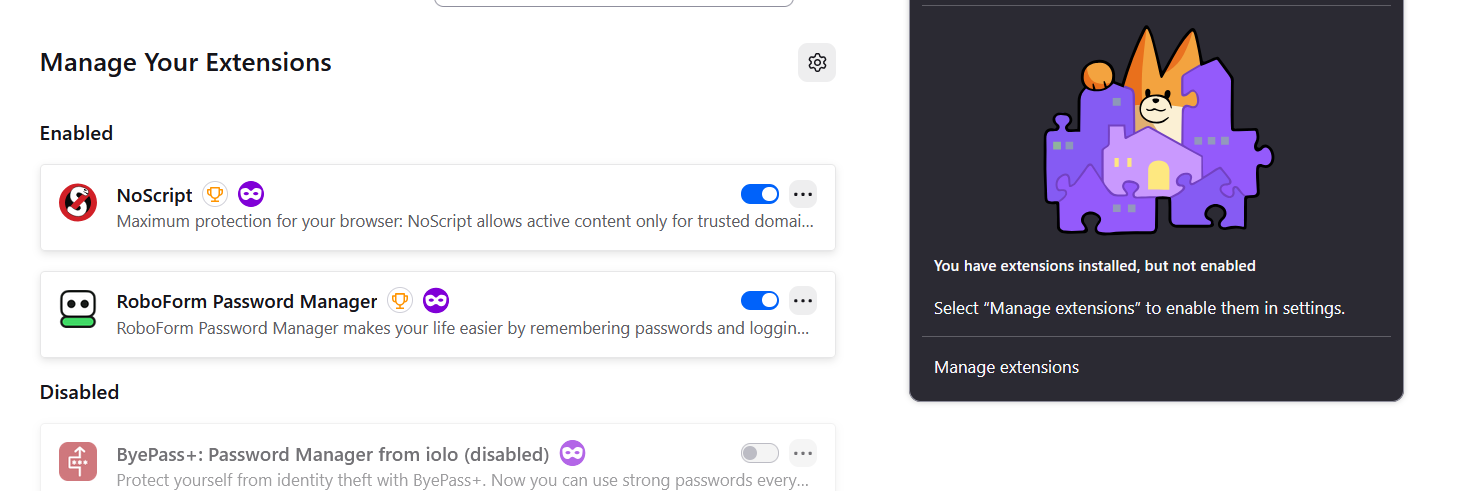
The Roboform extension does not work :-( This has been going on for 2-3 months now.... It keeps telling me the extension is installed (which it is) but not enabled (which it IS) Thank you
David Berry [email removed]@gmail.com
Променено на от Denys
Избрано решение
Good morning. There's a new development. The "You have extensions installed, but not enabled" message arose when I clicked on the little puzzle piece in the upper right hand corner. BUT - The Roboform icon up there was transparent/whited-out. This morning, it appeared normally. Clicking on it brought up a Privacy request (see image). That never appeared before this AM. Accepting that request made the Roboform icon at the far upper right active and now it appears to be working normally. If you did that, thank you :-) ( I did do the Firefox 150.0.3 update yesterday, as well as 5 Windows file updates.) I am going to keep your email handy for a few days to make sure the Roboform issue is resolved. Again, thanks very much. Dave
Прочетете този отговор в контекста 👍 0Всички отговори (3)
Hi, when do you get the "You have extensions installed, but not enabled" message?
Избрано решение
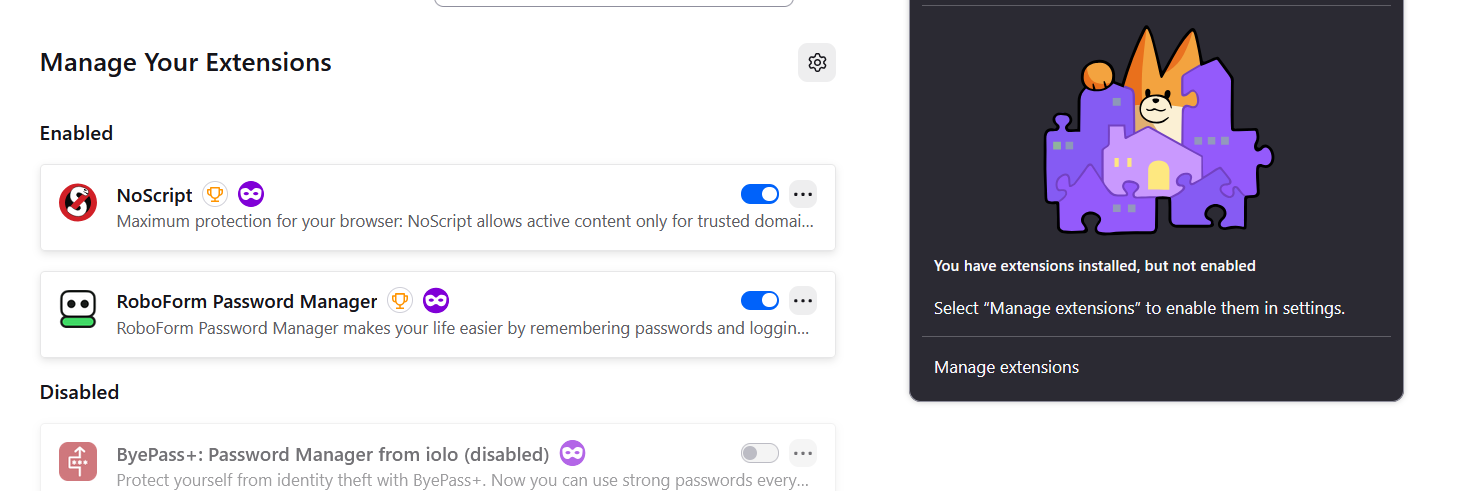
Good morning. There's a new development. The "You have extensions installed, but not enabled" message arose when I clicked on the little puzzle piece in the upper right hand corner. BUT - The Roboform icon up there was transparent/whited-out. This morning, it appeared normally. Clicking on it brought up a Privacy request (see image). That never appeared before this AM. Accepting that request made the Roboform icon at the far upper right active and now it appears to be working normally. If you did that, thank you :-) ( I did do the Firefox 150.0.3 update yesterday, as well as 5 Windows file updates.) I am going to keep your email handy for a few days to make sure the Roboform issue is resolved. Again, thanks very much. Dave
I haven't done anything, but I'm happy it works now :D The message was most likely unrelated (though I'm still not sure you should have seen it). Please feel free to post here in case you encounter the issue again.