


Bookmark this page menu has very small fonts and menu

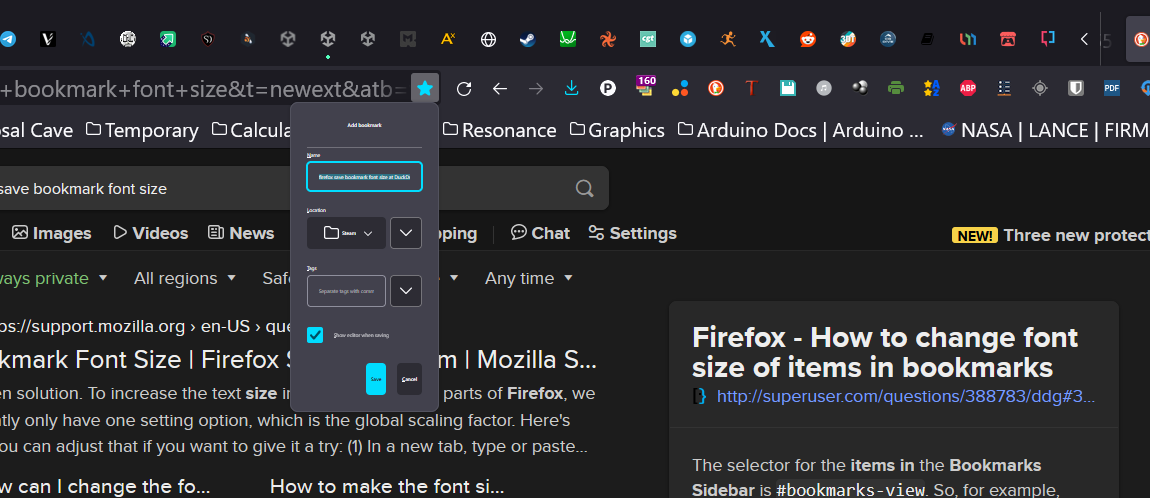
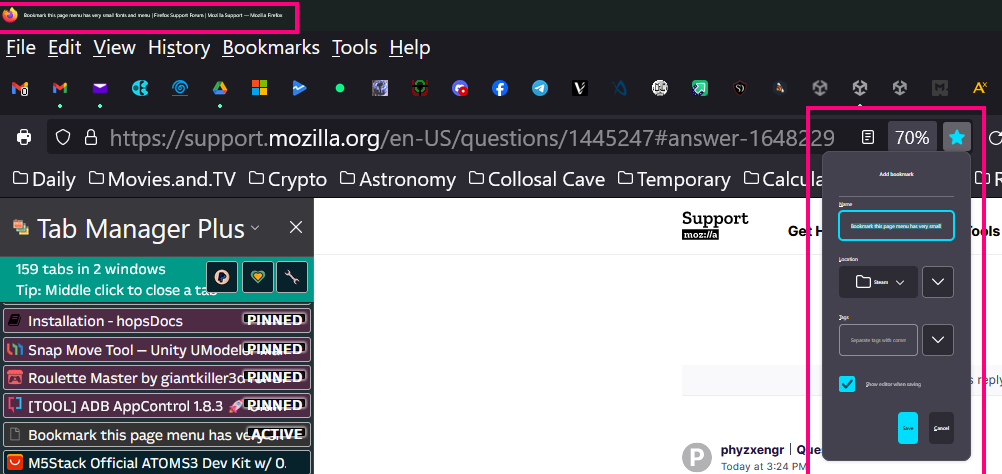
Hello, I just got a new laptop with windows 11. I just did the latest update to Firefox. Everything is a little large but an internet search addresses these: BUT.... The 'bookmark this page', the star in the URL line, menu is small and the fonts are micro. Zooming or changing fonts in the hamburger menu doesn't correct this. Attached. Thank you.
Избрано решение
No I did not. But I solved the issue by going to display choices in settings. I just bumped the system font scale and things just jumped to correct. So now the fonts in the previous picture are now correct. Looks like a loose connection between FF and win11 somewhere.
Всички отговори (5)
What do you mean with but an internet search addresses these as could be possible that what you did to fix your problem is causing this new problem ?
The searches solve the other zoom and menu problems. The Mozilla top of screen identifier and the bookmark this page are very small fonts.
Attached
Did you use code in userChrome.css or did you modify layout.css.devPixelsPerPx in about:config or did you do something else as there might be a better way to deal with your initial issues?
Избрано решение
No I did not. But I solved the issue by going to display choices in settings. I just bumped the system font scale and things just jumped to correct. So now the fonts in the previous picture are now correct. Looks like a loose connection between FF and win11 somewhere.