


pages display wrong depending on zoom
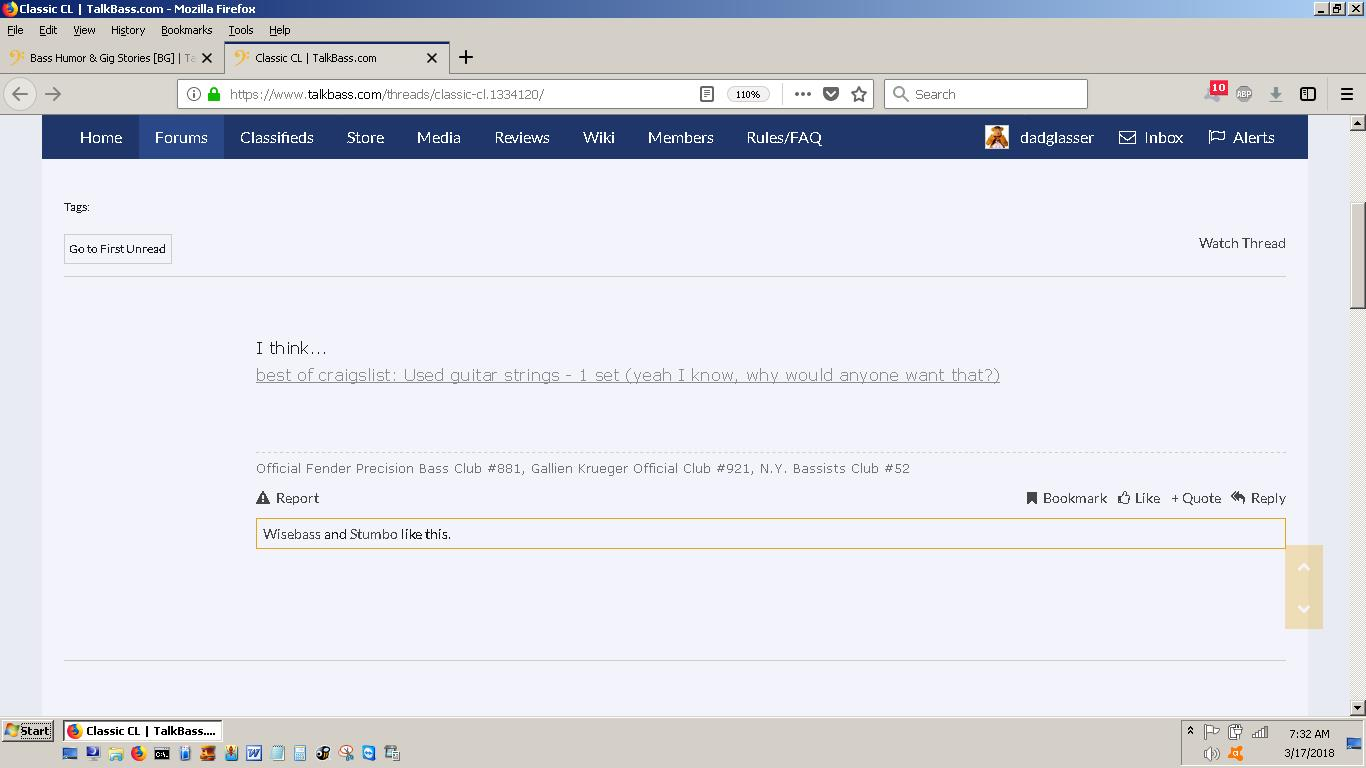
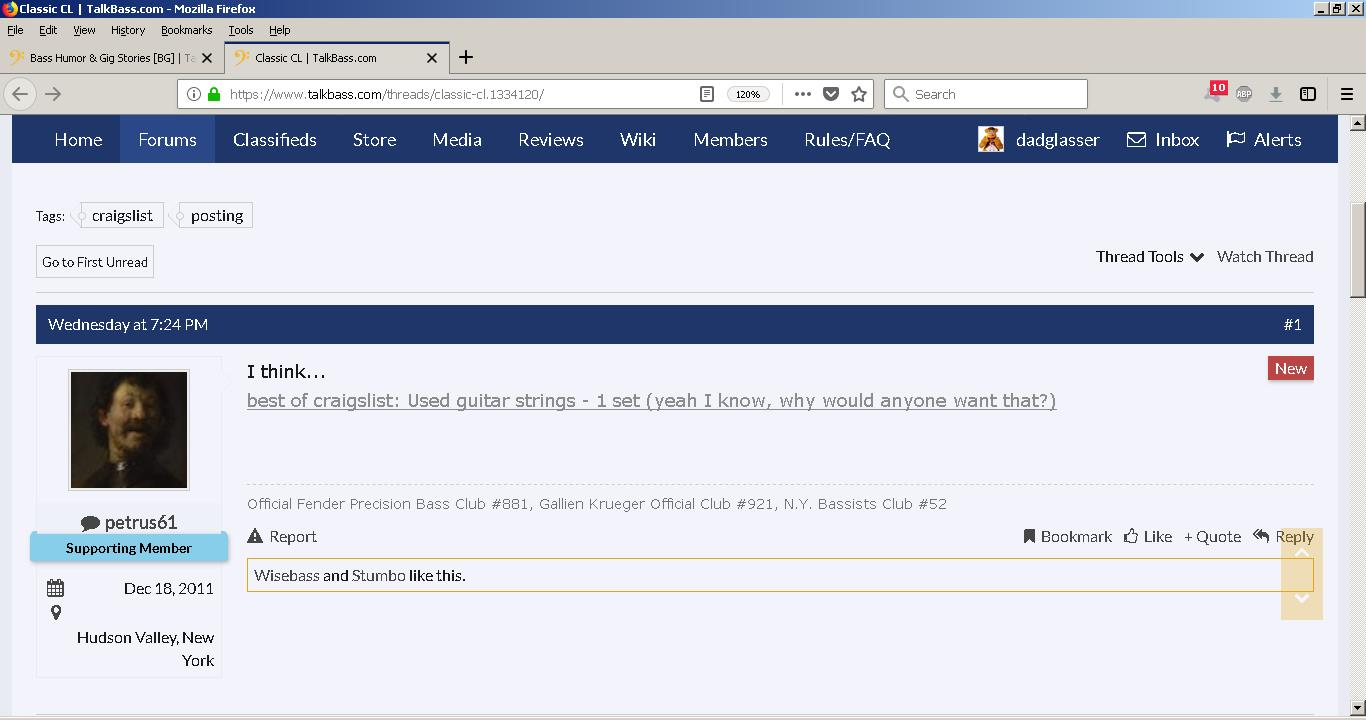
After latest two releases (currently on 59.0.1, 64-bit) many pages do not display correctly depending on zoom. Sometimes text and/or images disappear but become visible when zoom changes. In the attached images, the heading (Wednesday...) and the user's image are missing from the page at 110% but visible at 120%. I also encountered the same trying to log into Mozilla support to create this posting. The login page did not echo my keyboard input in the password field unless I changed my zoom from 100% to 110%.
Избрано решение
hi, thanks for reporting this. we are currently looking into this issue in https://bugzilla.mozilla.org/show_bug.cgi?id=1435472
so far it appears to be an issue that only affects users who have turned off cleartype font rendering within their windows settings. so a workaround for the moment would either be to turn cleartype back on or disabling hardware acceleration in firefox: Firefox's performance settings
Прочетете този отговор в контекста 👍 2Всички отговори (1)
Избрано решение
hi, thanks for reporting this. we are currently looking into this issue in https://bugzilla.mozilla.org/show_bug.cgi?id=1435472
so far it appears to be an issue that only affects users who have turned off cleartype font rendering within their windows settings. so a workaround for the moment would either be to turn cleartype back on or disabling hardware acceleration in firefox: Firefox's performance settings