

Windows 10 reached EOS (end of support) on October 14, 2025. If you are on Windows 10, see this article.

Search Support

Avoid support scams. We will never ask you to call or text a phone number or share personal information. Please report suspicious activity using the “Report Abuse” option.

Learn More
Open

How to change active tab color or accent after update to 160?

TorquinDSL

The most frustrating thing about Firefox is the assumption that an update should take liberties with the UI look of the application. After updating to v160 I can no longer see which tab is my active tab, and on top of that, there seems to be no easy way to change this. I have an add-on called "Firefox Color" which seems to give me the ability to change my active tab color, but it does not work. I think I saw the active tab blink red, my chosen color, once, but it does not happen reliably. I also do not have an accent color across the top of the tab either. This is why I hate to update Firefox. Couldn't they offer security updates separate from updates that change the UI look? I have my browser set up a certain way that works quite efficiently and I like the look, so I do not want it to be changed.

All suggestions appreciated.

Thanks, Chris

The most frustrating thing about Firefox is the assumption that an update should take liberties with the UI look of the application. After updating to v160 I can no longer see which tab is my active tab, and on top of that, there seems to be no easy way to change this. I have an add-on called "Firefox Color" which seems to give me the ability to change my active tab color, but it does not work. I think I saw the active tab blink red, my chosen color, once, but it does not happen reliably. I also do not have an accent color across the top of the tab either. This is why I hate to update Firefox. Couldn't they offer security updates separate from updates that change the UI look? I have my browser set up a certain way that works quite efficiently and I like the look, so I do not want it to be changed. All suggestions appreciated. Thanks, Chris

All Replies (1)

Bonjour

A space for users to give product feedback https://support.mozilla.org/en-US/kb/what-mozilla-connect

Among others discussions https://support.mozilla.org/en-US/questions/1610222

A discussion thread https://support.mozilla.org/en-US/questions/1612537

Below, just to see with userChrome.css
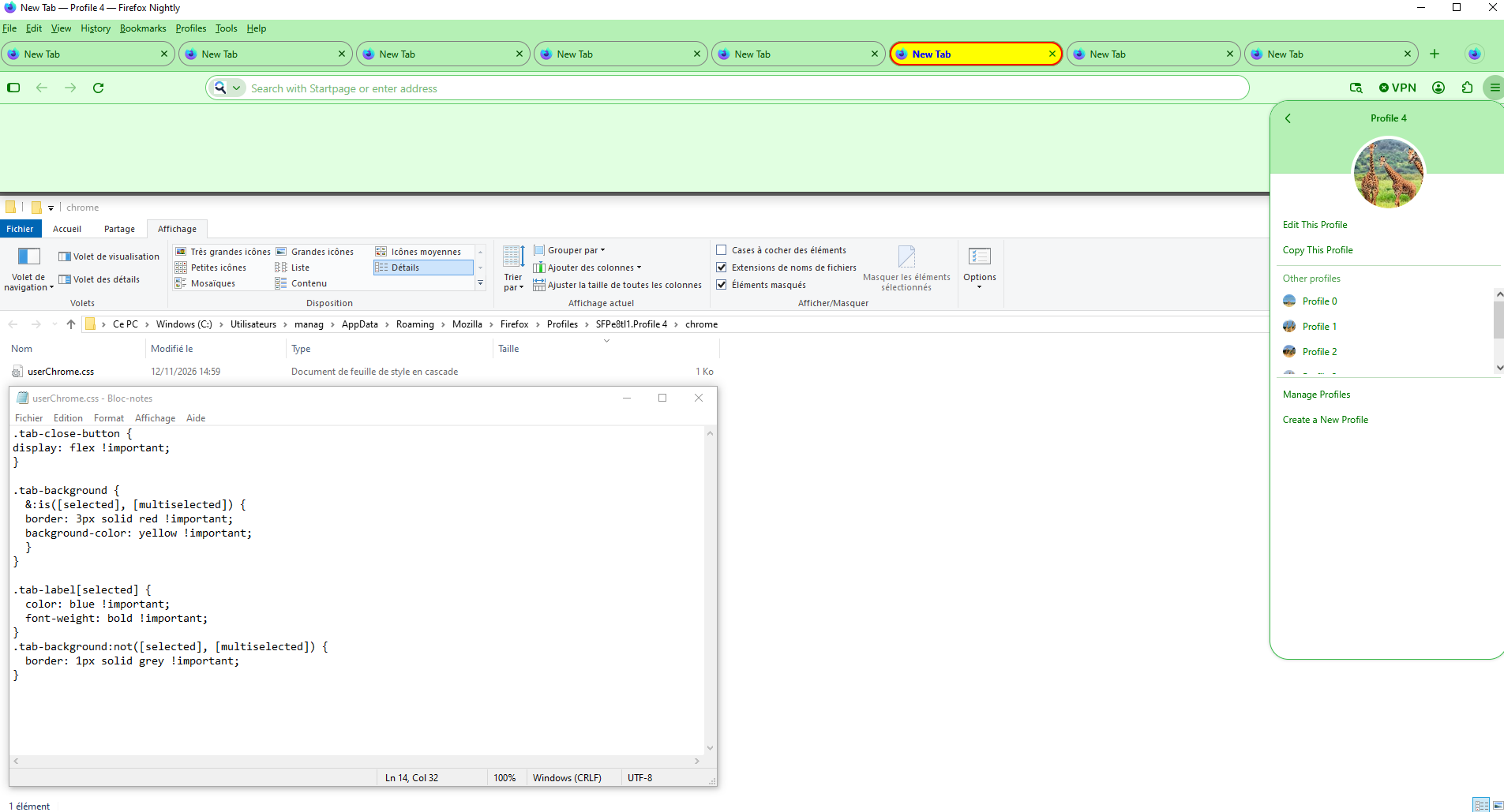
Modified by Agent virtuel

Sual ver

You must log in to your account to reply to posts. Please start a new question, if you do not have an account yet.