


Language compatibility issue on chrome os

I installed linux firefox by this instruction: https://support.mozilla.org/en-US/kb/run-firefox-chromeos?utm_source=www.mozilla.org-firefox-browsers-chromebook&utm_medium=referral&utm_campaign=seo
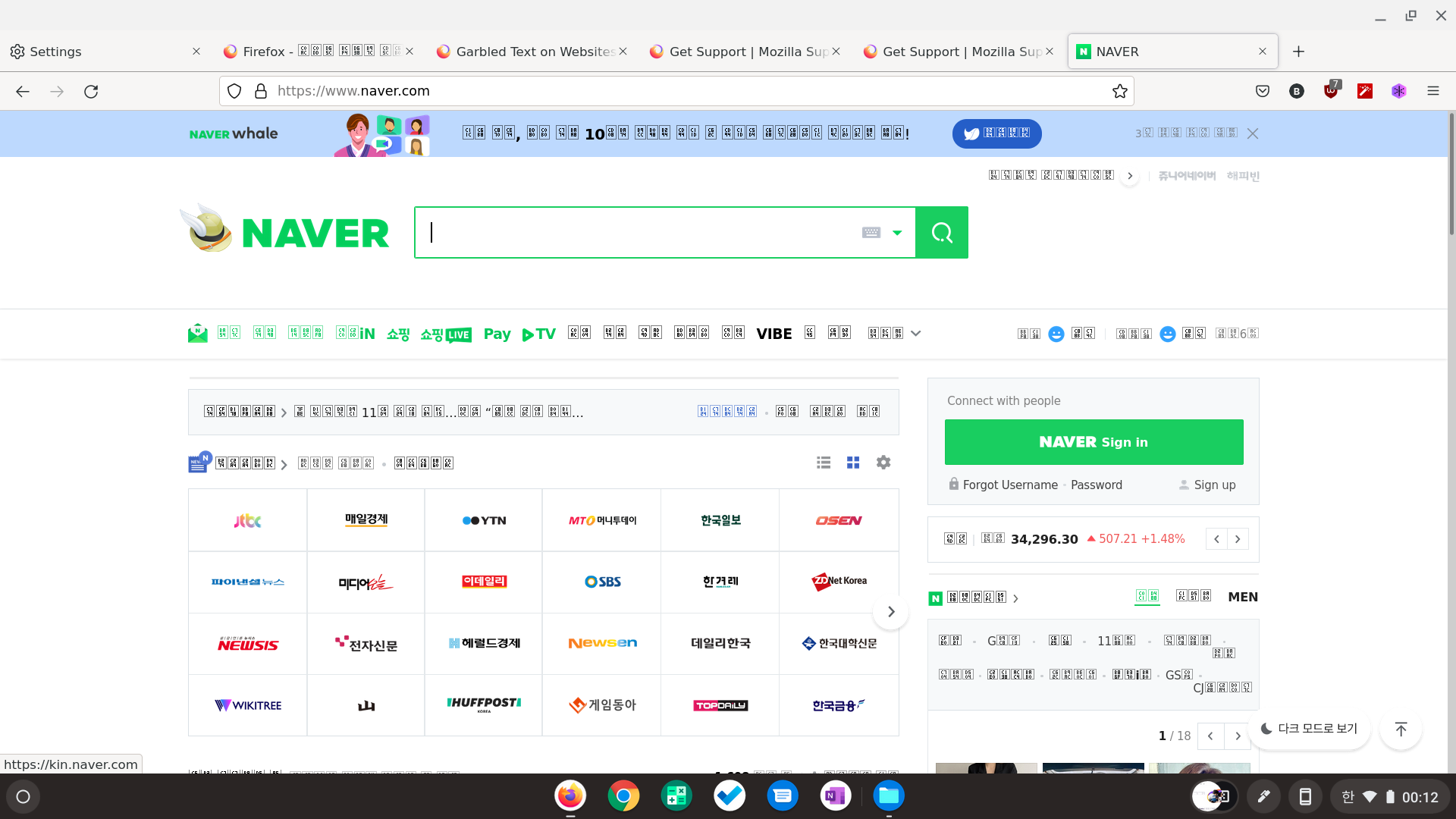
and Korean website looks like the screenshot.
I tried setting Chromebook default language on Korean and English, and browser settings set on Korean and English for each. Nothing worked.
All Replies (2)
Seçilmiş Həll
You see little boxes with the hex code of the character if there isn't a font installed that covers this Unicode range or Firefox doesn't find it.
Does this work properly in other browsers ?
It worked properly on any other non-linux application.
But I searched and followed the instruction of how to install fonts for chrome-os-linux: https://www.linuxmadesimple.info/2020/09/how-to-install-custom-fonts-on.html
and it's immediately solved. Thanks!