


Unable to send emails vis Gmail accounts

It's some weeks since I cannot use TB properly due to some authentication issues with some of my gmail accounts. I do receive the incoming emails but I'm no more able to send. When I try, the send window hangs with no progress and what I need to do is close the current email which I'm not even able to save as draft, restart TB and then wait for the software to open the browser and say that the application is authorized. I've already done this several time per each account. I've tried to delete the saved password and token but it does not help. Another gmail account which is also configured on TB but almost never used to send emails is working perfectly and it has 3 entries in the Password management section of the setting window: two of those seem to be the same and contain the current password while the other entry has the token.
Using TB 153.6.0esr (64 bit) Badge per Thunderbird MeadowThunderbird for Linux Mintmint-001 - 1.0 on Linux Mint 22.3, Kernel: Linux 6.8.0-149-generic, Architecture: x86-64.
The issue has been noted also before the recent update, when running TB 153.4.0esr (64 bit) always on Linux Mint.
I've double checked the account/server settings and those seem to be exactly the same as two years ago when I configured my several Gmail accounts on TB on this laptop. I've also tried to add an exception on the cookies settings, but the problem persists. Actually, I'm obliged to restart TB each time the issue occurs and then it works without any setting/configuration change. This lets me think that all the settings are ok otherwise I would never be able to send/receive any email even after restarting TB.
All Replies (4)

Not having a solution per-se, but some comments below.
How did you install Thunderbird - from a repository provided by your distribution, Flatpak, Snap store, or the vanilla version from thunderbird.net?
I'm no more able to send.
See https://support.mozilla.org/kb/cannot-send-messages
Also, please post your Troubleshooting Information. At the top right of the Thunderbird window, click the menu button ≡, then select Help > Troubleshooting Information. Press the "Copy text to clipboard button" and paste the information into your reply.
Start Thunderbird in Troubleshooting Mode. Is there any difference? https://support.mozilla.org/kb/troubleshoot-mode-thunderbird
Another gmail account ... has 3 entries in the Password management section of the setting window: two of those seem to be the same and contain the current password while the other entry has the token.
With OAuth2 authentication Thunderbird does not store the actual account password, but an authentication token. So old password entries which still have the account password can be deleted.
I've also tried to add an exception on the cookies settings, but the problem persists.
An exception for what exactly? You've disabled cookies, and created an exception to allow cookies for accounts.google.com?
The situation is getting worse and worse. I've tried to uninstall and purge TB package installed from official repos and reinstalled it, but it didn't work. I've also tried to download the latest version from the official website but it didn't work either. I've also tried to remove an account which had been disabled last year but it is still asking me to put the password to access it. (I kept it in order to keep all the emails stored on my pc at the cost of getting an error message each time I opened TB and every time it tried to access the email account even if i disabled to search for new emails at startup as well as after a specific number of minutes...) On the other hand it still asks me to authenticate the gmail accounts via browser (Firefox) but when I get to the google authorization page and I authorize TB to access the account then I get to a localhost page which doesn't load. As far as I can see from the url, it seems that pages refers to Calendar... What a mess!
re : localhost page which doesn't load Possible cause: Do you use anything like Apache Xampp ? It could be using the localhost and therefore causing an issue. If yes, then switch it off. Then remove stored password including the Oauth one. Exit and restart Thunderbird and try to get authorised again. You can enable eg: Apache again afterwards.
Toad-Hall said
re : localhost page which doesn't load Possible cause: Do you use anything like Apache Xampp ? It could be using the localhost and therefore causing an issue. If yes, then switch it off. Then remove stored password including the Oauth one. Exit and restart Thunderbird and try to get authorised again. You can enable eg: Apache again afterwards.
Not using Xampp. I've removed ALL the stored passwords as well as the Oauth ones so the stored password box is definitively empty but I still don't get any password request or account configuration request after restarting, nor in Troubleshooting mode. After several tries to send a test email I get the password request popup window but nothing happens when I click on the button to enter the password (it has happened several times during the last few weeks). When trying again I get this
Invio del messaggio non riuscito. Si è verificato un errore durante l’invio della posta. Il server di posta ha risposto: Authentication Required. For more information, go to https://support.google.com/accounts/troubleshooter/2402620. 5b1f17b1804b1-4bb853c9170sm255134305e9.14 - gsmtp. Verificare l’indirizzo email nelle impostazioni dell’account e riprovare.
But when I try to load that page it seems it doesn't exist.
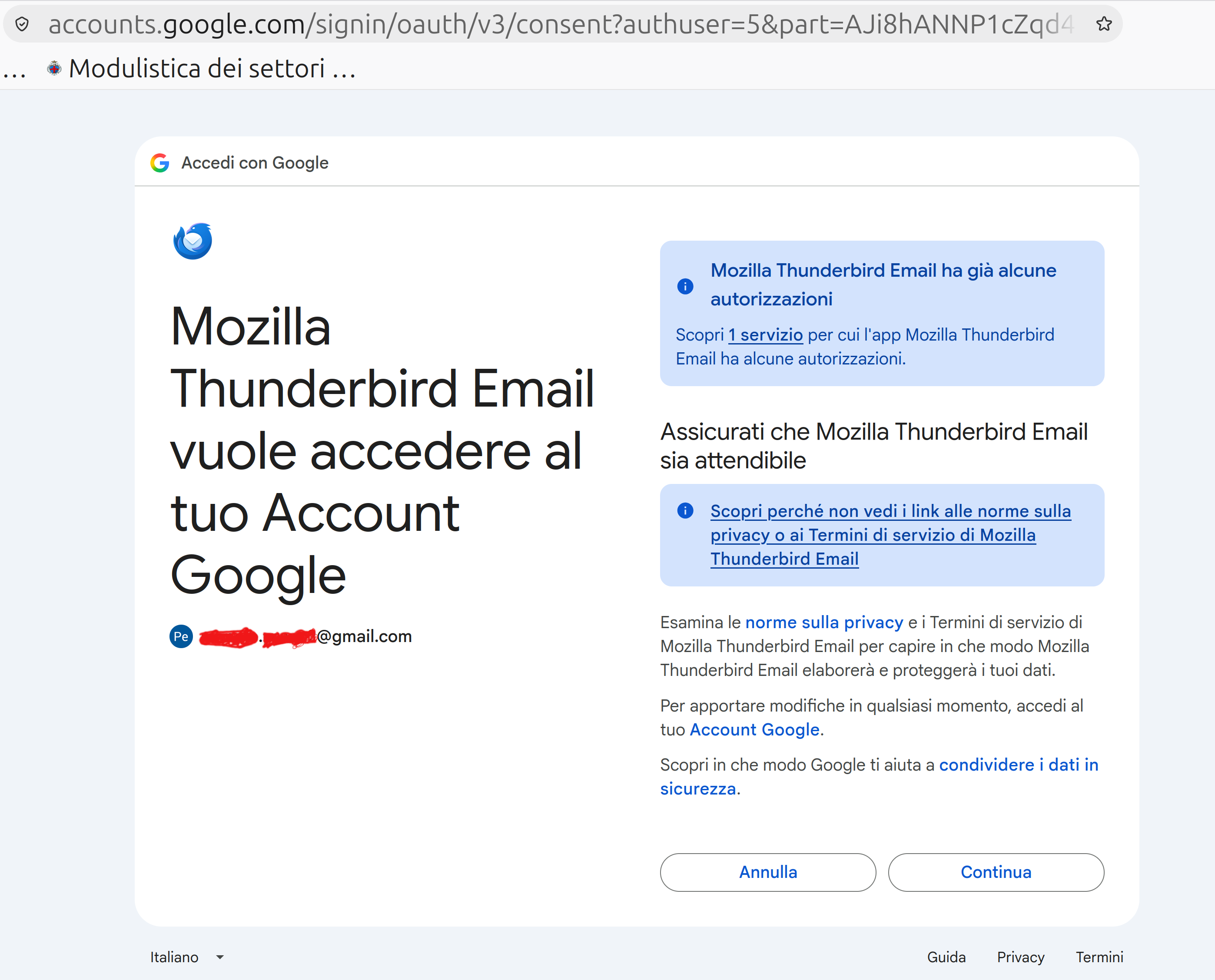
Meanwhile, whenever I close TB I still get the attached Oauth request although I've removed all the password as well as the outgoing servers and the account settings...
Installing TB from the official website and importing the previous account settings (I think it gets them from the profile folder) causes exactly the same problems. On the other hand, it works when configuring the accounts from scratch on the new TB installation.
Is there any ways not to loose all the data of the (corrupted?!?) profile?
Moderator note: This reply has been edited to correct the formatting.
Modified by Denys