


How do I restore auto function filling in addresses on emails?

I want email to automatically fill in someone's email address when I type in their name.
All Replies (4)
Please clarify. that feature has been a default for 20 years, so I am unclear on your request. thank you
Yes... it has worked on my computer(s) for years too. But now, when I start typing an address to send someone an email it stays blank. I looked for a setting that I might have inadvertently turned off - but no luck. I have to go through old emails to find their listing.

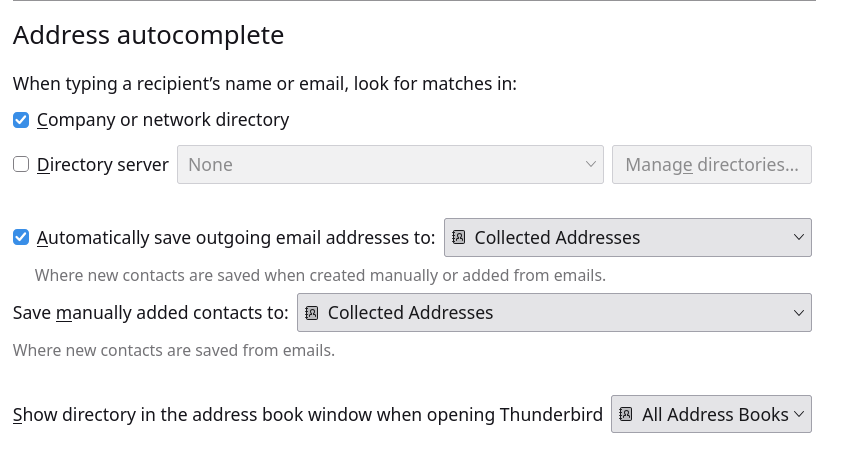
I too am having this same problem. Global address settings screenshot attached. I have never used/had an LDAP server for addresses. Using F9 to pull up the address book still works for finding e-mail addresses.
Running Thunderbird 159 on Xubuntu 24.04. I do not have this problem on Xubuntu 26.04, so it appears to be some kind of setting corruption problem.
I know there was a problem with unified folders no longer working way back when, and the fix then was to delete the smart mailboxs folder from the profile to force a rebuild of those folders. I am wondering if something similar is needed here for addresses. The issue is which file or folder needs to be rebuilt.
-Victor
Please state your problem in detail. We cannot presume the details. Is your problem that you want to access an LDAP server? If so, that doesn't appear in your global settings. But maybe the issue is elsewhere. Please describe. Thank you