Allow creation of whitelist for local LAN based websites

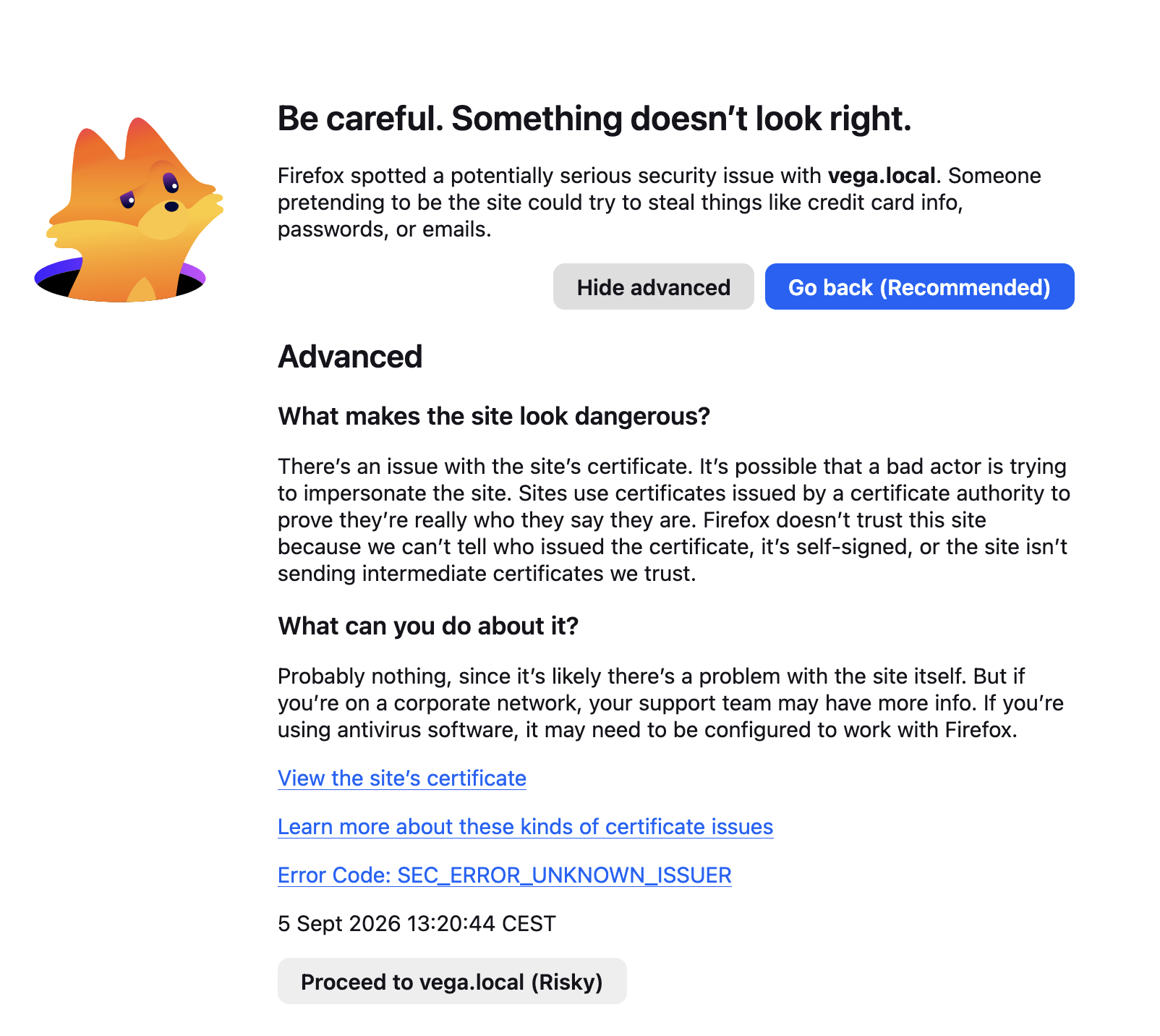
I have several websites in my own LAN. They run on HTTP. When I open one of these sites Firefox forces me to jump through hoops before I am allowed to open the intended webpage, because they are not running HTTPS, nor have a certificate. The security mechanism is valid for remote hosted websites, and I like the functionality.
But I own, operate and trust my LAN based websites, but I cannot prevent Firefox from complaining about them. I must do the song and dance to finally be able to open the webpage. All webbrowsers (Safari, Firefox, Chrome) do this, and it is very annoying
Solution: Allow the user to create a whitelist, either based on the website's ip adress, mDns name or blanket subnet. Come up with a solution that is easy for the user, and inspiring for your competition!
All Replies (2)
There's no issue with local sites if they do not expose HTTPS — using HTTP is just fine. Are you sure you don't have anything trying to respond on TLS port/handshake and ending up returning noise? What is the exact error you're presented with?
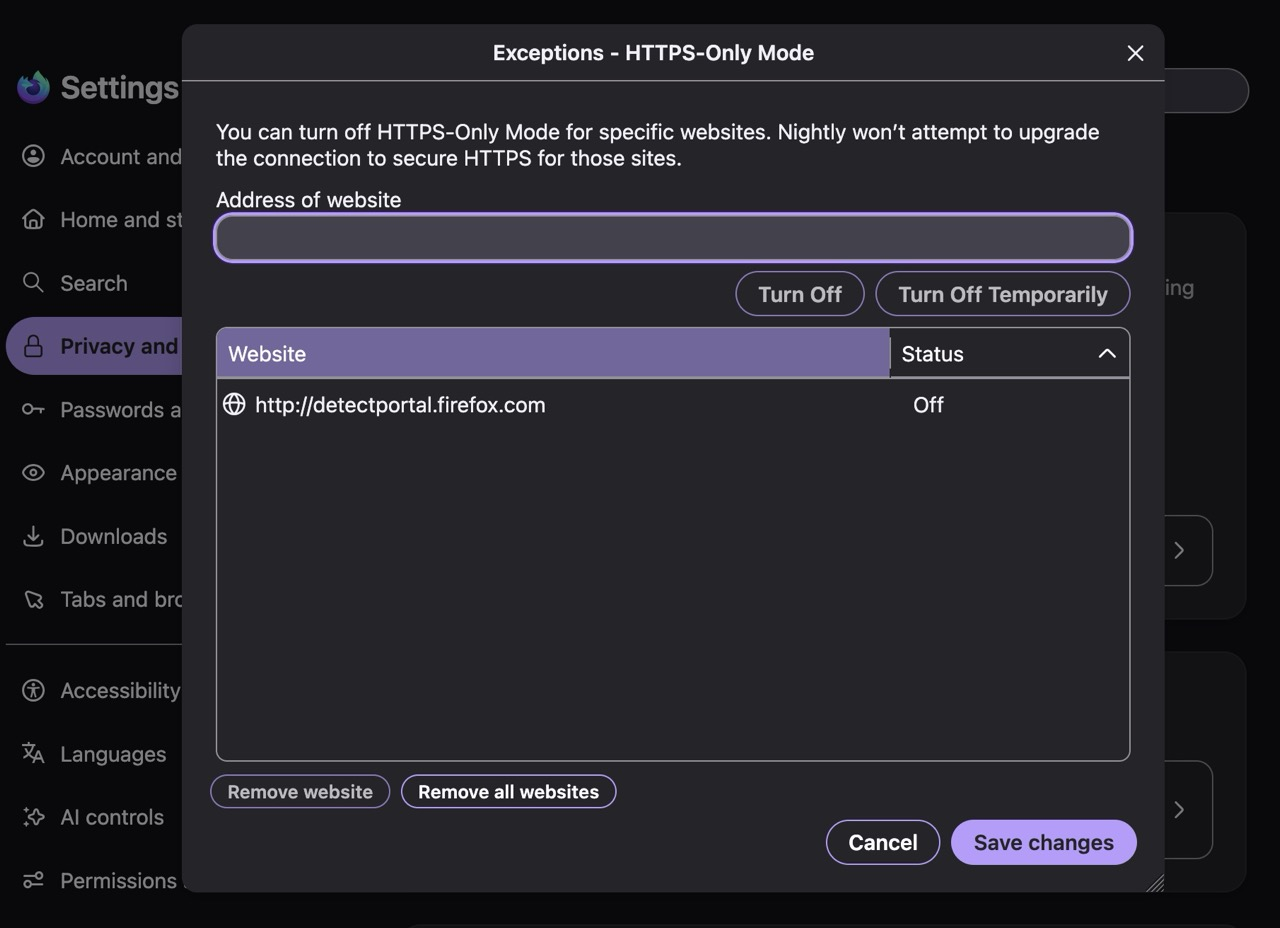
If this is about HTTPS–Only setting, it has its own exclusion list:
Thanks for your reply, The picture attached displays the nagware: it is presented whey I open the pihole admin screen on a local host. By the looks of the screen it is complaining about the validity of the on-board certificate. I don't care, it is a locally running linux server. Firefox now forces me to do stuff that won't be resolved (easily), and I don't want to jump through unnecessary hoops to get some internet CA approved certificate on a system that really doesn't need it. So I want to have a whitelist that prevents this message to be generated.