


firefox running multiple instances in the background. How do i stop this?

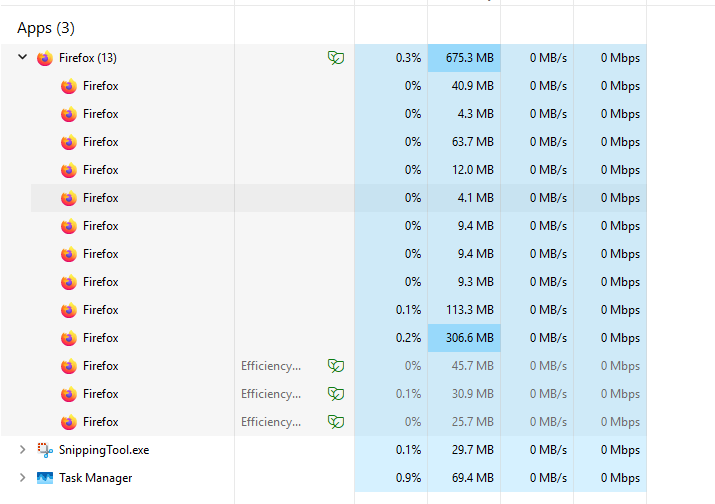
When i start fire fox it immediately opens 10 additional versions in the background which I can see in task manager and they take up a lot off memory. If i end task them they immediately come back. This only started recently. I noticed it because now when i open say a youtube video it shows it as number 4. This never happened before unless I had the same video open more than once.
If I can not stop this I will have to uninstall.

All Replies (1)
Hi
How many tabs do you have open in Firefox?
Have you installed a few add-ons?
Firefox utilises a multi-process architecture known as Electrolysis (e10s) for improved stability and performance. By default, e10s is enabled, meaning each web page opens in its separate process, isolated from the main browser process. This helps prevent crashes and improves responsiveness, especially when dealing with multiple tabs or resource-intensive websites.