


Missing Tabs Bar

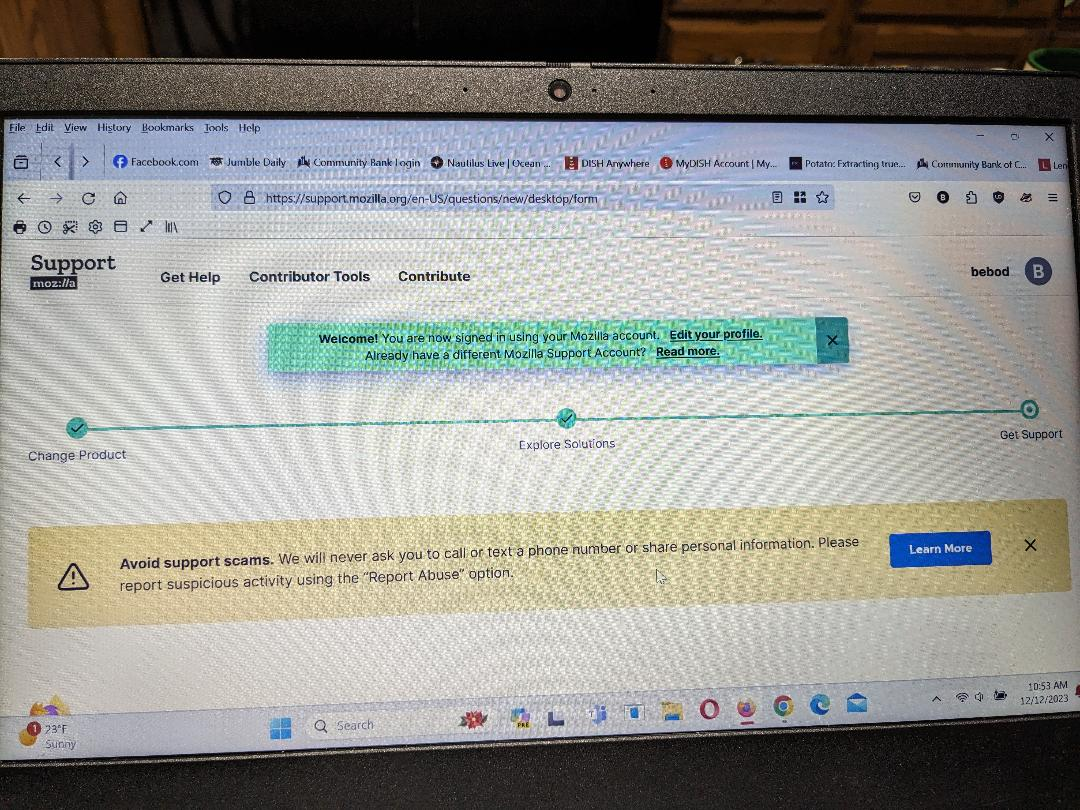
As Firefox was acting up I was going to uninstall and reinstall. It was suggested that I "refresh" it instead. Following that "refresh" my tabs bar is missing. How do I get it back? Also now the address bar is below the bookmarks bar. I can live with that but I need the tabs bar. FFOX 120.0.1 on Windows 11
الحل المُختار
From the screenshot I would judge that you have placed the "Bookmarks Toolbar Items" control on the Tab bar and this is causing the bookmarks to take all the space on the Tab bar. You need to open the customize page, and enable the Bookmarks Toolbar, and drag the "Bookmarks Toolbar Items" control to the Bookmarks Toolbar.
Read this answer in context 👍 1All Replies (2)
الحل المُختار
From the screenshot I would judge that you have placed the "Bookmarks Toolbar Items" control on the Tab bar and this is causing the bookmarks to take all the space on the Tab bar. You need to open the customize page, and enable the Bookmarks Toolbar, and drag the "Bookmarks Toolbar Items" control to the Bookmarks Toolbar.
Thank you Cor-el!