


Thunderbird 102 - Body "contains" filter is no longer available

Yesterday I updated Thunderbird to version 102 and I have been experiencing issues with message filters that are no longer working.
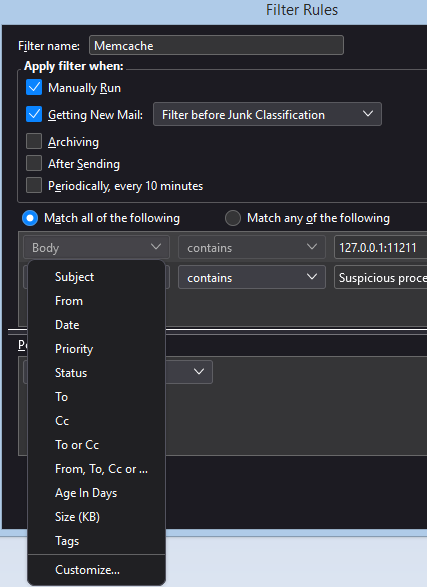
I used to create message filters that would check the body content of a message. Now when I create a message filter the "Body" option in no longer available in the field list.
When I try to save one of my previous message filters that was filtering based on the message's body I receive this error: This filter cannot be saved because the search term “Body contains” is invalid in the current context.
Does anyone know if there is a workaround? Thanks!
الحل المُختار
Filtering on the body is not available unless message bodies are downloaded ('offline folders'). Check the Sync. & Storage setting for the account for 'Keep messages in all folders...'.
Read this answer in context 👍 1All Replies (2)
I have 102.2.2 and 'body' is there.
الحل المُختار
Filtering on the body is not available unless message bodies are downloaded ('offline folders'). Check the Sync. & Storage setting for the account for 'Keep messages in all folders...'.