


Thunderbird buttons in preferences are not displaying properly

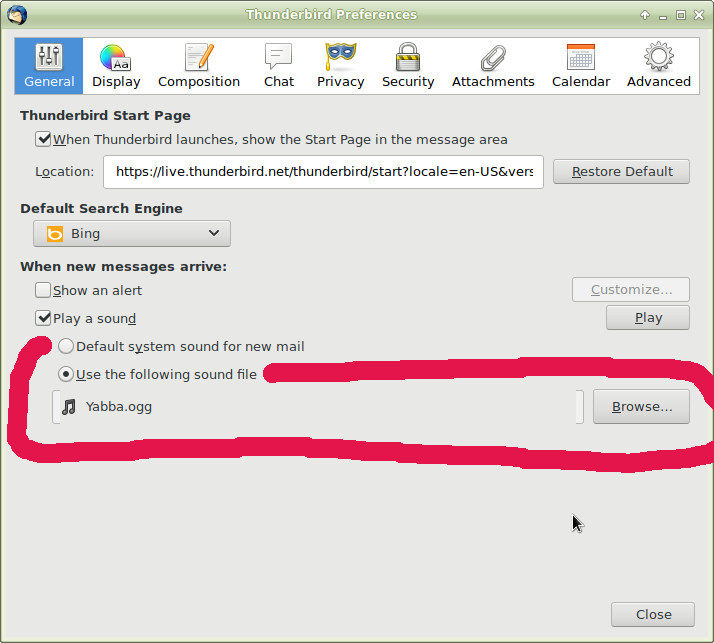
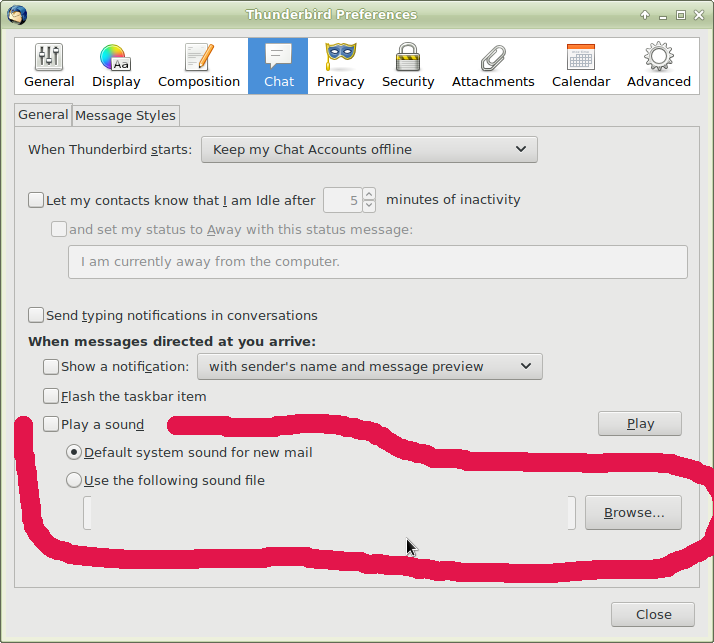
Thunderbird 60.0-3 is not displaying buttons in the preferences section but version 52.9.1-1 did. I'm using Debian stable 9.5 64 bit and the XFCE desktop environment.
All Replies (4)
I'm sorry to duplicate this question. I changed my info and deleted the first account that I created this morning. I'm the person that originally posted this question. I have the feeling this is a bug that other folks are seeing. I'm using the second account that I just created.
Modified by pcdoctor01
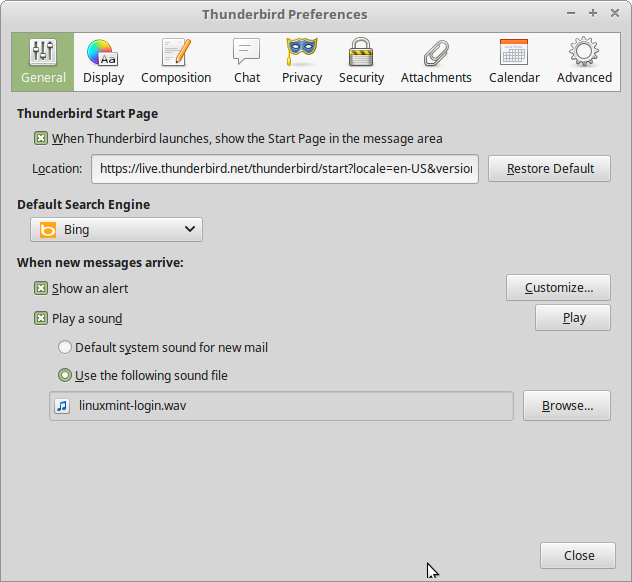
The Debian version is 60.0-3 while the latest Ubuntu version is 60.0-0. What is really strange is Debian Buster (testing) is still on 52.9.1. Also the latest Debian 60.0-3 is called "Daily". I would have thought Buster would have 60.0-3 available already. Strange. So I guess here are some fixes: install the Ubuntu 60.0-0 version, install the previous Debian Thunderbird 52.9.1 version or wait until a later version from Debian fixes this issue. See the attachment for the Mint 18.3 64bit XFCE version with 60.0-0 installed using a Ubuntu package.
Modified by pcdoctor01
I have this feeling that this won't be fixed until 60.1-1 or something like that unless you install 60.0-0 in the meantime or go back to an older version.
Modified by pcdoctor01
[RESOLVED] Resolved by using one of the three options: 1. Use a Thunderbird 60.0-0 deb file instead of 60.0-3 2. Go back to Thunderbird 52.9.1 3. Wait until 60.1-1 from Debian or something like that to fix this preferences button display bug.