


Version 52.*.* has a very small Message Pane Display

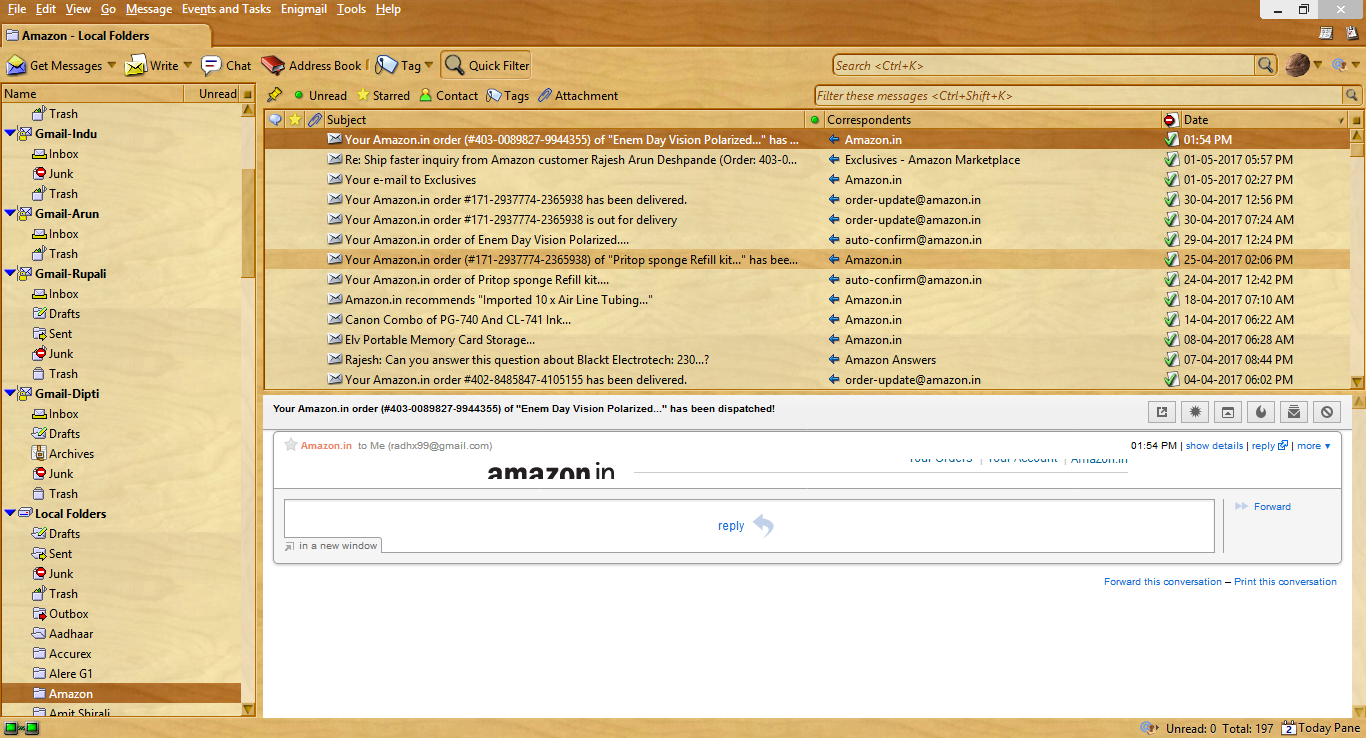
In version 52.*.*, the message pane displays only one line of message text. Windows 8.
How do I fix this?
Regards, Rajesh.
All Replies (3)
sfhowes said
Do you have View/Message Body as set to Original HTML? Does it look the same in safe mode (hold Shift when you launch TB)?
Yes, I have Original HTML set for Message Body. I tried setting Simple HTML as well as Plain Text, but got same result.
Safe mode also didn't help.
Regards.
Though I'm using AVG Antivirus for scanning mail, the Header Format mention gave me the clue.
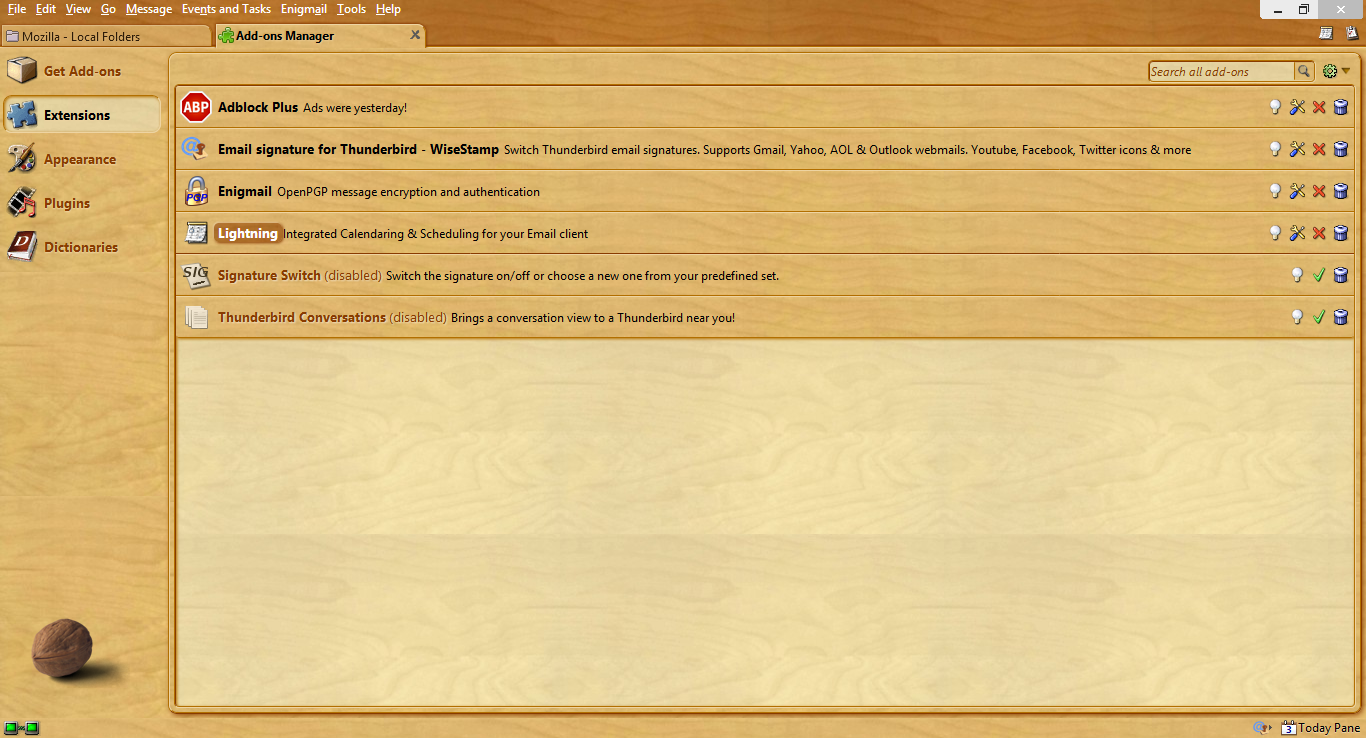
I was using an extension "Thunderbird Conversations". Looks like it requires an update for being compatible with Thunderbird 52.*, as it works nicely with previous version 45.8.0.
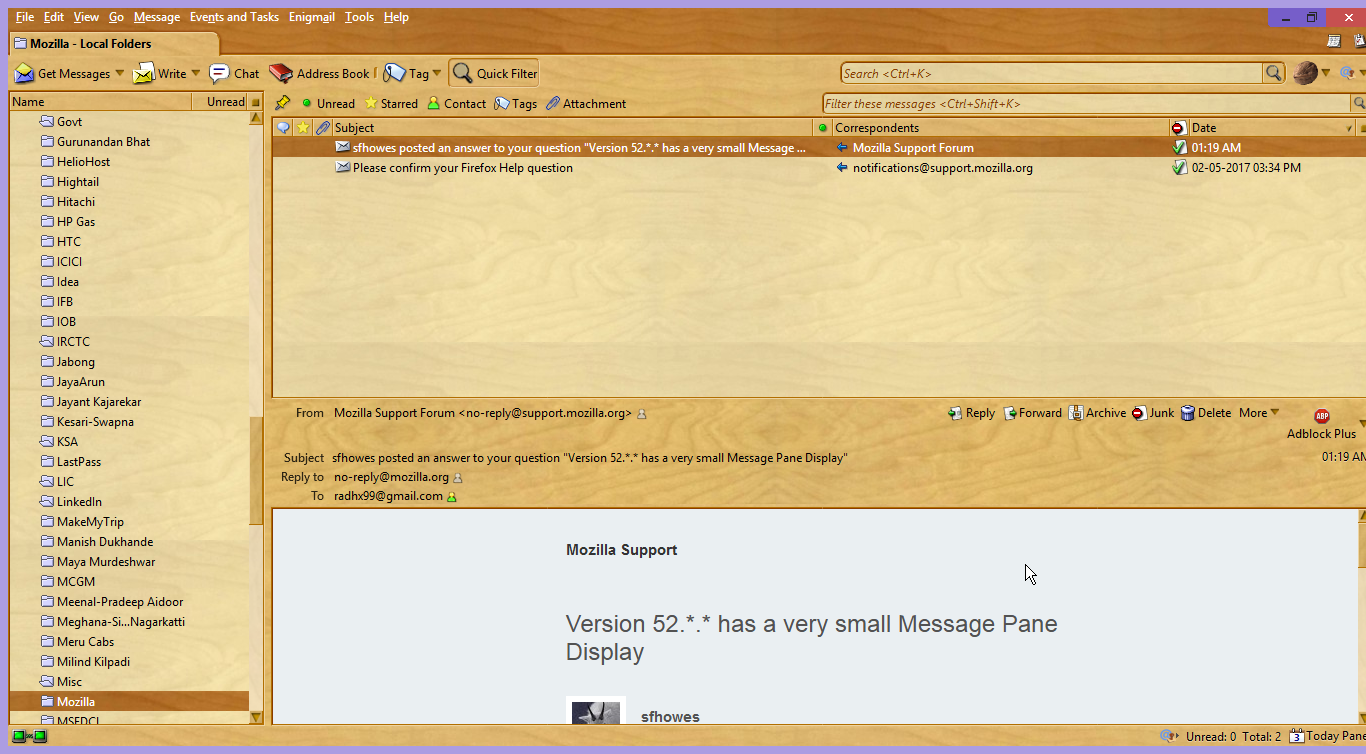
After disabling it, now the Message Pane is back to normal.
(Snapshots attached.)
Thanks a lot for the help, I really appreciate it !
Regards, Rajesh.
I think Thunderbird doesn't launch in safe mode on my laptop when I hold shift key while launching it. That's why I said it had no effect. My mistake.
When I use "Restart with Add-ons Disabled..." option from Help menu, Add-ons get disabled. I should have tried it earlier.
Anybody else using "Thunderbird Conversations" extension ?
Regards, Rajesh.
Modified by radhx