


I setup my android sync account with an incorrect email address. How can I delete or change the email adress or account.

When I setup my sync account on both my pc and my andriod I left off the 'L' in gmail. I type fast and I do it a lot. Normally not a problem because I get an 'incorrect email' error message. So I synced and everything - went fine. However I have no email account that ties into my sync account. I created a new account on my PC, but am unable to change or delete the account on my Galaxy S3 - operating on android 4.3. I have tried to add another Firefox sync account, but it prompts that I can only have one account. I can not delete the account because I can't find that option.
選擇的解決方法
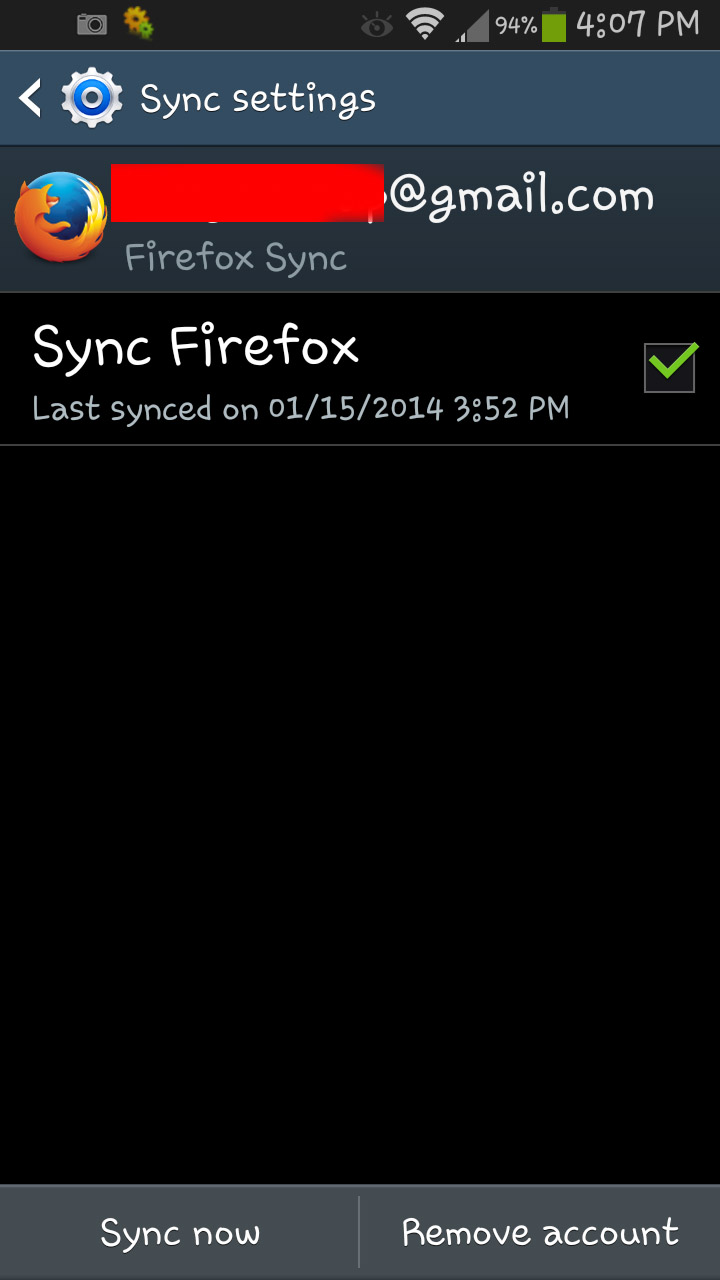
Got it. I can only get the option to remove an account if I go through the Firefox application's setup menu and selecting Sync. That then pulls up all the accounts that are setup on the phone. I select the incorrect firefox email that I entered, and lo and behold at the bottom of the screen is an option to remove account. I was not able to find my sync options via the S3 setting menu. There must be a trick to access them. I know that in order to access the developer options on the 4.3 I had to go to the "build number" on the "about phone" screen and tap it five times in order to have the developer options be displayed in the setup menu. Crazy, huh? Thanks for you time and trouble. Truly appreciated.
所有回覆 (7)
hello akabent, you can log in at https://account.services.mozilla.com/ with your wrong mail address and delete the account this way.
I deleted the account in Windows 7, but I am unable to figure out how to delete it in the Android 4.3 OS. Please see attached pics.
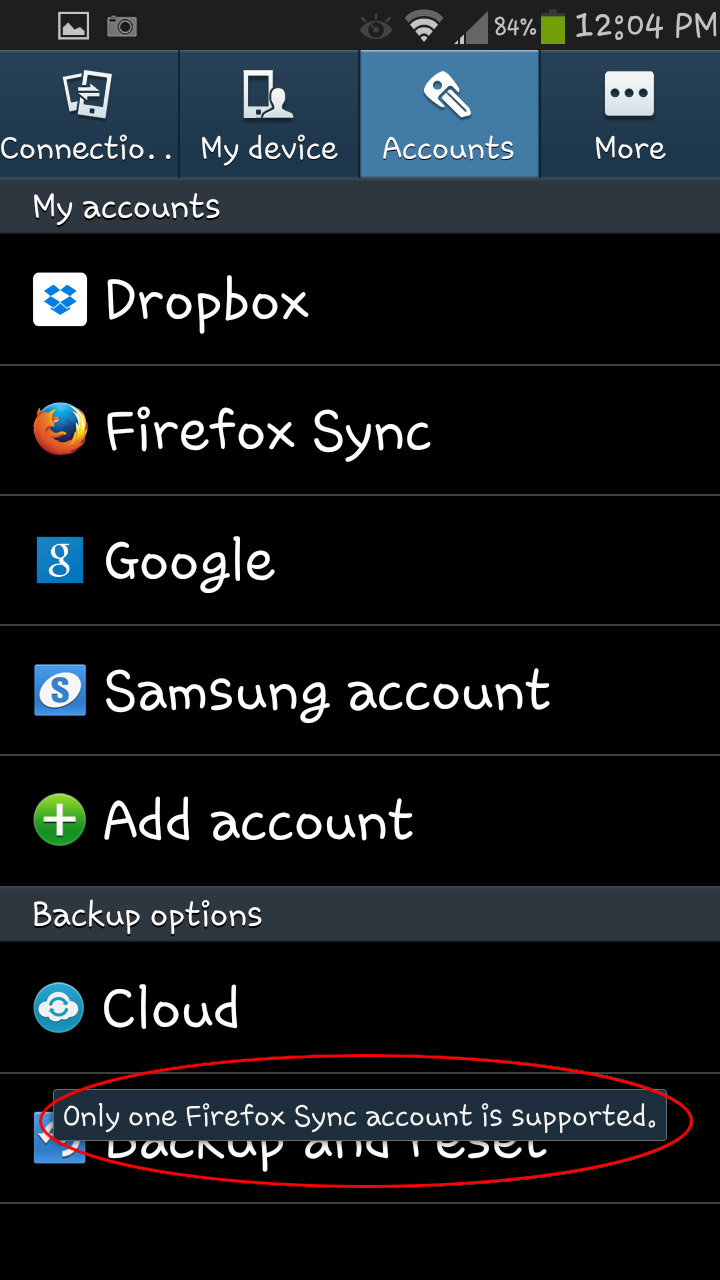
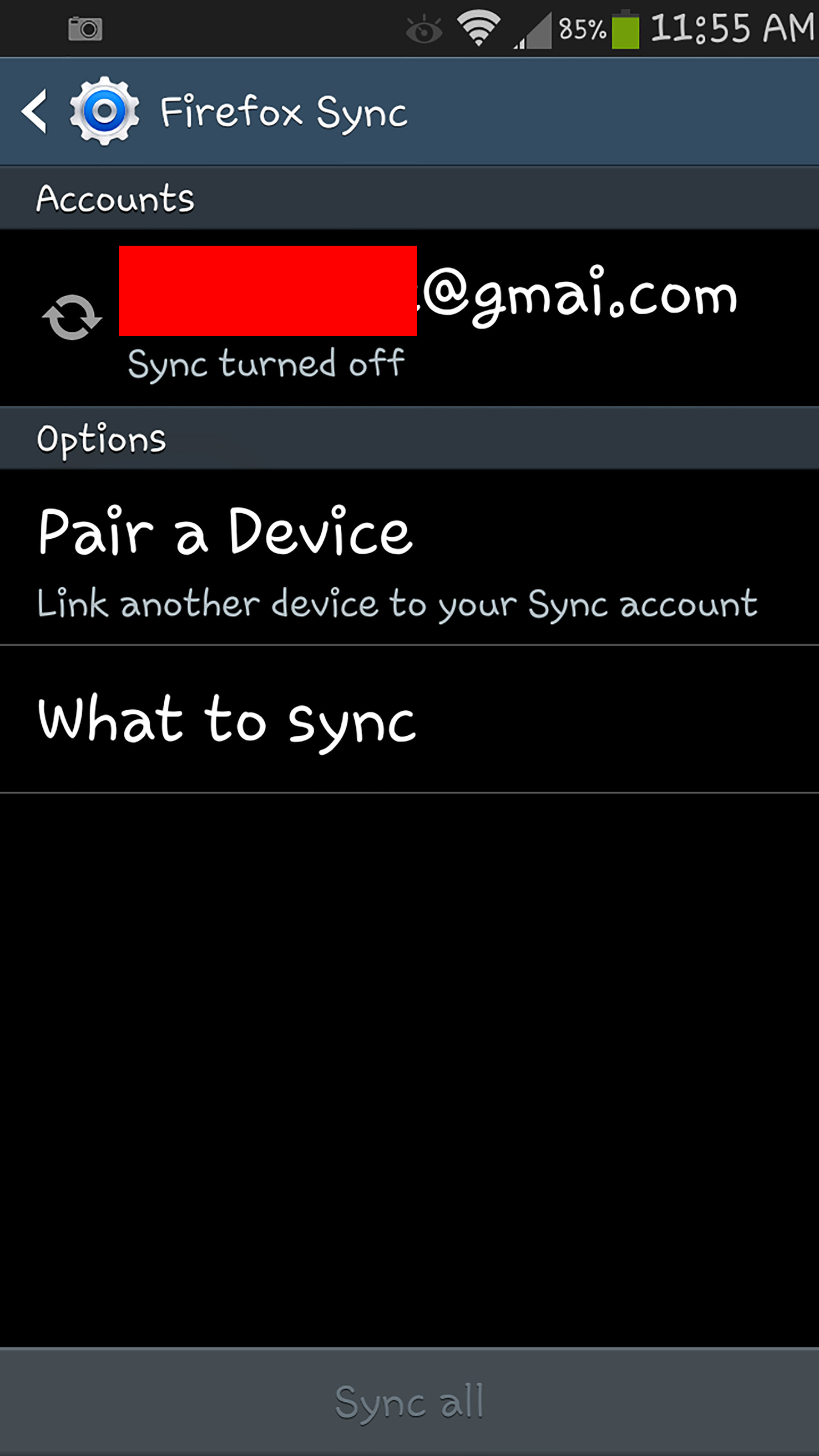
hello, on your second screenshot, when you press on your account that you have hidden behind the red bar, you should get to another window where you can remove the account through the menu key...
No. I do not. That menu is not present on the Jellybean 4.3 Android OS that Samsung automatically installed on my S3. I'm pretty well versed in Android and Windows platforms, so I've tried most options that I could think of. However, on this one I'm clueless
i have plain android 4.2 and can only provide the steps on how to delete it there (on a non-english interface)...

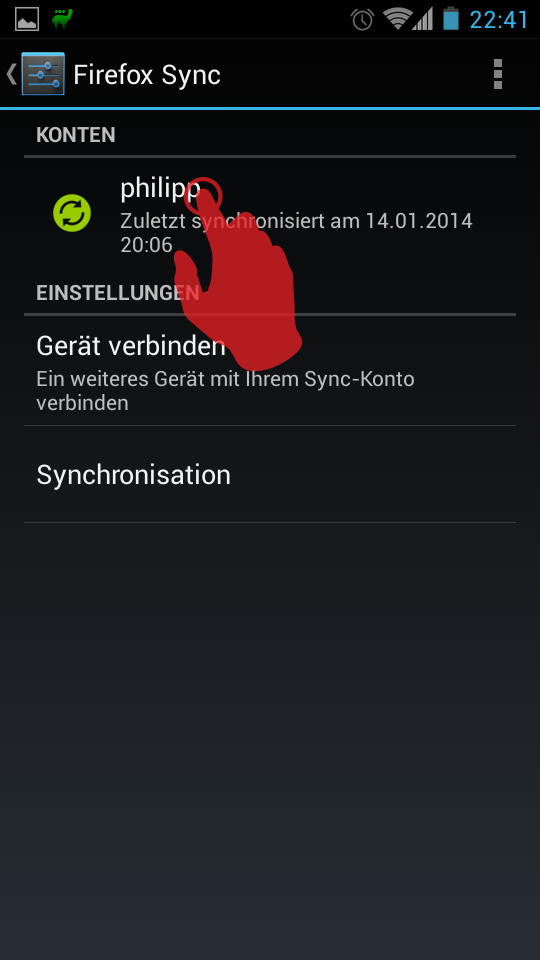
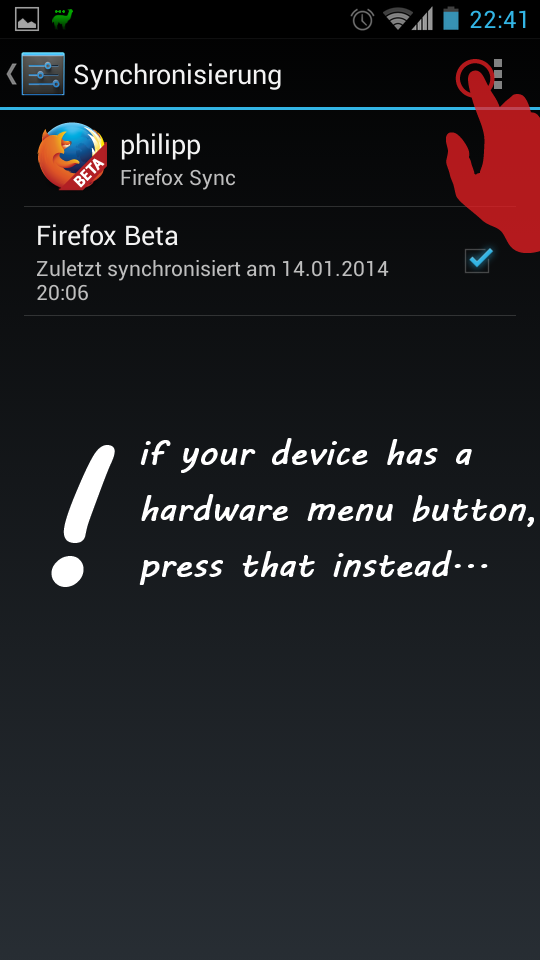
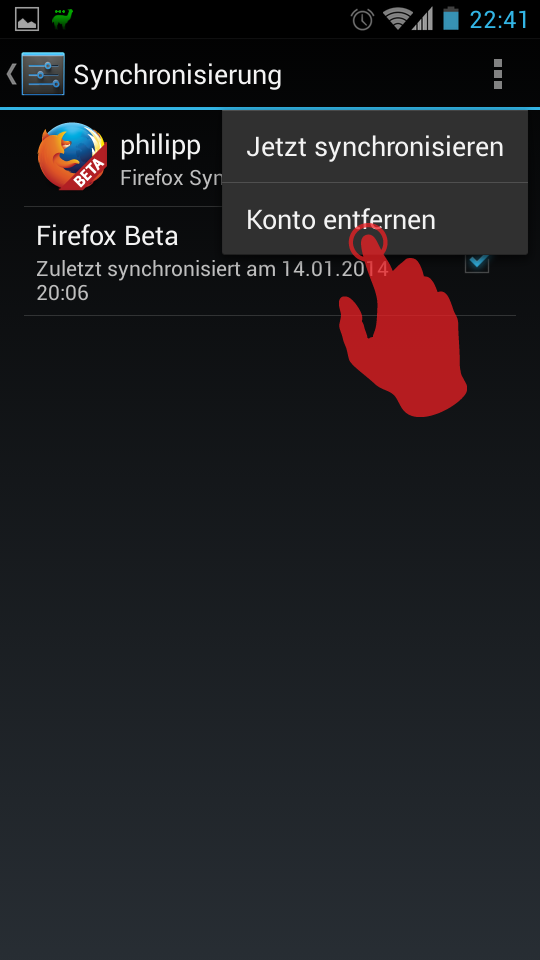
That is no longer available on the 4.3. There is no menu available to delete an account. I get menus for my email accounts that allow me to delete, but not for Firefox.
選擇的解決方法
Got it. I can only get the option to remove an account if I go through the Firefox application's setup menu and selecting Sync. That then pulls up all the accounts that are setup on the phone. I select the incorrect firefox email that I entered, and lo and behold at the bottom of the screen is an option to remove account. I was not able to find my sync options via the S3 setting menu. There must be a trick to access them. I know that in order to access the developer options on the 4.3 I had to go to the "build number" on the "about phone" screen and tap it five times in order to have the developer options be displayed in the setup menu. Crazy, huh? Thanks for you time and trouble. Truly appreciated.