


How can I see opened tabs on my desktop computer from firefox android?

On firefox desktop I could check my opened tabs from my android device with menu-history-tabs from other devices. On firefox android, can I see currently opened tabs from other devices?
On firefox android, I can see history which is a long list of all websites I visited on both firefox desktop and android but I have not found a way to see currently opened tabs on firefox desktop.
所有回覆 (3)
I should have made it clearer. I meant Firefox nightly on android. I see that on Firefox android, you can see that from the home page but not when you open a new tab.
選擇的解決方法
To view your tabs in Firefox for Android:
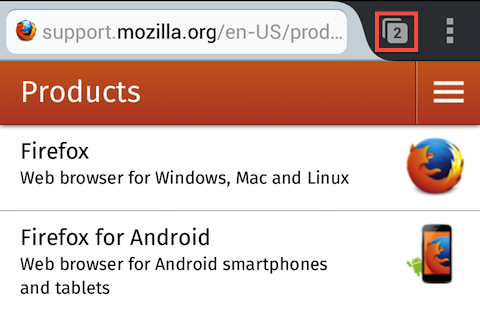
On the upper right (upper left for tablets), tap on the numeric tab icon which displays the number of tabs currently open . See image:
https://support.cdn.mozilla.net/media/uploads/images/2013-09-30-23-15-45-833f97.png

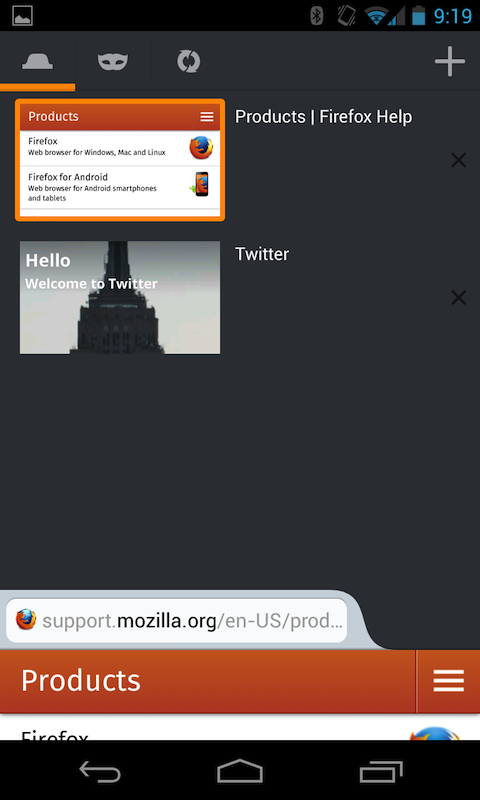
You'll see a list of thumbnails of tabs on top for phones (for tablets this list will be on top for portrait and on the left side for landscape). You can select any tab by tapping on it or go back just displaying the current tab by clicking on its content.
See image : https://support.cdn.mozilla.net/media/uploads/images/2013-09-30-23-17-46-fb036f.png

If you have Sync setup, you can access tabs that are open on your desktop Firefox through the Synced Tabs link.
Report if this helped ! Thanks!
Good.. Thanks