此討論串已被封存。
如果您有需要幫助,請新增一個新問題

封存
Saving web pages

With mobile Firefox web browser can I save web pages so, that the pages are saved on the memory of the phone?
With mobile Firefox web browser can I save web pages so, that the pages are saved on the memory of the phone?
所有回覆 (1)
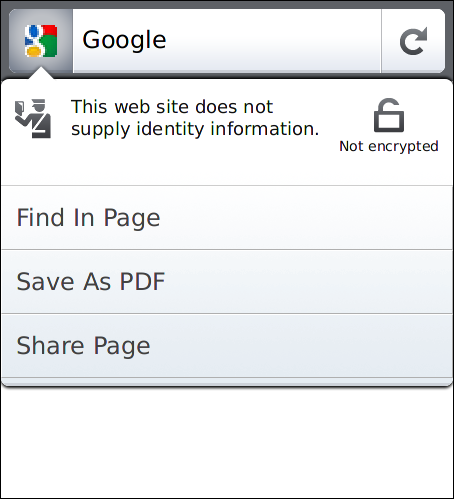
To save a page to your phone's storage in Firefox for Android:
- Open the page in Firefox.
- Tap on the web page's icon in the titlebar (or, press your phone's Menu button and choose "Site Options")
- Press the "Save As PDF" button.
Click the image below for an illustration. To view the page later, you can open the Firefox download manager (press your phone's Menu button and choose "Downloads") and tap to open the PDF file.