


Thunderbird wide or other views don't display correctly

This seems to have occurred in the last month or so.
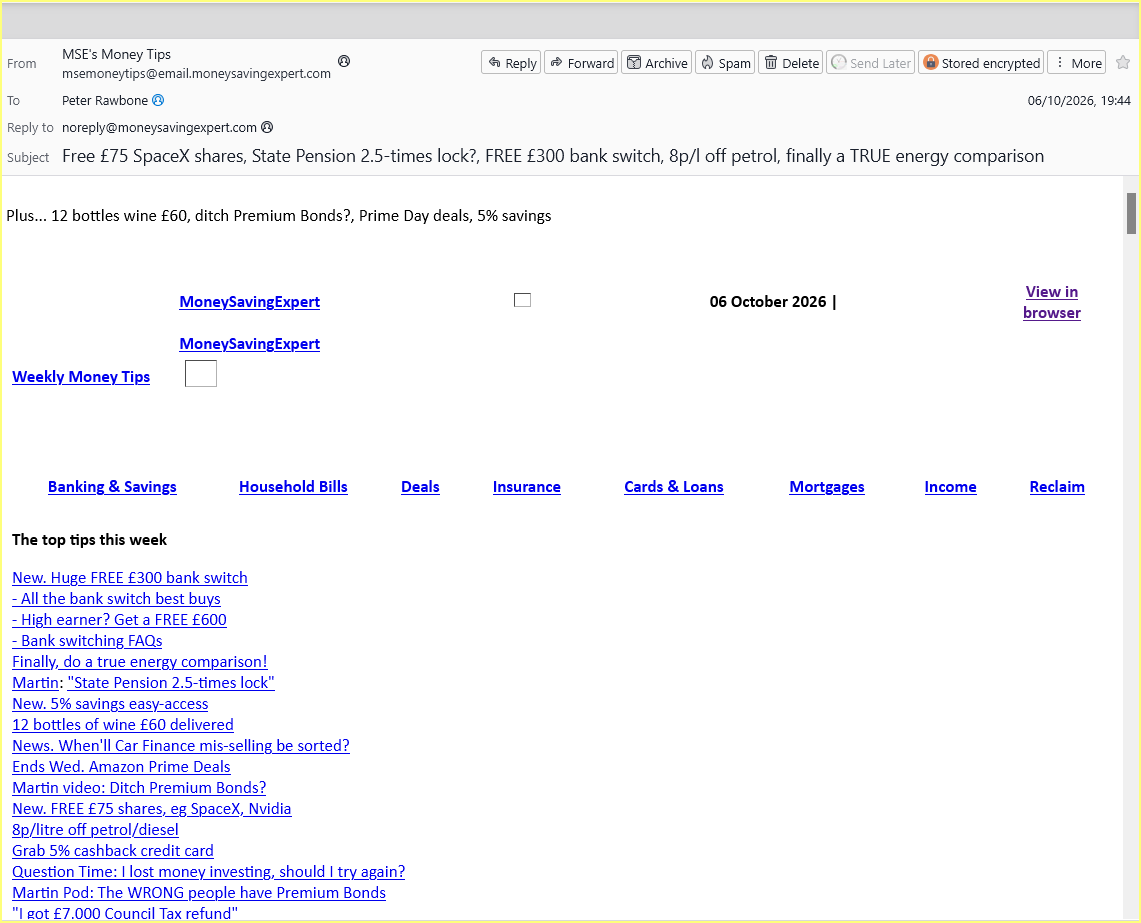
Whenever I click on a message in the folders pane, the message is not displayed correctly in any of the three layout views but, if I am offered to display in a browser, it does! Also, if I select 'Edit as a new message' it displays correctly, as also do iPhone and iPads. The screenshot shows the problem?
Any ideas, anyone?
選擇的解決方法
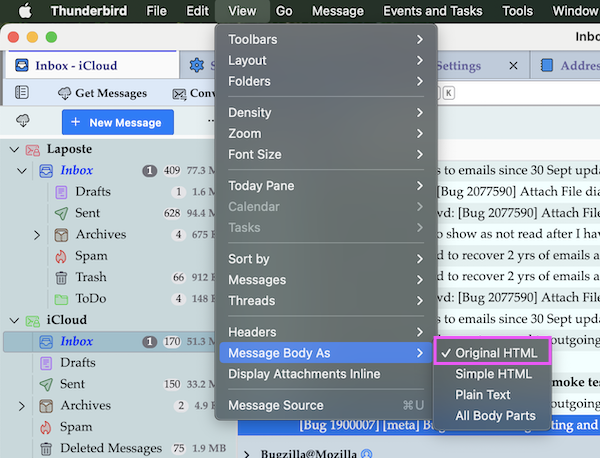
Looks like you may be using Simple HTML
On 'Menu Bar' toolbar
- 'View' > 'Message Body As' > select 'Original HTML'
If you do not have the 'Menu Bar' displaying:
- Menu app icon (3 lines) > View > Toolbars > select 'Menu Bar'
所有回覆 (5)
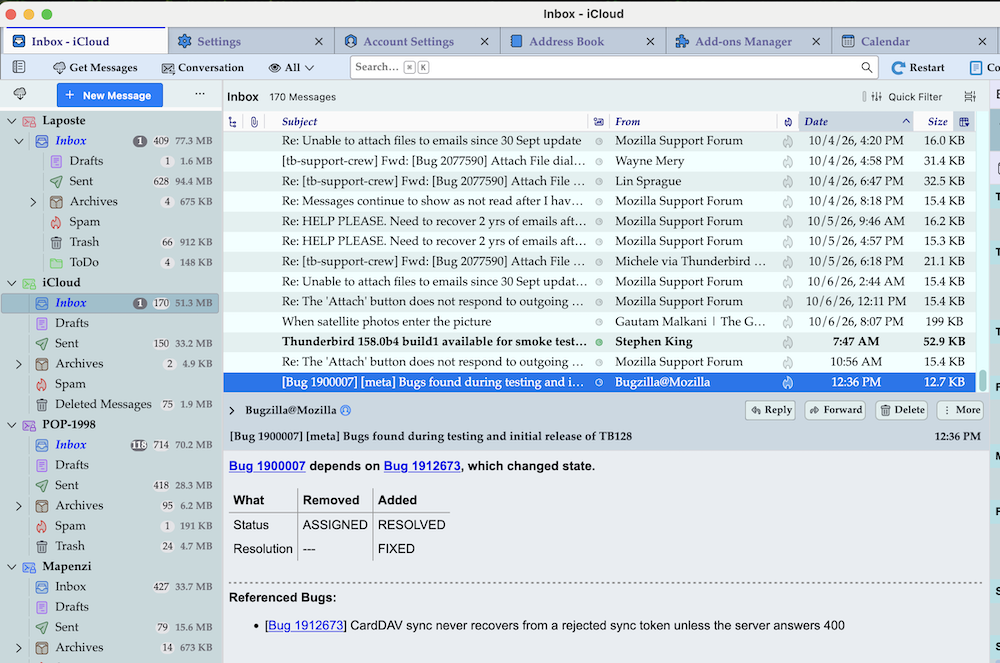
It seems to me that actually you open a message with a double-click in a new window. But I wonder how you could open messages by clicking in the "folder pane". The only way I know to open a message - whether in the message pane, a new tab oder a new windows - is to click or double-click the message in the thread pane ( = message list). Unfortunately I don't know how you displayed and read messages before this "issue". And what do you mean by "I am offered to display in a browser" ? I am not familiar with this option... To compare with I include a screen shot of my Thunderbird installation on a Mac, using classic view and table view
EDIT: maybe I was entirely wrong with my interpretation of your screen shot, and your real issue is the display of the contents of messages. Actually you are using View > Message Body As > Plain Text Probably you were used to Original HTML
由 Mapenzi 於 修改
Thank you for your reply. I will respond later as we’re away and am unable to produce a meaningful screenshot. Regards
由 Peter Rawbone 於 修改
選擇的解決方法
Looks like you may be using Simple HTML
On 'Menu Bar' toolbar
- 'View' > 'Message Body As' > select 'Original HTML'
If you do not have the 'Menu Bar' displaying:
- Menu app icon (3 lines) > View > Toolbars > select 'Menu Bar'
As a heads up - to help clarify info re: Whenever I click on a message in the folders pane
You can only click on mail account names and their folders in the Folder Pane.
I think you mean 'Whenever I click on a message in the Message List'
If you have the 'Message Pane' enabled: a single click should open email in the Message Pane. a double click should open the email in a new tab - but that depends upon your chosen settings here:
- Settings > General
- section 'Reading & Display'
- by default 'A new tab' should be selected, but there are other options.
Right click on email in Message List > Open > may offer up to three different options: Tab, New Window or in Conversation (opens in a new tab and shows all your replies etc in the thread.)
Some emails (like the one you posted in image) might say in the content - 'Open in browser' That option is only provided by the person who sent the email. It is usually not an option people use; after all, they want to read it in their email client.
Hope info is useful.
Thank you Toad-Hall, Spot on, why on earth I didn't think of that, I don't know. What a star!