


Drag-and-drop email export to Windows Explorer no longer works in Thunderbird 153.0.2esr

Environment:
Thunderbird: 153.0.2esr (64-bit) Operating system: Windows Occurs with multiple email accounts Reproduced on two different computers running the same Thunderbird version
Description:
After updating Thunderbird to version 153.0.2esr, released on 4 August 2026, emails can no longer be dragged and dropped from Thunderbird to the Windows Desktop or any folder in Windows Explorer.
The problem occurs with all tested email accounts and folders. It has been reproduced independently on two different Windows computers using the same Thunderbird version.
Saving an email manually with Ctrl+S works correctly and creates the .eml file. Normal drag-and-drop between folders in Windows Explorer also works. Only dragging an email from Thunderbird to Windows Explorer fails.
The issue also appears to affect third-party applications that use Thunderbird to create or send emails automatically.
Steps to reproduce:
Open Thunderbird 153.0.2esr on Windows. Select an email in any account or folder. Drag the email to the Desktop or another folder in Windows Explorer. Release the mouse button.
Actual result:
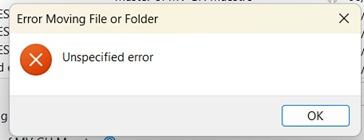
The email is not copied or saved to the selected Windows folder.
Expected result:
Thunderbird should export the email as an .eml file in the selected folder.
Additional information:
Ctrl+S successfully saves the same email. The issue affects every tested email account. Thunderbird extensions were disabled, but the problem remained. Thunderbird Troubleshoot Mode did not resolve the issue. Restarting Thunderbird, Windows Explorer and Windows did not resolve it. Thunderbird and Windows Explorer are not running with different elevation levels. The problem was reproduced on a second computer after installing the same Thunderbird version. No relevant error is shown in Thunderbird’s Error Console when the drag-and-drop operation fails. The issue was not present before the recent Thunderbird update.
This appears to be a regression in Thunderbird 153.0.2esr affecting email export through drag-and-drop and possibly Thunderbird’s integration with external applications.
所有回覆 (3)
This seems to be a new bug - unless it's a new feature? As a workaround press the Ctrl (Cmd on Mac) key during the drag & drop action.
Thank you. Holding Ctrl during drag-and-drop works as a workaround. However, the update also appears to have broken third-party applications that use Thunderbird through Simple MAPI or the mailto protocol, and the Ctrl workaround does not resolve that issue.
Mapenzi said
This seems to be a new bug - unless it's a new feature? As a workaround press the Ctrl (Cmd on Mac) key during the drag & drop action.
I tested this workaround on two Windows computers running Thunderbird 153.0.2 ESR. Holding Ctrl during drag-and-drop creates the file, but the resulting file is empty (0 bytes) and cannot be opened.
The update also appears to affect third-party applications that use Thunderbird through MAPI to create or send emails.