


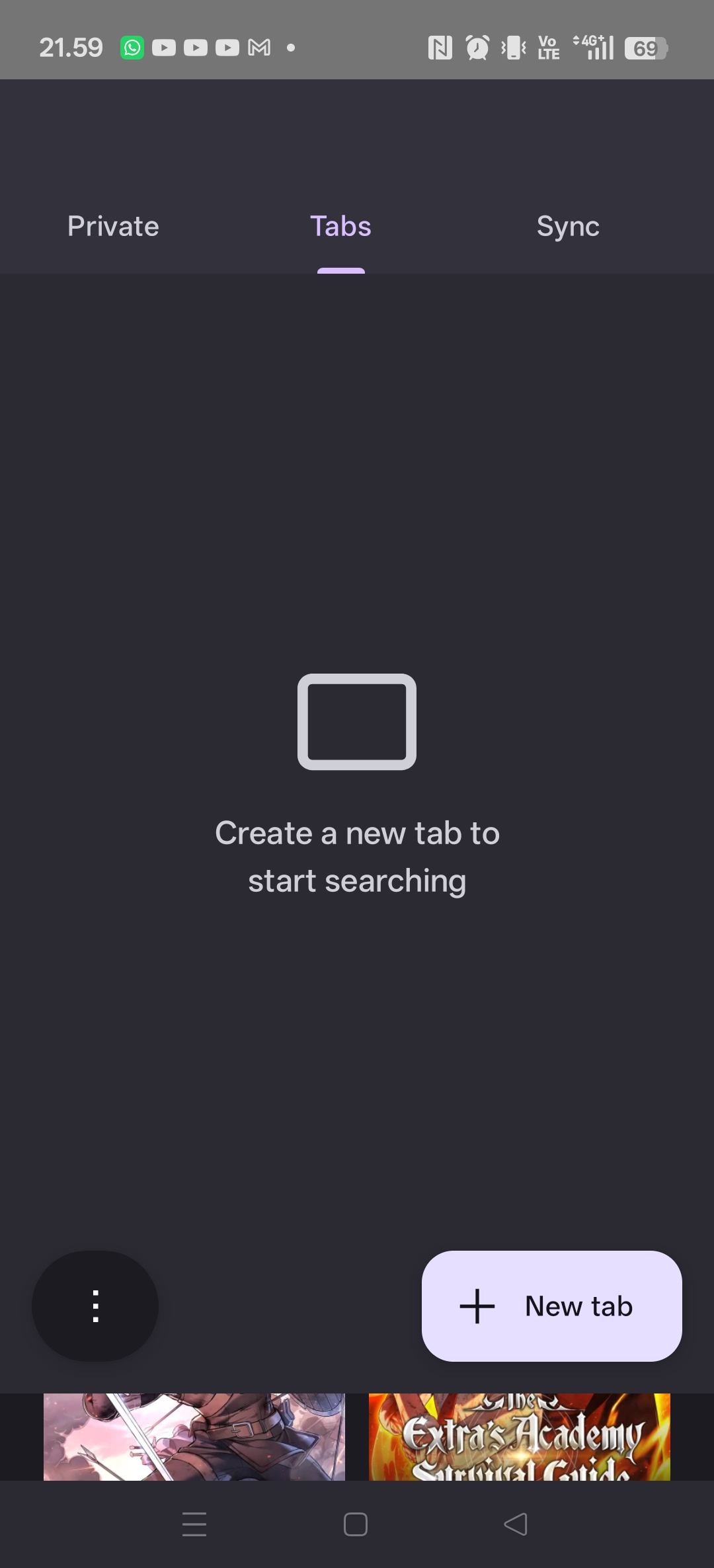
i have to swipe right and left to find my tabs, it is very stressefull
There is a numbers left address bar, when I click there is nothing but a word create new tab for searching. I have to swipe left right all over to find the right tab i want. Do not tel me that I can search tab,, it's not ver confinence.. it is stressful

選擇的解決方法
Only one solution, fresh install. Uninstall and then install again. Case close, but I lost my 40 tabs of my reading and searching.
所有回覆 (8)
Hi there,
You should mainly use the Tabs section for normal browsing. "Private" is all the tabs you open in Private Browsing mode, and "Sync" is to check open tabs you have in other devices (let's say if you're using Firefox on desktop too).
I hope that clears up your confusion.
I have 40 tabs open, you can see it from 2nd picture, but no tabs at 1st picture I aware about normal or private browsing.
選擇的解決方法
Only one solution, fresh install. Uninstall and then install again. Case close, but I lost my 40 tabs of my reading and searching.
Thanks for sharing a solution that works for you, though I'm sorry for the loss of your data. In the future, you may want to consider using Firefox sync to sync your browsing data before performing a re-install.
Yes I just did that too, but it didn' work either, sync error. My tab is sync all over my device, after upgrade it did not sync back but I can see at other device.
Ugh, I'm so sorry to hear that. Does it work now after the re-install?
Yes, it work like usual, 👍
由 10 l 01 於 修改
Good to hear that. Well, happy browsing! (: