


imap.gmail.com error

Am receiving a message reading-
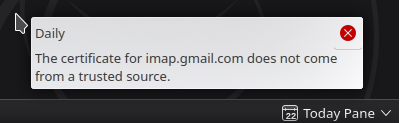
The certificate for imap.gmail.com does not come from a trusted source.
選擇的解決方法
Roger ??
所有回覆 (4)

Please post a screenshot of the error you get. https://support.mozilla.org/kb/how-do-i-create-screenshot-my-problem
I chatted with someone today, who regained function by deleting the account's password from Thunderbird.
Does that help?

I have encountered this as well - over the last 3 or 4 days.
Roger - what version / edition of Thunderbird are you using?
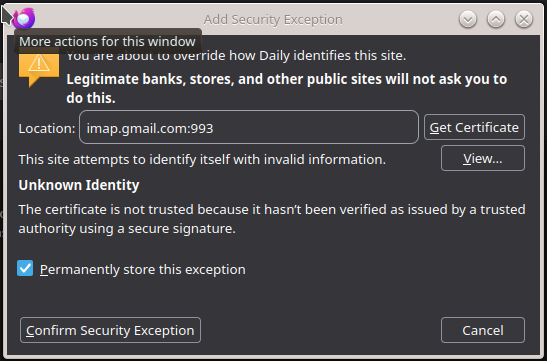
I'm using the Nightly Build - so I more or less expect these sort of things. Screen shots are below; My solution - has been to literally just wait until midnight then download the next days build - and I usually do fine for bit. But I have encountered this issue a few times - and wonder - what changed in Thunderbird's Cert verification setup. Openssl gives the imap.gmail.com cert a clean-bill-of-health ... so leaves me guessing.
If you click on the notification panel - you get the "Add Security Exception" dialog ... Which curiously - if you click the "Get Certificate" button - it doesn't get the cert - and "view" button greys out. I did try the - "Confirm Security Exception" - only to then experience the system saying that I have invalid credentials :-(
Again - I'm fine handling the issue with daily build updates - but it's certainly a curious one.
選擇的解決方法
Roger ??