


Windows 10 reached EOS (end of support) on October 14, 2025. If you are on Windows 10, see this article.

搜尋 Mozilla 技術支援網站

防止技術支援詐騙。我們絕對不會要求您撥打電話或發送簡訊,或是提供個人資訊。請用「回報濫用」功能回報可疑的行為。

了解更多

userchrome for Thunderbird 149 today panel in monthly calendar

  • 1 回覆
  • 0 有這個問題
  • 16 次檢視
  • 最近回覆由 Mapenzi
  • Open

Using https://support.mozilla.org/en-US/questions/1544905 as an example I placed this in my profile's userchrome.css and restarted thunderbird:

.calendar-month-day-box-current-month[relation="today"] {

   border: 10px solid red;

}

It seems not to be working in thunderbird 148.0.1 (64-bit on windows 11).

So I found the today panel in the debugger and added border: 10px solid red; to its element. That worked perfectly, as the attached image confirms. It also confirms the class is correct and that it contains the today relation.

I can't see the userchrome.css file in the debugger, which seems strange. But I edited the body colour in userchrome.css and that worked, so I know the file is being used. So why is the change to the today panel being ignored?

To confirm that I had the correct userchrom
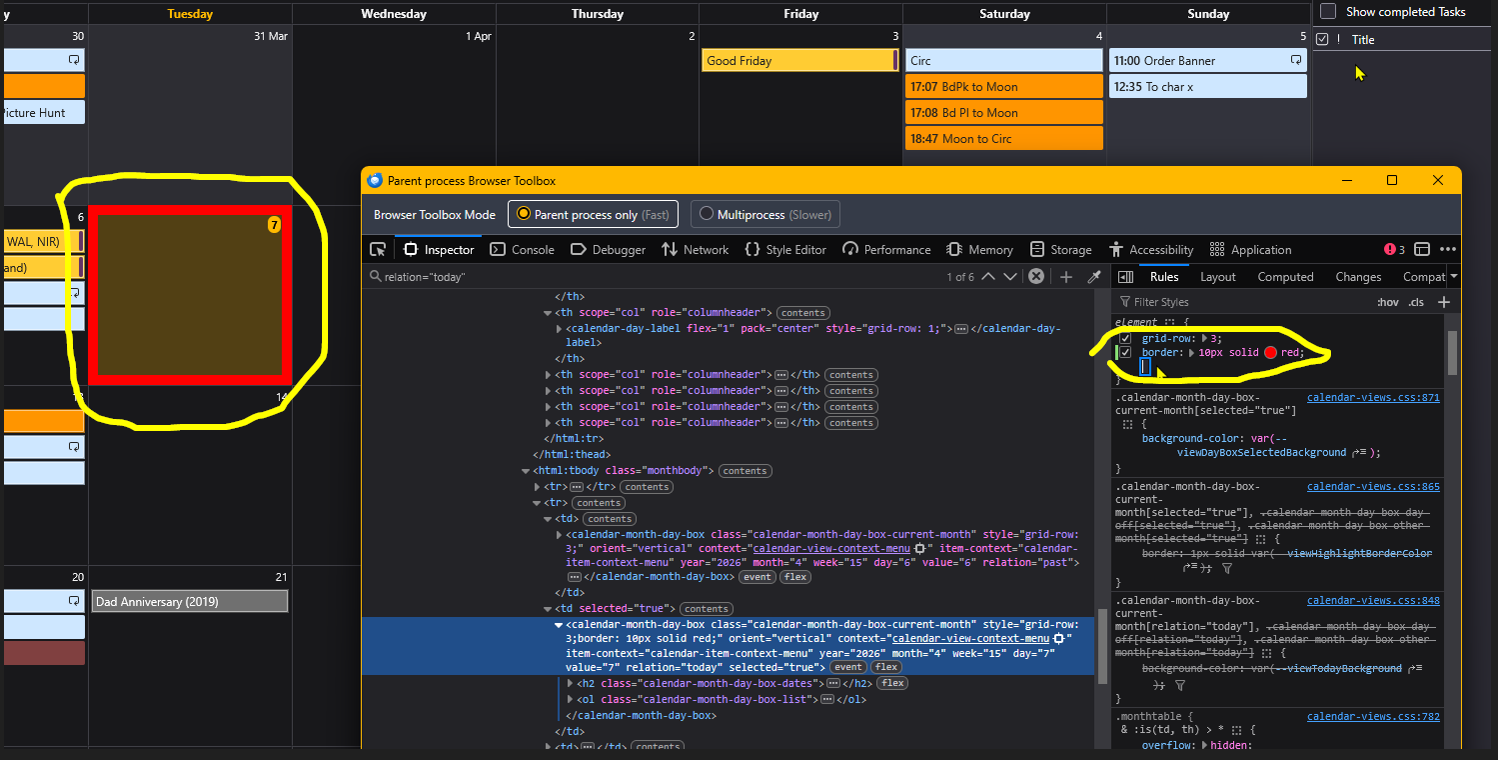
Using [https://support.mozilla.org/en-US/questions/1544905 https://support.mozilla.org/en-US/questions/1544905] as an example I placed this in my profile's userchrome.css and restarted thunderbird: .calendar-month-day-box-current-month[relation="today"] { border: 10px solid red; } It seems not to be working in thunderbird 148.0.1 (64-bit on windows 11). So I found the today panel in the debugger and added '''border: 10px solid red;''' to its element. That worked perfectly, as the attached image confirms. It also confirms the class is correct and that it contains the today relation. I can't see the userchrome.css file in the debugger, which seems strange. But I edited the body colour in userchrome.css and that worked, so I know the file is being used. So why is the change to the today panel being ignored? To confirm that I had the correct userchrom
附加的畫面擷圖

所有回覆 (1)

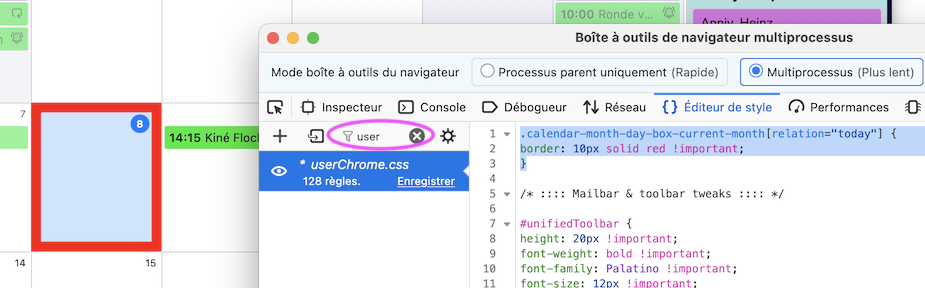
To display your userChrome.css in the left panel of the Developer Toolbox you must click on "Style Editor", then type "user" in the "Filter style sheets" box
問個問題

如果您還沒有帳號,您必須先登入帳號 來回覆文章。還沒有帳號的話,只能發問新問題