


C:\users\flost\AppData\Roaming\Thunderbird\Profiles\u8wvbzf3.default-esr ist nicht verfügbar

hallo Mozilla team,
habe eine neuinstallation von Thunderbird gemacht und kann leider nicht auf den Profilordner zugreifen oder finden
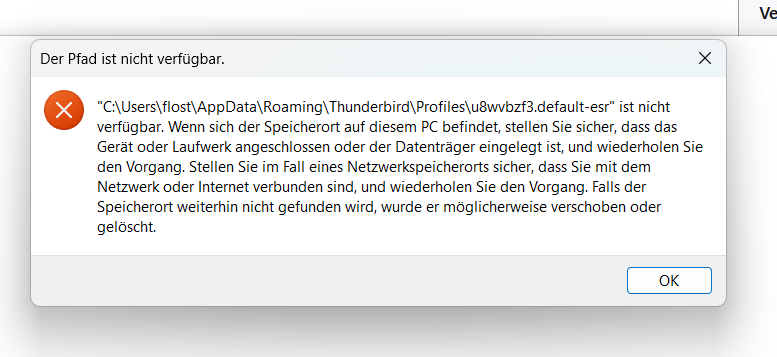
C:\users\flost\AppData\Roaming\Thunderbird\Profiles\u8wvbzf3.default-esr ist nicht verfügbar
könnt ihr mir bitte bei der herstellung helfen
mit feundlichen Grüßen Florian
hallo Mozilla team,
habe eine neuinstallation von Thunderbird gemacht und kann leider nicht auf den Profilordner zugreifen oder finden
C:\users\flost\AppData\Roaming\Thunderbird\Profiles\u8wvbzf3.default-esr ist nicht verfügbar
könnt ihr mir bitte bei der herstellung helfen
mit feundlichen Grüßen
Florian
所有回覆 (1)
Florian Stiegler said
Hello Mozilla team, I’ve reinstalled Thunderbird but unfortunately I can’t access or find the profile folder C:\users\flost\AppData\Roaming\Thunderbird\Profiles\u8wvbzf3.default-esr is not available Could you please help me resolve this? Kind regards, Florian
Was the previous version installed from the Microsoft Store? It stores the profile in a different location than Roaming.