


Can I have two Thunderbirds, one on my desktop and one on my laptop?

I've been wanting to access Thunderbird's encryption ability on both my laptop and desktop. However, in setting up Tbird on my laptop I notice the user Profile should stay on one computer. Can I use the same Profile on more than one computer using the same source and password? Can I open a new profile on a second computer, even though I would have to use the same email source, a local provider? If not, is there an online source of email data I can use on Tbird on my laptop. Thanks much, Bruce Bartrug
所有回覆 (9)
Each thunderbird needs its own profile. BUT, you can copy one to the other. Here's how:
First, setup Thunderbird on the laptop, preferably using the same version as on desktop. Start and exit once.
Here are the steps to copy from one to the other. Follow carefully and the laptop will end up with the same accounts and addressbook.
- ensure thunderbird is NOT running on old machine
- enter %appdata% in search window on task bar and press Enter key
- this should open windows file explorer in Appdata\roaming folder
- highlight the Thunderbird folder and copy to external media
- ensure thunderbird is installed on second computer, started once and NOT running
- enter %appdata% in search window on task bar and press Enter key
- you should be in Appdata\roaming folder , copy&paste the exported Thunderbird folder there. This will prompt to overwrite an existing folder of same name. allow it
# start thunderbird and all should be there
Thank you, David. I did what you suggested, except that in the ever so special Windows 11, one must visit user/apps/roaming to find the profile for Tbird. I copied the profile and transferred it to the laptop. When I try to connect I get a message saying the program could not find the password or the program is somehow in default. Suggestions welcome. Thanks again, Bruce
Puzzling. The instructions I provided get there via the %appdata% command. But, not problem, as you got there anyway. Many email providers require separate passwords on different computers (e.g., Gmail), so that may be your password issue. I don't know what you mean by the program is in default. More information may help. And seeing the complete error message may also help.

The only way anyone here can assist is to see a screenshot of the incoming server settings pane. Otherwise, it's all just guesses.
Of course. Here is the page from my laptop...has yellow message at top.
Also, here is the page from desktop...no yellow.
If these are not the correct images, kindly indicate where I might find the ones you wish to see.
Sorry for the problem and thanks, Bruce
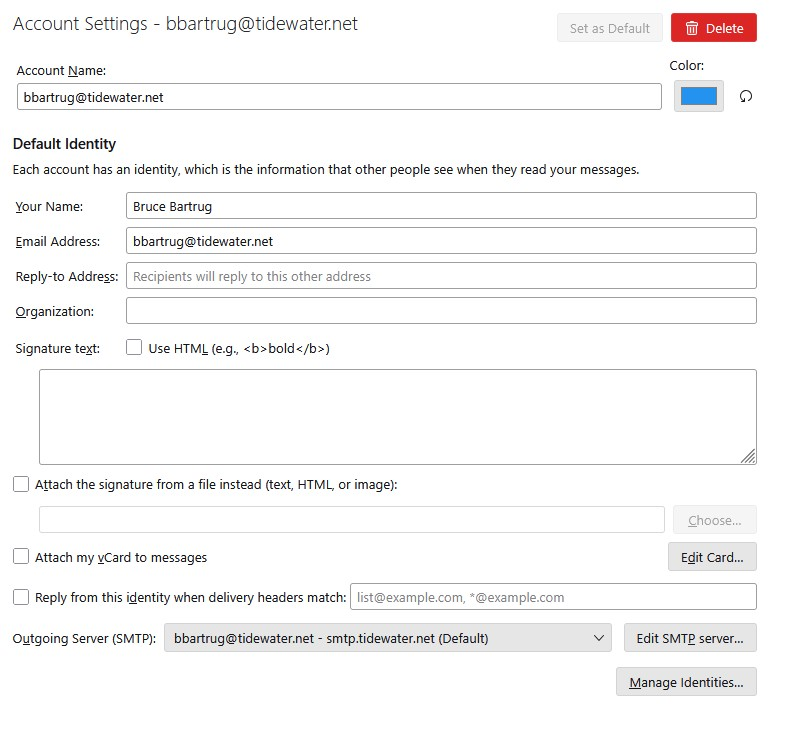
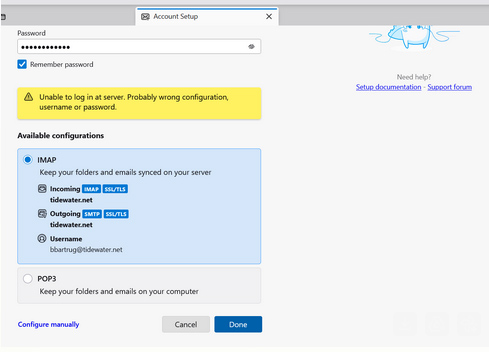
Oh, and here is the top portion of the setup page sent above. I should also note I used the same password for both setups, desk and lap. At times that can cause a problem. Also, I left the desktop Tbird unopened as you instructed. Thanks,
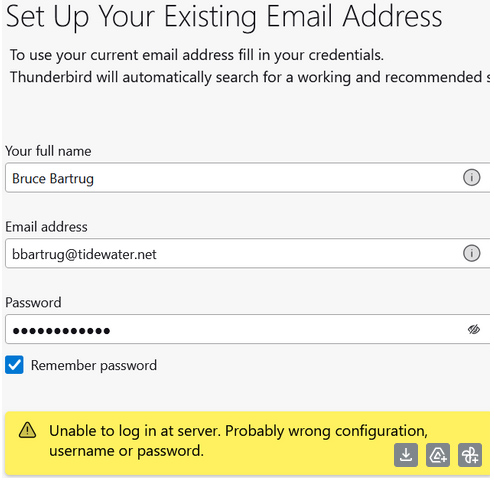
That looks like a setup screen. When you started thunderbird after the profile copy, were you presented with the screen to enter a new email account? If so, that indicates the profile transfer may have an error. Try clicking help>troubleshootinginformation, scroll down to ;profiles' and click 'about:profiles' - and see if there is an extra profile listed. If so, open it and browse the imapmail or mail folder to see if the account is there.
Thanks for your help, David, but I've not solved the problem with Tbird transfer. So I've opened a Proton account instead which gives me end to end encryption. A necessity today in the US. I may try again in a few weeks, as I enjoy Thunderbird. Thanks again, Bruce.