


Add New Account: Frozen Indefinitely

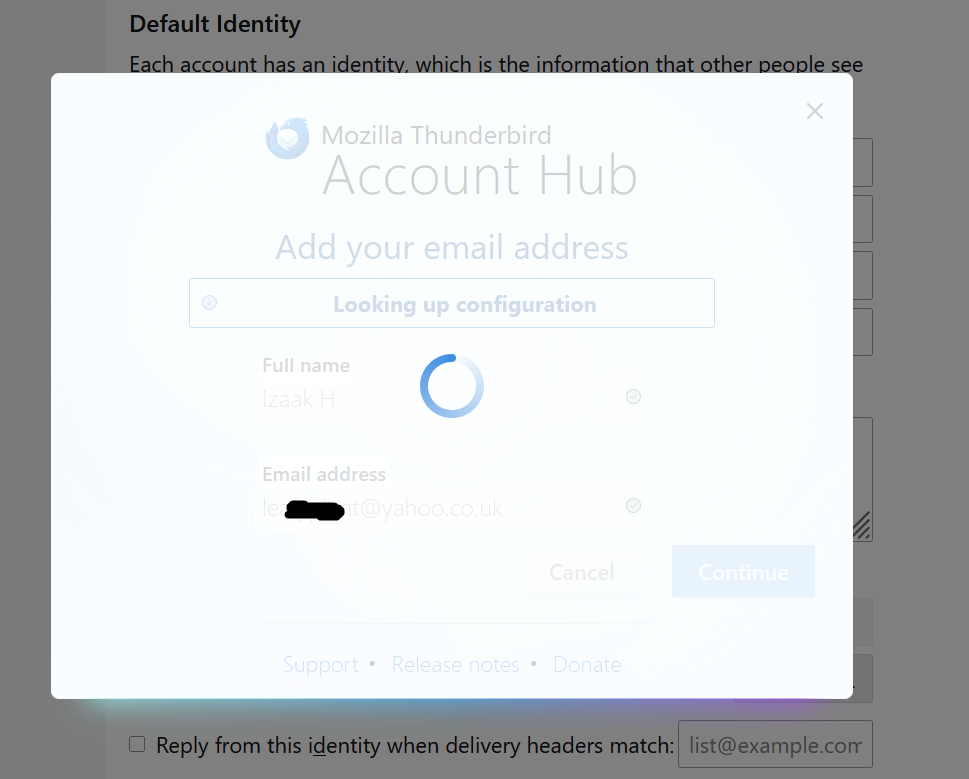
When I try to add a new Mail Account, the "Looking up configuration" step hangs indefinitely. I have to force a hard exit to reopen the app. I was able to add my hotmail account without issue, but now that I'm trying to add @yahoo.co.uk , it just freezes up. Thx
Windows 10, newest Thunderbird.

選擇的解決方法
ihylton said
Thanks, it's not hanging now. I'm getting the "Edge: Too Many Requests" error from Yahoo, so I'm hopeful that if I try again tomorrow it'll allow me to link the accounts.
This has fixed it for many:
First, generate an app PW - see https://help.yahoo.com/kb/SLN15241.html.
Then go to TB menu > Account Settings > Server Settings and set the following:
- Server Name: export.imap.mail.yahoo.com - Port: 993 - Connection Security: SSL/TLS - Authentication method: Normal password
On the left column, scroll down and click 'Outgoing Server' and edit the Yahoo entry:
- Server Name: smtp.mail.yahoo.com - Port: 465 or 587 - Connection Security: SSL/TLS - Authentication method: Normal password
Finally, go to TB menu > Settings > Privacy & Security > Passwords
- click the 'Saved Passwords' button and edit the Yahoo entry to add your new app PW
After that's done, try logging in.
BTW, this fix is mentioned in the related [bug](https://bugzilla.mozilla.org/show_bug.cgi?id=1997062).
所有回覆 (6)
Disable account hub in Settings/General, then add the account from ≡ - New Account - Email (which includes a manual.config. option).
Thanks, it's not hanging now. I'm getting the "Edge: Too Many Requests" error from Yahoo, so I'm hopeful that if I try again tomorrow it'll allow me to link the accounts.

sfhowes said
Disable account hub in Settings/General, then add the account from ≡ - New Account - Email (which includes a manual.config. option).
Thanks, this is what saved me : I had successfully installed various mailboxes but the last one (an ovh mail account), I never could until I deactivated "Account hub". 🙏
選擇的解決方法
ihylton said
Thanks, it's not hanging now. I'm getting the "Edge: Too Many Requests" error from Yahoo, so I'm hopeful that if I try again tomorrow it'll allow me to link the accounts.
This has fixed it for many:
First, generate an app PW - see https://help.yahoo.com/kb/SLN15241.html.
Then go to TB menu > Account Settings > Server Settings and set the following:
- Server Name: export.imap.mail.yahoo.com - Port: 993 - Connection Security: SSL/TLS - Authentication method: Normal password
On the left column, scroll down and click 'Outgoing Server' and edit the Yahoo entry:
- Server Name: smtp.mail.yahoo.com - Port: 465 or 587 - Connection Security: SSL/TLS - Authentication method: Normal password
Finally, go to TB menu > Settings > Privacy & Security > Passwords
- click the 'Saved Passwords' button and edit the Yahoo entry to add your new app PW
After that's done, try logging in.
BTW, this fix is mentioned in the related [bug](https://bugzilla.mozilla.org/show_bug.cgi?id=1997062).
Thanks, once I set it to normal password, everything started working perfectly!
Thanks for all the feedback.
If you are still having problems when using oauth and a newer version, please post a new question and we'll take a new look at it.