


Windows 10 reached EOS (end of support) on October 14, 2025. If you are on Windows 10, see this article.

搜尋 Mozilla 技術支援網站

防止技術支援詐騙。我們絕對不會要求您撥打電話或發送簡訊,或是提供個人資訊。請用「回報濫用」功能回報可疑的行為。

了解更多

Homepage Shortcuts

  • 1 回覆
  • 10 有這個問題
  • 141 次檢視
  • 最近回覆由 MSl1

Hello!

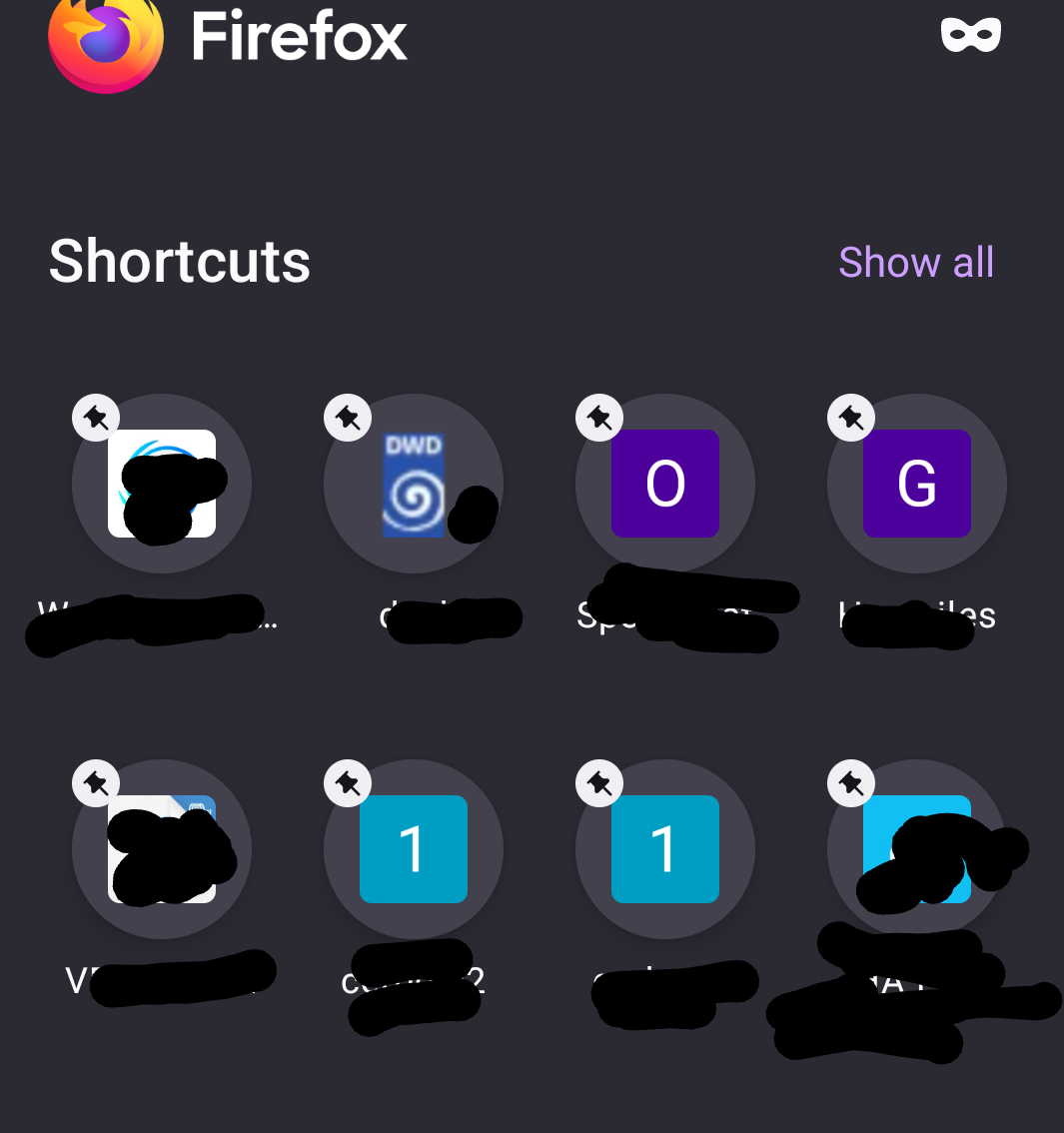
It would be nice to go back to the old style of the management of the Shortcuts in the browsers homepage. The new style was a regression. Let the browser user decide what style he likes.

And, - allow moving (sorting) the Shortcut links within the homepage (per drag and drop), - allow more than two Shortcut separate pages within the homepage or more than 16 Shortcuts, - remove the pin symbol from the Shortcut image, it looks terrible and it is superfluous. (I use ONLY my own shortcuts, nothing else, so the pin symbol is not needed.)

Thank you Mario

Hello! It would be nice to go back to the old style of the management of the Shortcuts in the browsers homepage. The new style was a regression. Let the browser user decide what style he likes. And, - allow moving (sorting) the Shortcut links within the homepage (per drag and drop), - allow more than two Shortcut separate pages within the homepage or more than 16 Shortcuts, - remove the pin symbol from the Shortcut image, it looks terrible and it is superfluous. (I use ONLY my own shortcuts, nothing else, so the pin symbol is not needed.) Thank you Mario

所有回覆 (1)

As explanation here a screenshot of my Shortcuts.

And, in the old style is was allowed to swipe from Shortcut page 1 to 2 and back. This is more user-friendly as a click at the link top right and let show ALL Shortcuts.
問個問題

如果您還沒有帳號,您必須先登入帳號 來回覆文章。還沒有帳號的話,只能發問新問題