


Nonsensical instructions trying to sync phone to desktop!?

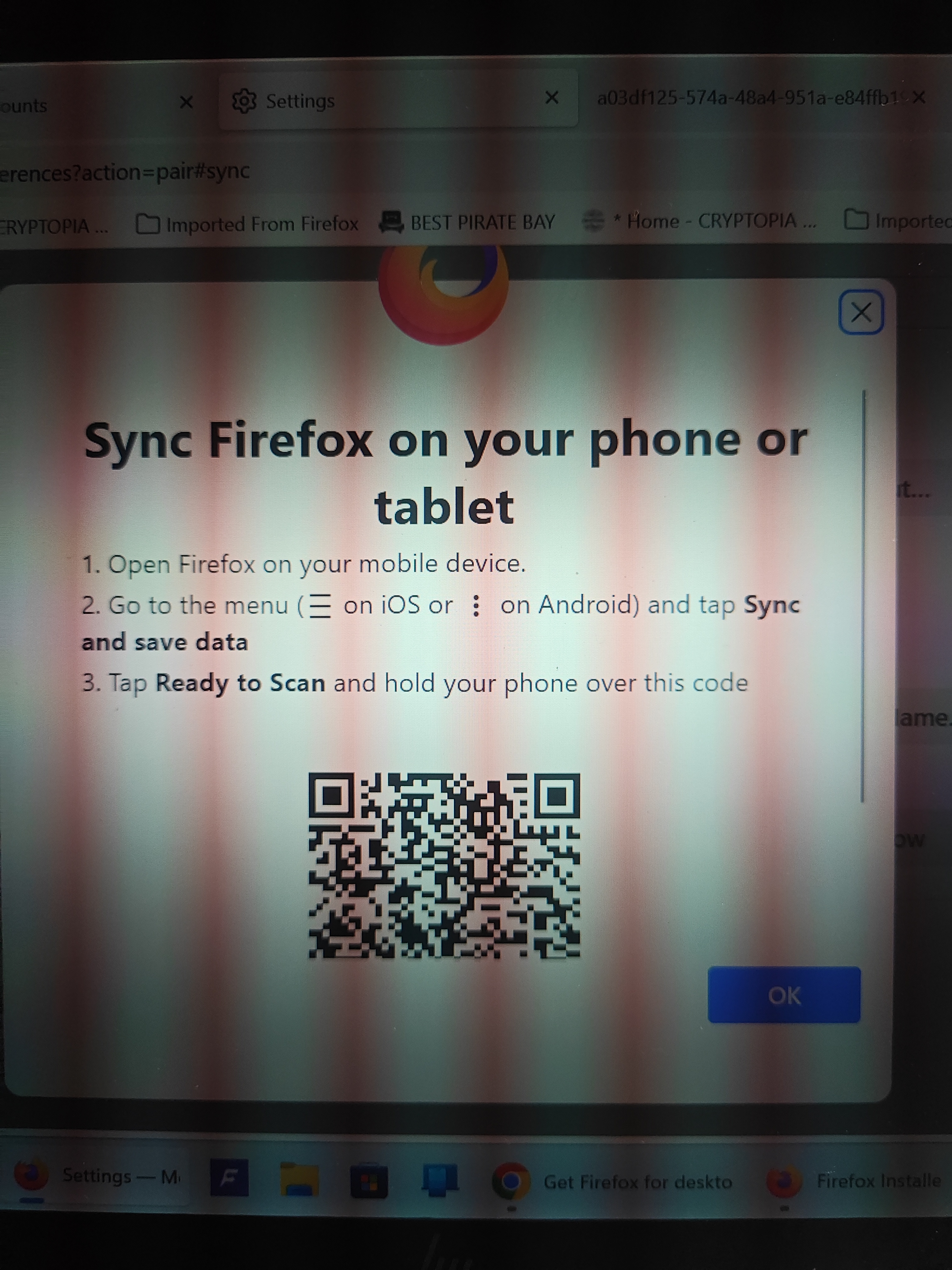
Am i the only one that finds these instructions totally hopeless when syncing my desktop to phone?.. So i tap on the 3 dots / Menu in Firefox on mobile, but after that there is NO Sync & Save Data to tap on anywhere in Firefox mobile after hitting the menu dots??.. and i mean ANYWHERE in the menu, or settings or account (of course there is the ususl Syncronise Now option in the account.
So just where is this Sync & Save Data i would lobe to know, nevermind how am i supposed to pair my devices when theres no clear way to access this and the associated QR code?
Totally frustrating, I've never understood these instructions with no outcome possible.
所有回覆 (1)
Hi
Do you see your user name or email address in the Firefox for Android menu? If so, select this to access the Firefox Sync settings.
I hope that this helps.