


sync and save data button not on android

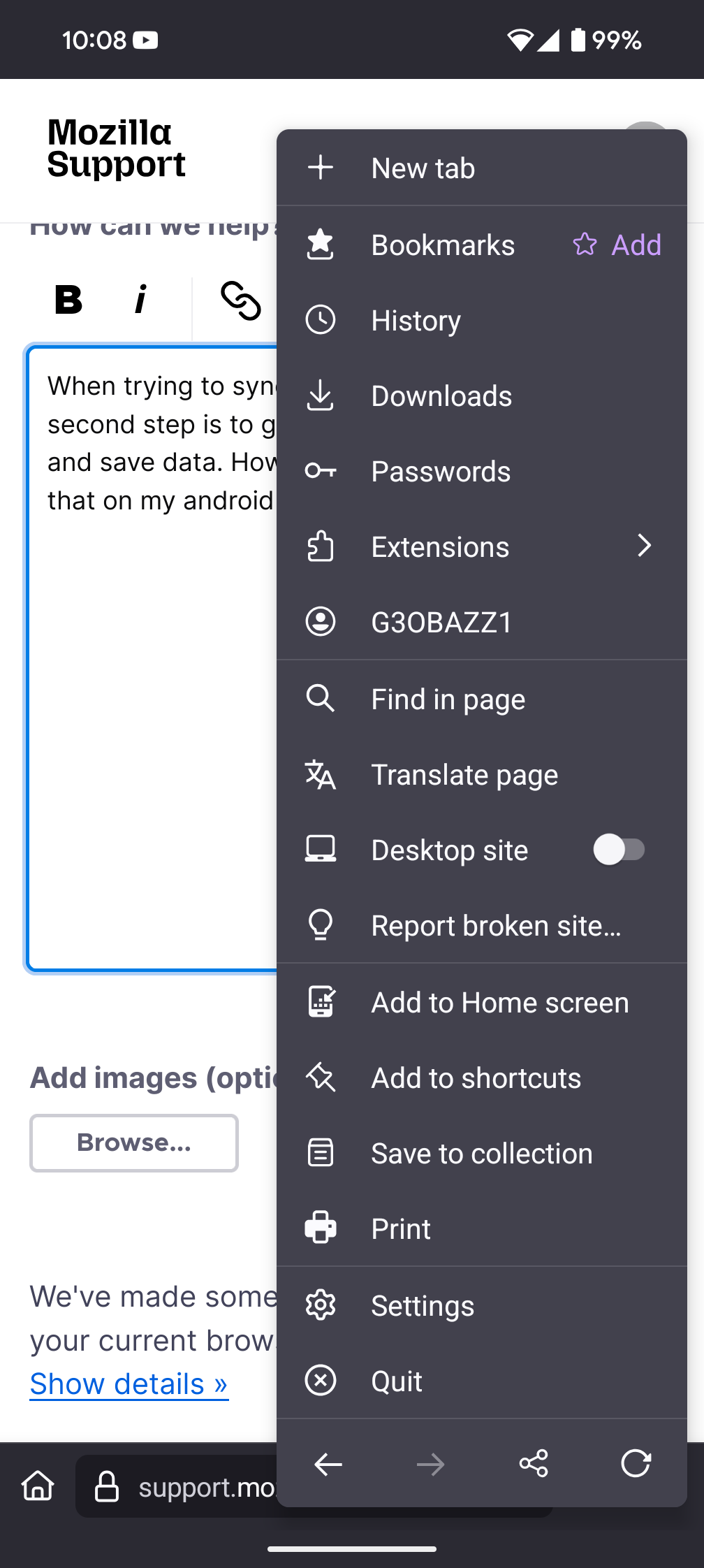
When trying to sync Firefox on my phone, the second step is to go to the menu, and tap sync and save data. However there is no button like that on my android version of Firefox.
所有回覆 (6)
Hi
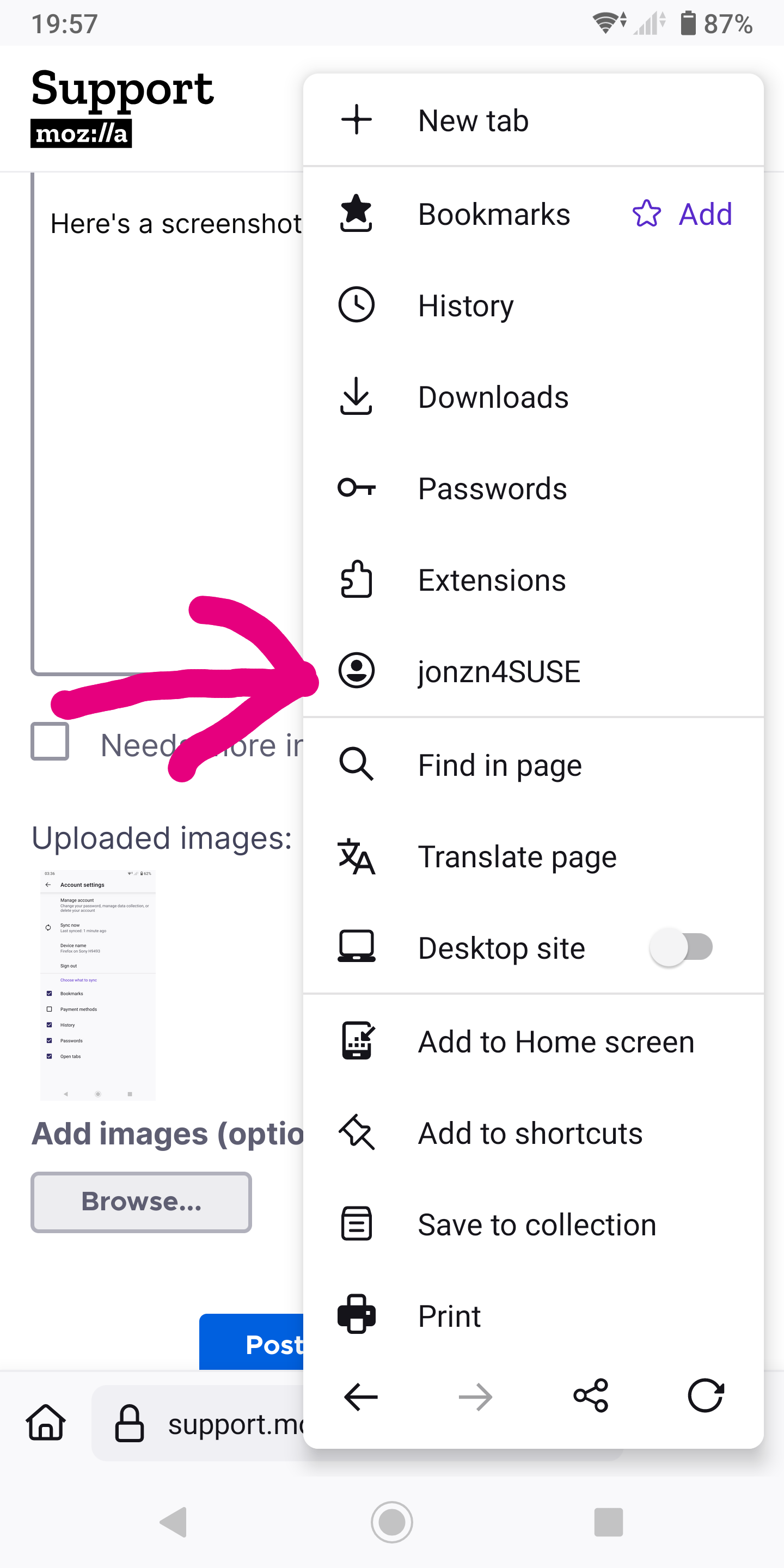
Select your user name in the Firefox for Android menu shown in your screenshot to access the Firefox Sync settings.

This is a common issue where users don't realize that they are logged in which is why they're not seeing the sync and save data option.
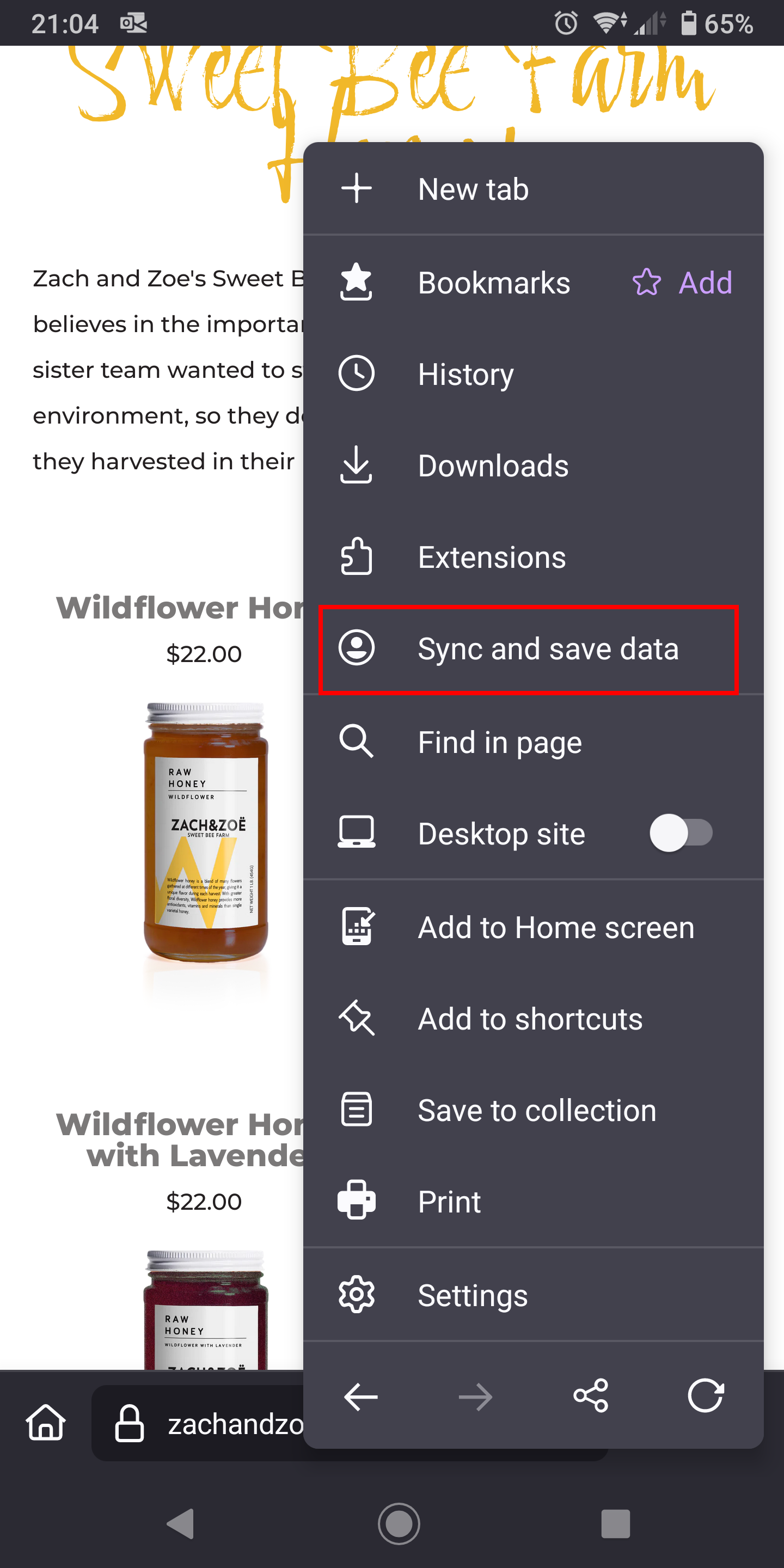

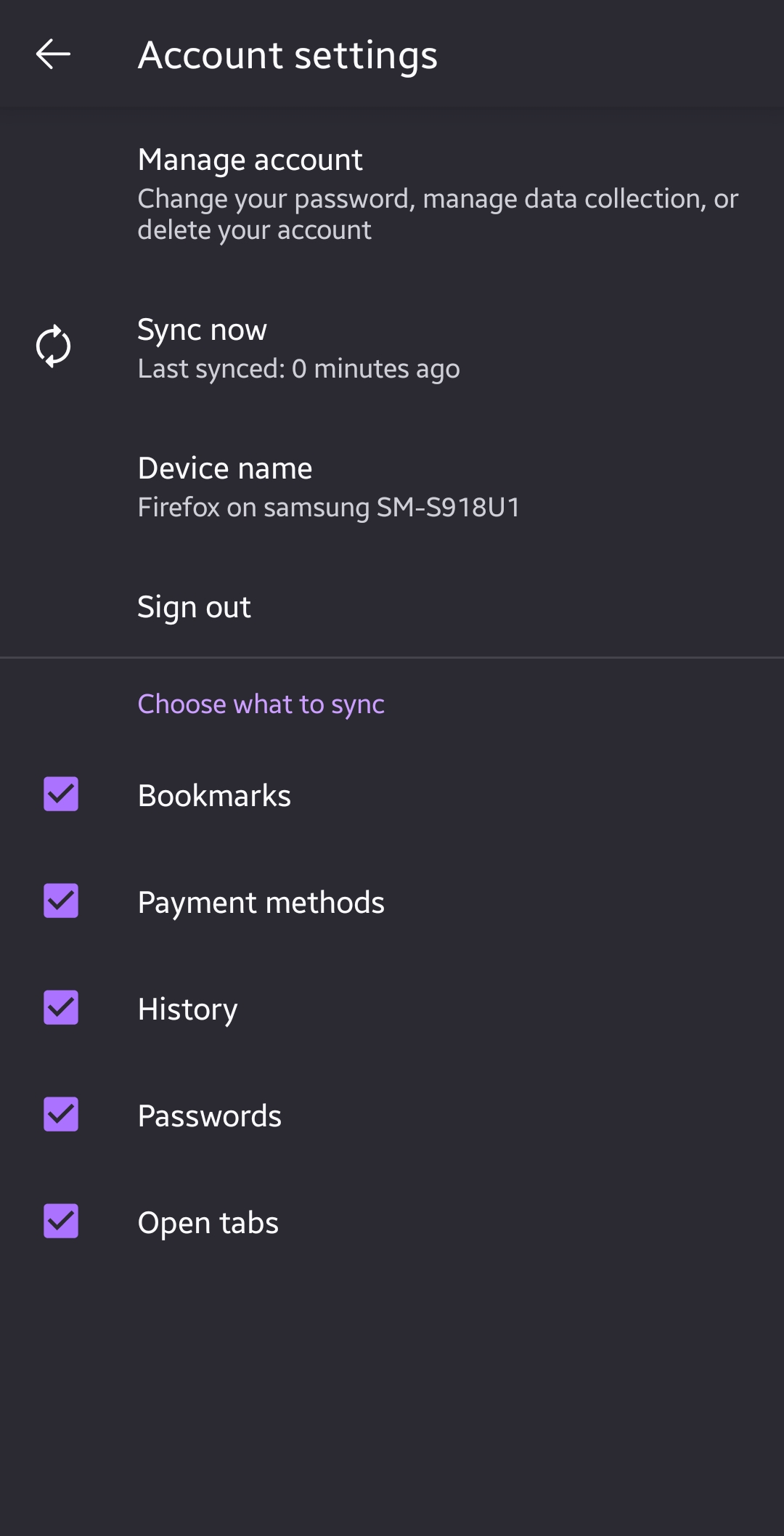
When I tap on my account name in the new version 142.0.1 as you suggest, I see a "synchronise now" option, not a "synchronise and save data" option. So it looks as if the mobile is already synchronising. However, on my desktop, the mobile is not listed as a device and responding to confirm "I already have Firefox mobile" suggests finding "synchronise and save data" in the mobile version and scanning the QR code on the desktop screen. Like others, I cannot find it.

nick71 said
When I tap on my account name in the new version 142.0.1 as you suggest, I see a "synchronise now" option, not a "synchronise and save data" option. So it looks as if the mobile is already synchronising. However, on my desktop, the mobile is not listed as a device and responding to confirm "I already have Firefox mobile" suggests finding "synchronise and save data" in the mobile version and scanning the QR code on the desktop screen. Like others, I cannot find it.
I have exactly the same problem! Did you find a solution?

jonzn4SUSE said
This is a common issue where users don't realize that they are logged in which is why they're not seeing the sync and save data option.
This is what it looks like once i click on my name..

Logout of the mobile app. Then the "sync and save" will show up.