


sync and save android
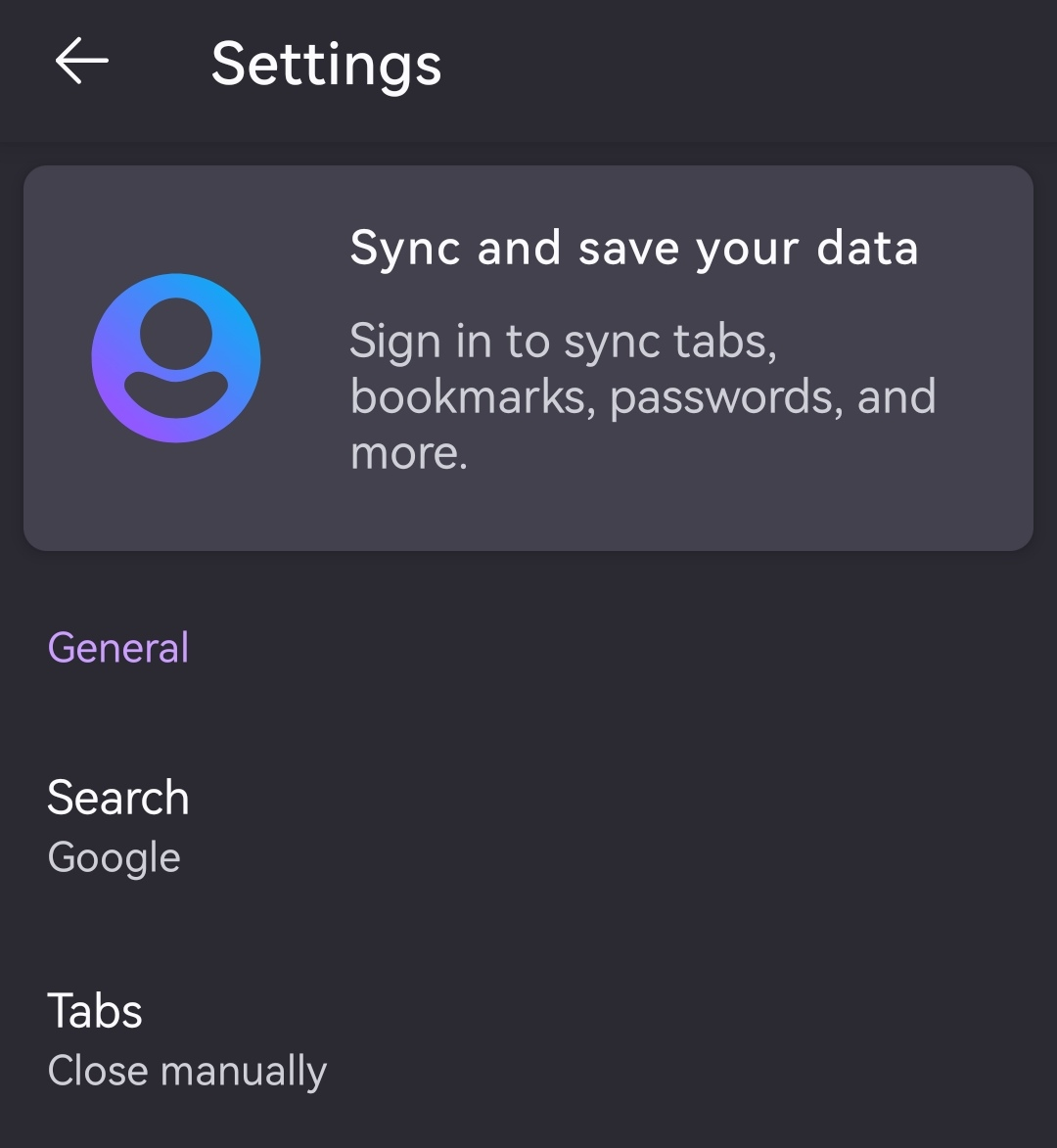
Sync and save not visible
所有回覆 (7)
Hi Marc,
To use Firefox Sync on Firefox for Android, please check out Sync bookmarks, history, passwords and tabs on Android and let us know if it helps/doesn't help.

Kiki said
Hi Marc, To use Firefox Sync on Firefox for Android, please check out Sync bookmarks, history, passwords and tabs on Android and let us know if it helps/doesn't help.
I have the same problem, and under User name, there is no sync and save, only a sync now. Any suggestions?
Hey @floatysarah,
It's possible that the menu has been updated recently. But you can use the Sync Now menu to syncrhonize Firefox data across devices. What does Sync and save menu does exactly?
Thanks for your reply. That's the first thing I & others (on other threads) tried. It doesn't work. Hence we're feeling frustrated!
Oooh, I believe I know where this confusion come from.
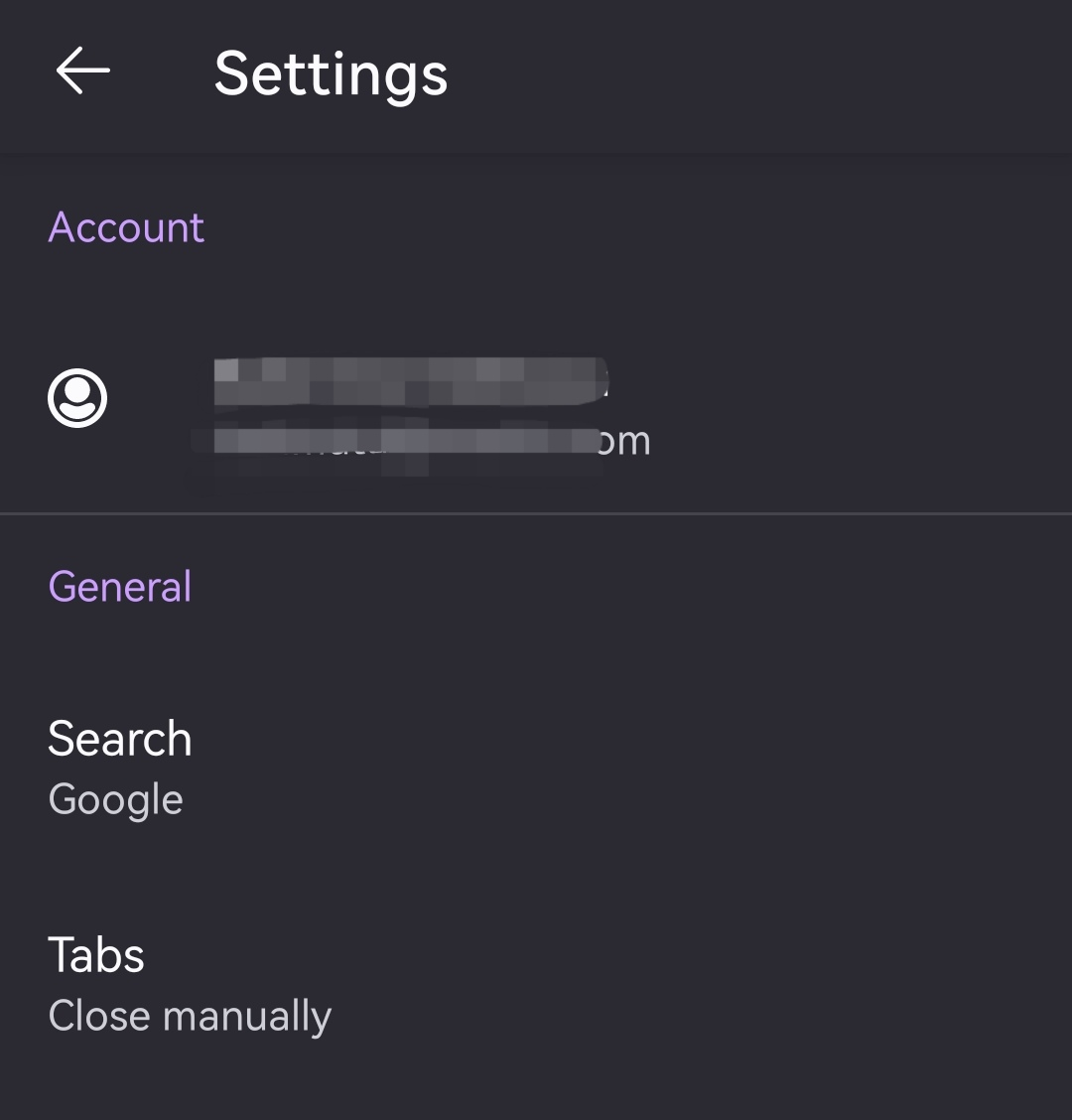
When you're already logged in, the Sync and save data menu is replaced with your account name. See the attached screenshots for your reference. To trigger sync, you can click on your account name and choose Sync now.
Hi there, thanks for looking again.
those of us with this problem (see other threads) have also tried this. It still doesn't work.
In my case I'm wanting to sync with my phone & a laptop that broke. The 'sync now' only works with the gadgets that have been added - it doesn't add gadgets. So I can't add any gadgets to my replacement laptop.
You don't need to add a new gadget to your replacement laptop. You simply need to log in to your Mozilla account on your replacement laptop so you can sync your data across devices.
Have you been able to log in to your Mozilla account on your replacement laptop?