Language stuck in Japanese

So I've tried everything I've looked through all of the different forms talking about language and changing it on your phone to English and then changing it on settings to English that's not working I've deleted the data and the app and read downloaded it and it's still stuck in Japanese nothing I do it's changing it back to English. In the dumbest thing is there is no translate for Japanese on Firefox yet on the mobile app it says it's not supported. So how on Earth am I supposed to change it back to English if I already have the device and the app both set to English?
被選擇的解決方法
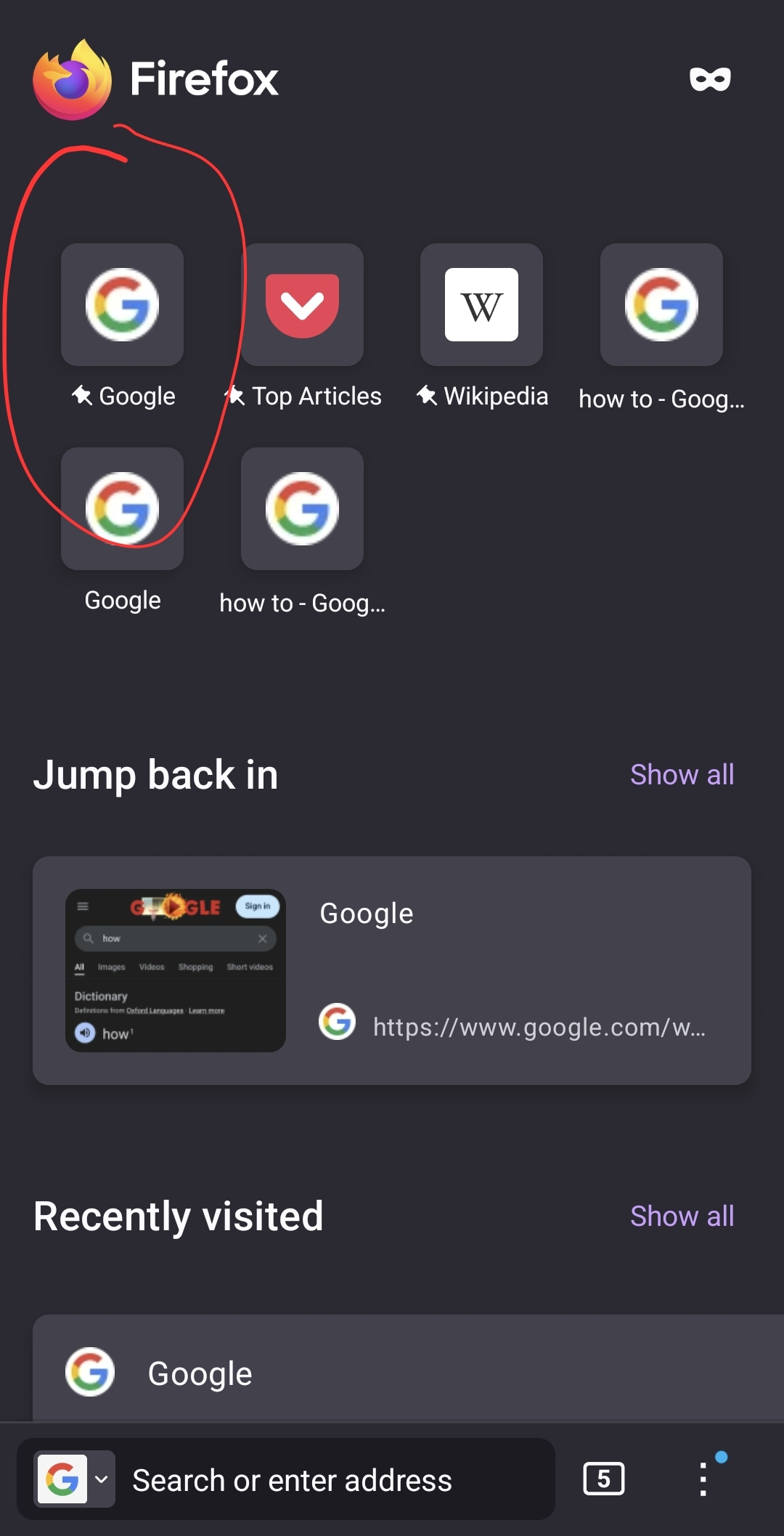
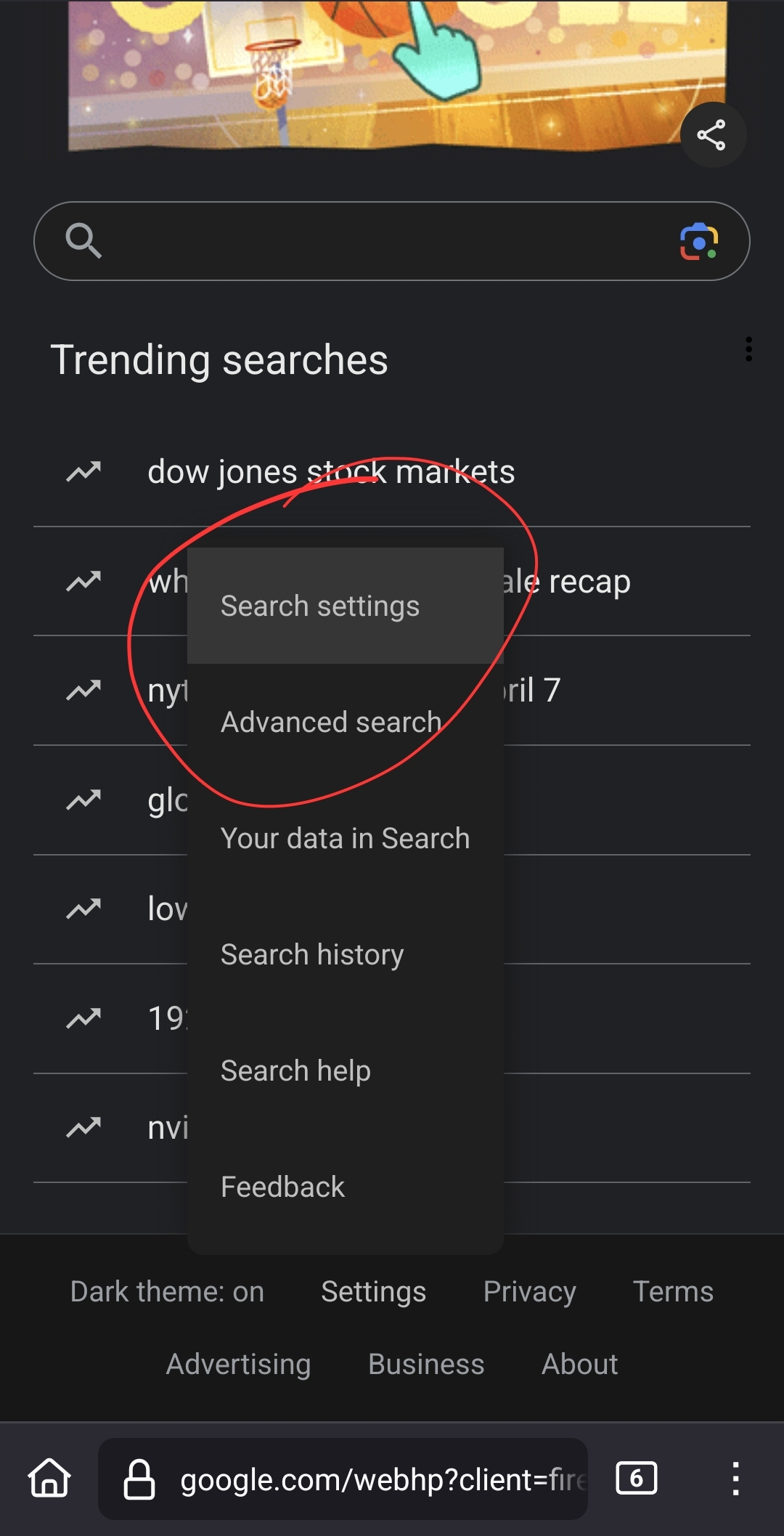
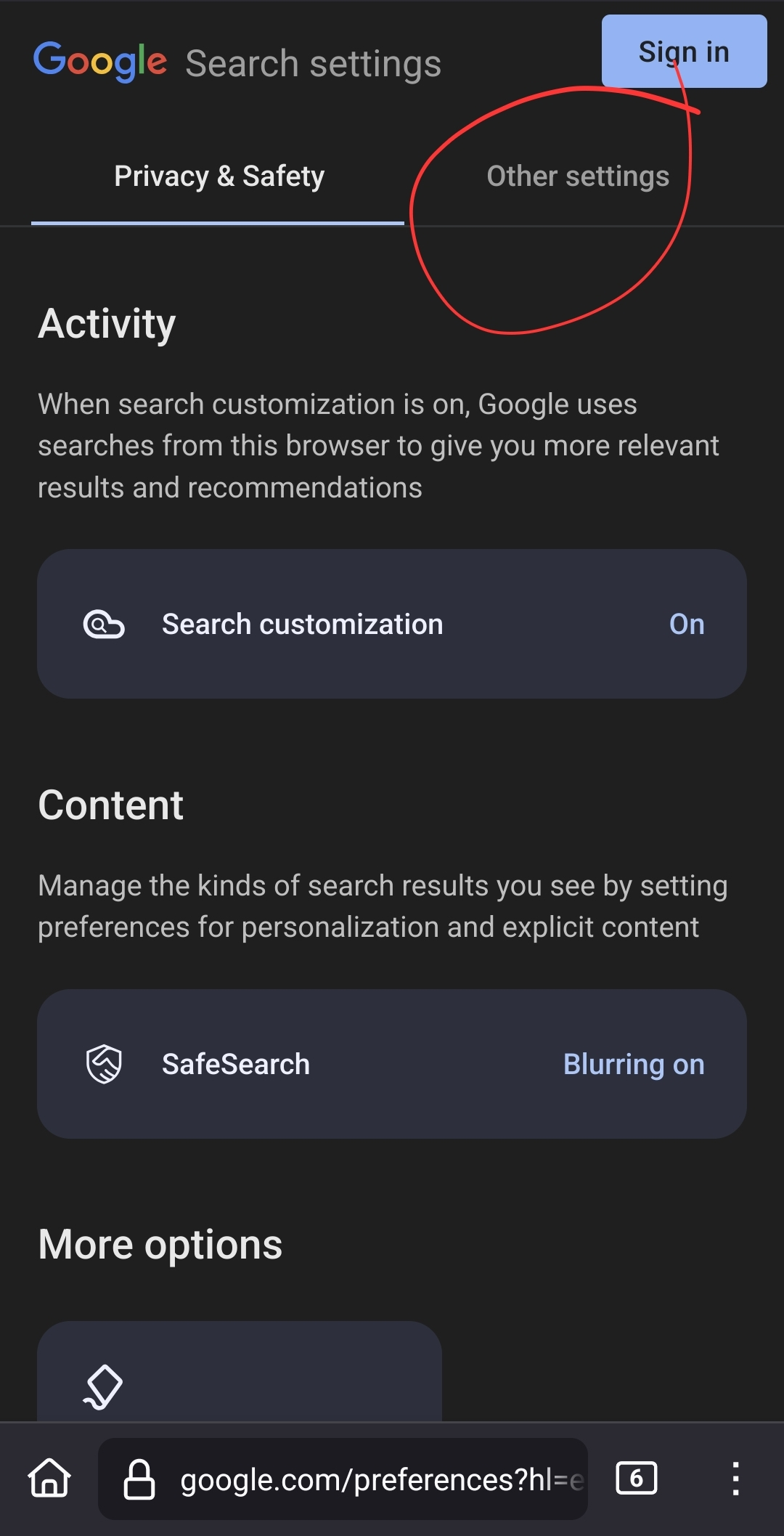
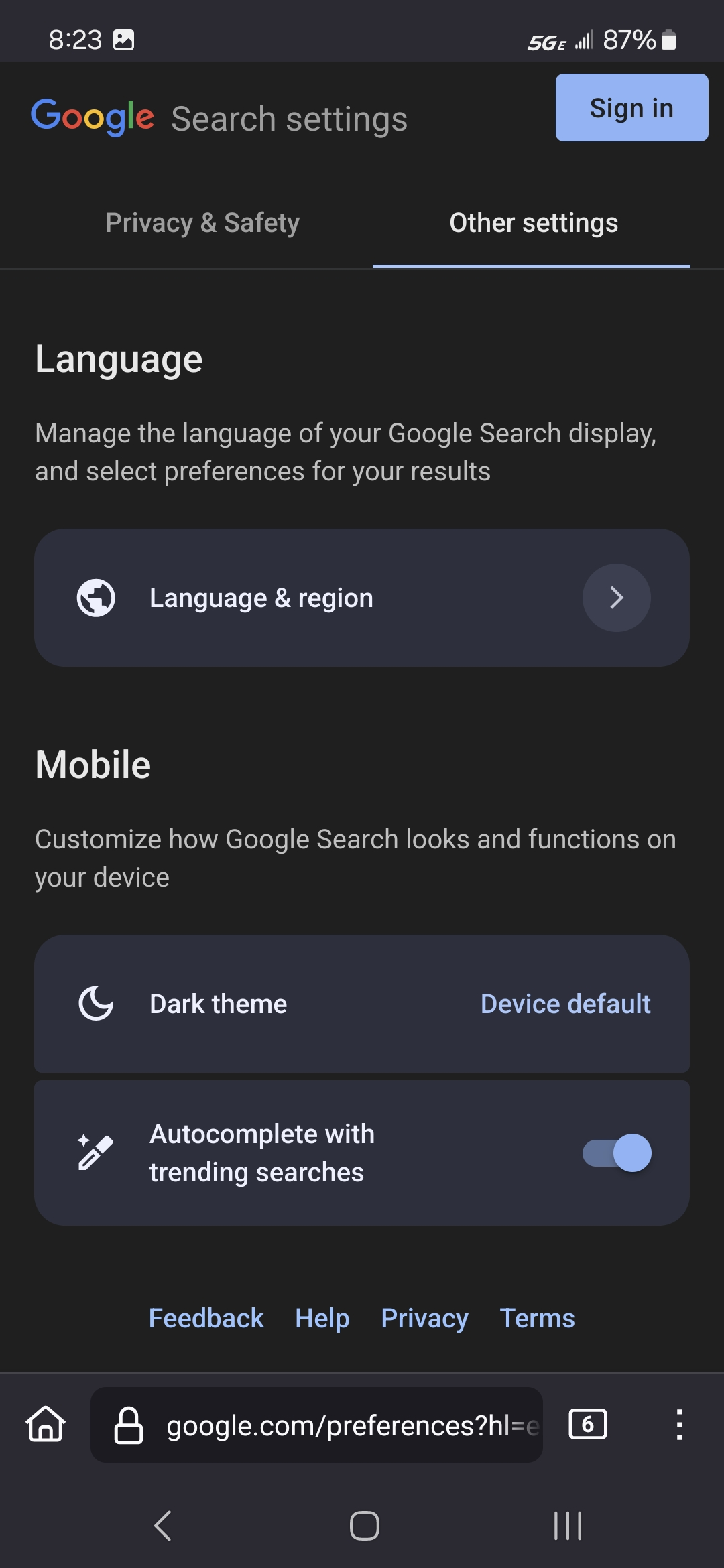
Never mind I found out if you go to the homepage on the app they'll be a pin for Google it'll be the top left pinned website I believe at least I was for me you can go over to settings and you can change the language through there it'll show Google even though it's on Firefox and you can also change your region to whatever country you're in so it'll update the language to that instead of what it's trying to change it to
從原來的回覆中察看解決方案 👍 1所有回覆 (1)
選擇的解決方法
Never mind I found out if you go to the homepage on the app they'll be a pin for Google it'll be the top left pinned website I believe at least I was for me you can go over to settings and you can change the language through there it'll show Google even though it's on Firefox and you can also change your region to whatever country you're in so it'll update the language to that instead of what it's trying to change it to