


Why is my Firefox browser not synchronising with my other laptop?

Good evening,
I have a new laptop, from the same brand and make as my old one, both are HP pavilion with the same configuration and only 2 years in between! I have been trying on and off for weeks, to synchronise my FF browser, with all open tabs, history and bookmarks, but all to no avail. I do everything the sync instruction tells me to do, but nothing happens. I am getting desparate, because my old laptop has a problem (hardware, nothing that could prevent synchronising) and is still under warranty, but time is running out!
Will anybody help here, and how do I receive answers?
被選擇的解決方法
Dear jonzn4SUSE,
Thank you very much, it finally worked, after following your above instructions. What I do not understand is, that FF is not shwoing this vital information anywhere easily accesible! A pity, but now all my 108 tabs are being moved to the new laptop, so mI can finally submit this one for repair.
Thanks and refards, Henk
從原來的回覆中察看解決方案 👍 1所有回覆 (3)
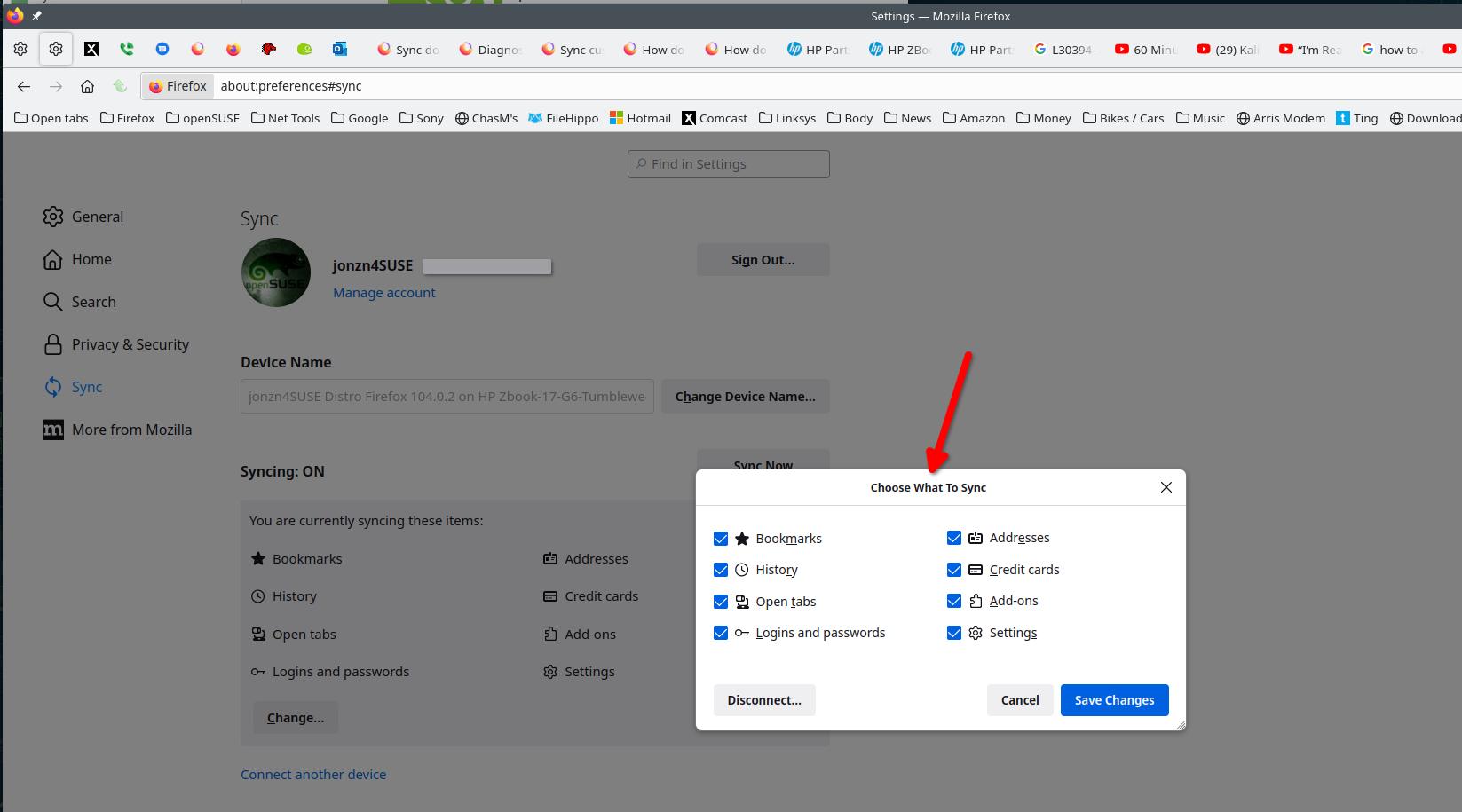
Are these options checked on both computers? see screenshot Also, try downloading a different version of Firefox and sync it as another test. https://www.mozilla.org/en-US/firefox/channel/desktop/?reason=manual-update#nightly
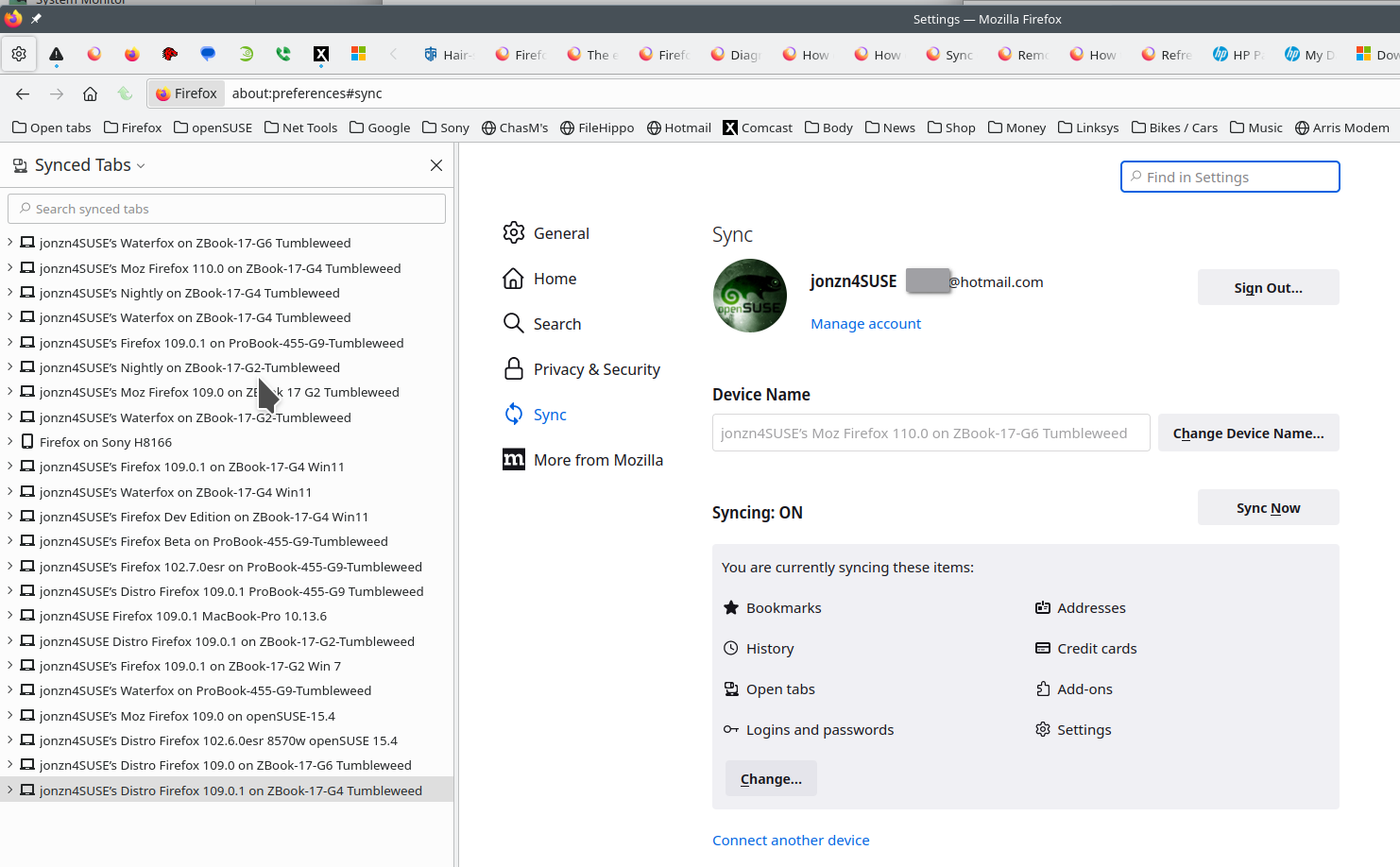
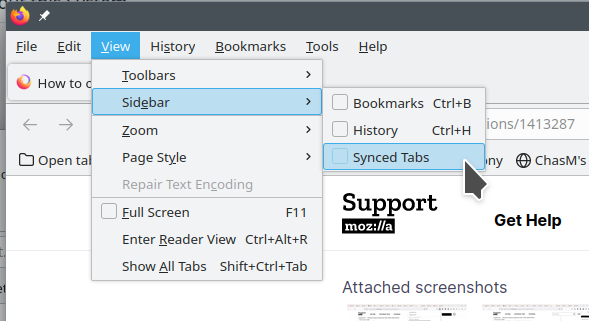
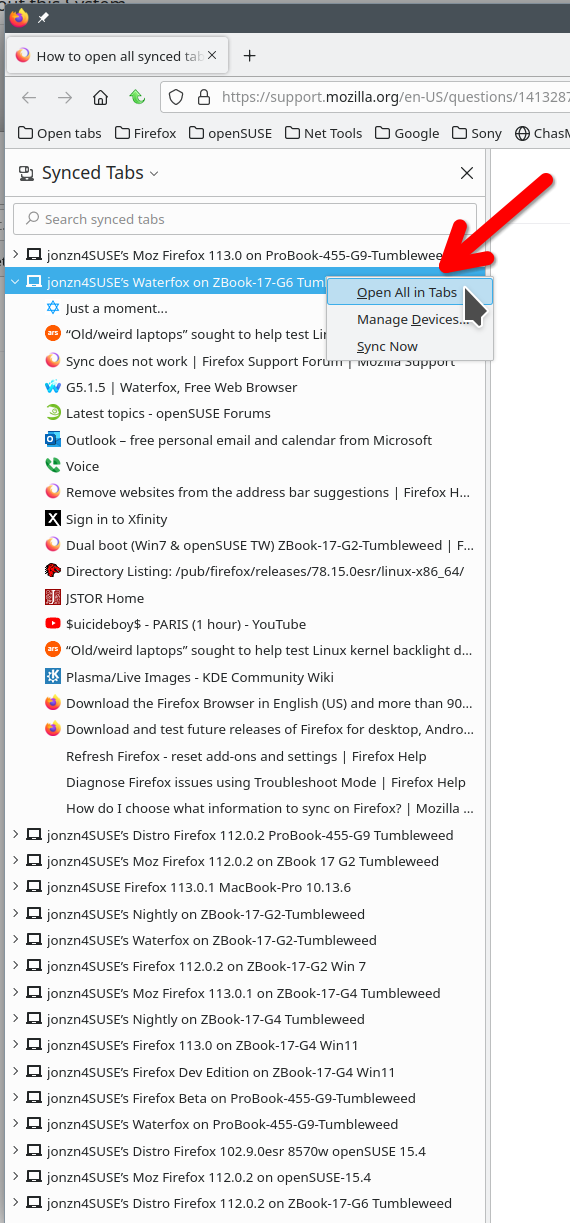
The tabs will sync, but it's not automatically going to appear on the other computer. You can view the other pc tabs and then open them. see screenshot
由 jonzn4SUSE 於 修改
選擇的解決方法
Dear jonzn4SUSE,
Thank you very much, it finally worked, after following your above instructions. What I do not understand is, that FF is not shwoing this vital information anywhere easily accesible! A pity, but now all my 108 tabs are being moved to the new laptop, so mI can finally submit this one for repair.
Thanks and refards, Henk