Change private browsing to public browsing
How do I change back to regular browsing from private browsing on my android phone?
所有回覆 (3)
選擇的解決方法
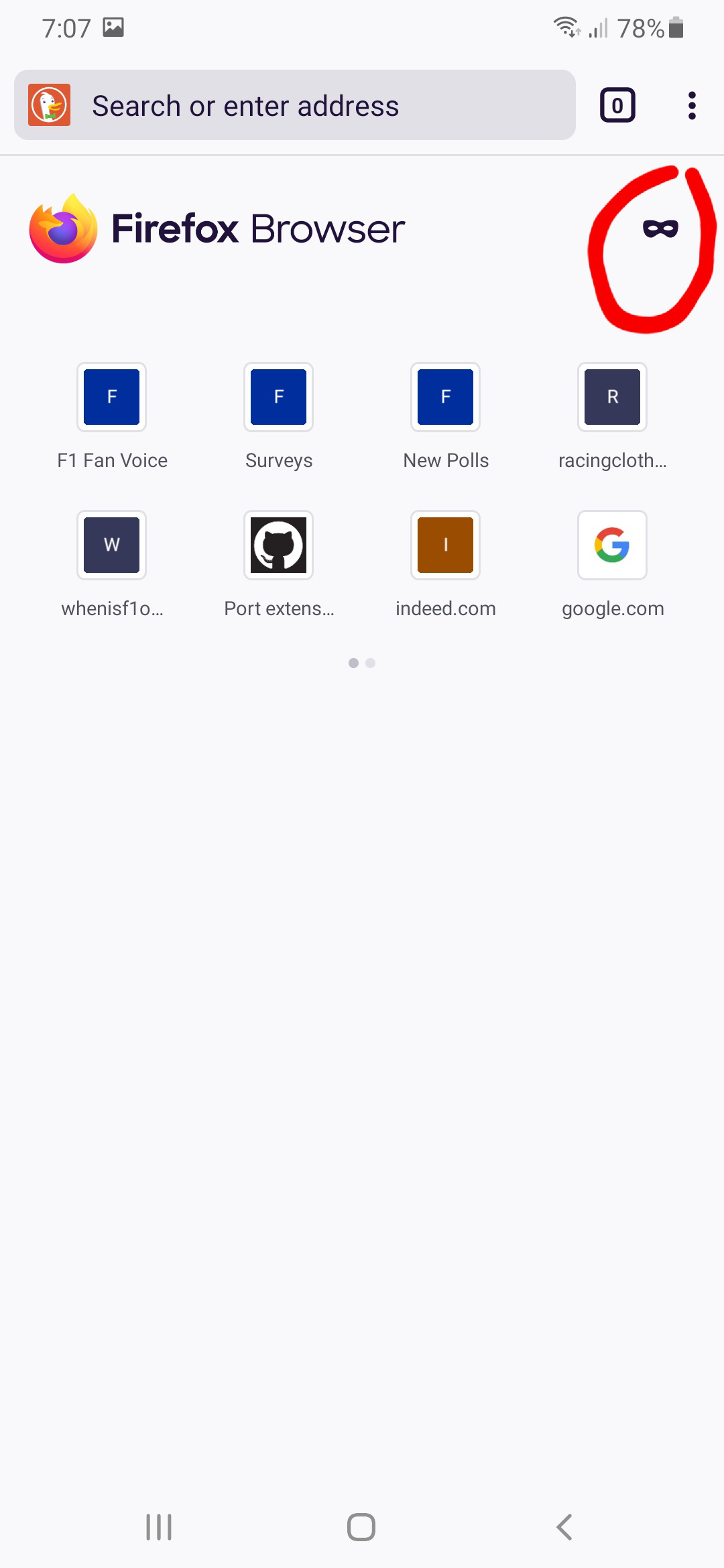
When you are on the Firefox home page, pull down the page completely. When you open a new tab, it starts scrolled down part way so that the Firefox Browser logo is at the top. There's actually a mask button that can be used to toggle between Private Browsing and regular browsing.
Alternatively, if you press the tabs button on the toolbar you will have the option to toggle between the regular and private tabs. You can press the plus button to create a new tab of the specific type.
See the Private Browsing on Firefox for Android page for more information and images.
Hope this helps.

Wesley Branton said
When you are on the Firefox home page, pull down the page completely.
Can someone translate this to English please?
On the Firefox homepage, there is a mask button to change between normal browsing and private browsing. I believe the app has been updated since my original response to make it easier to see how.
When you go to the Firefox homepage, you may not see the Firefox logo and mask button at the top. You need to scroll the page with your finger to get the Firefox logo to show up.