


I am using Thunderbird version 68.4.2 with Windows 10 and I have had a problem with missing files in folders.
I have tried following the instructions given re: fixing index files for the same problem that has been reported by several other users. I finally gave up and simply deleted the upper folder and sub-folders while in Thunderbird, then recreated the folders and things seem to be working for the moment. However I lost all the files that were in the folder originally. My concern is that I don't want this happening again, so I'd like to know if this problem is being addressed and fixed in subsequent updates of Thunderbird. I never encountered this issue in previous versions of the product. I recently installed the new version after having to re-install the operating system on my computer. Perhaps there is a way to go back to an older version of Thunderbird?
所有回覆 (3)
Did you try repairing those folders that had missing messages?
In the Folders Pane on the Left find the local folder with the missing messages. Right Click on the Icon of that folder (still in the Folders Pane on the Left) and Choose Properties. Click the Repair Folder button then Click OK. (Wait a while for repairs to finish ... ) Look again to see if any messages have returned.
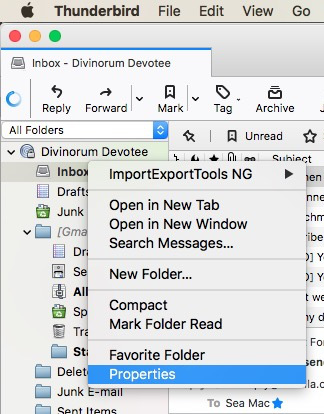
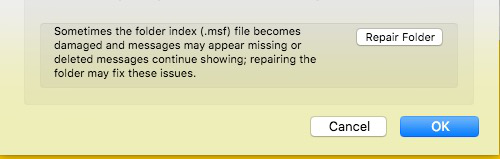
Before I deleted everything, I tried using the Repair Folder button but that didn't work.
I'm really not a great fan of whack-a-mole with Repair, and deleting .msf files.
I'd like to go back to the beginning, with your original statement which includes "missing files in folders." which I don't understand. What missing files?